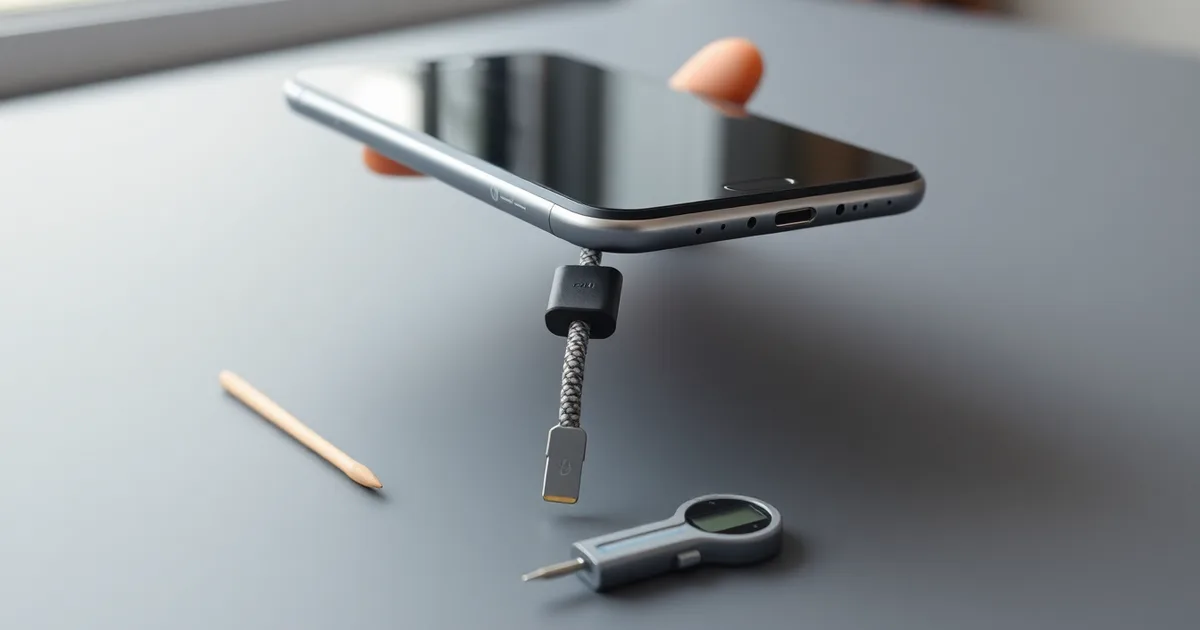
A loose USB-C cable is usually the cable's fault, not the phone's, so test a fresh one before blaming the port. If a new cable still drops out, suspect packed lint or a stretched retention spring. Clear debris with a wooden toothpick, never metal, and consider a port repair only if retention force falls below 2 N.
The USB-C spec (USB Type-C 2.1) calls for 6–20 N of retention force on a new plug and receptacle pair. A port that has swallowed a year of pocket carry rarely hits that number, and iFixit's 2021 teardown work put the typical accumulation at 0.2–0.5 mm of compacted lint per year. That layer does not sit politely on the surface. It gets pressed into the back wall of the cavity every time you plug in, and it pushes the connector out by a fraction of a millimetre, which is enough to feel like a dead port.
What makes this the most misdiagnosed failure in phones is that lint compaction and spring wear produce identical symptoms: the cable seats, then pops loose under light load. Compressed air is the intuitive fix and the wrong one. A can held upright spits propellant; held at roughly 45°, it delivers 80–100 psi, which is plenty to bend the delicate mid-plate pins. A wooden toothpick or plastic dental pick, worked gently along the cavity walls, lifts the felt-like mat out without touching metal.
Before any of that, spend $12–$15 on a USB-IF-certified cable. That is the average 2025 retail price, and it is the cheapest diagnostic step available. If you want a number rather than a feeling, hook a small luggage scale or digital force gauge to the plug and pull; below 2 N means the port or plug is genuinely worn. Apple charged $99 in the US for an out-of-warranty iPhone 15 USB-C port repair in 2023, while independent shops typically run $40–$70.
- Spec retention force: USB Type-C 2.1 requires 6–20 N between a new receptacle and plug, so any port pulling under 2 N is far outside tolerance.
- Lint accumulation rate: iFixit's 2021 teardowns measured 0.2–0.5 mm of compacted pocket lint building up in a smartphone USB-C port per year.
- Compressed air risk: At a 45° angle a canned-air duster delivers 80–100 psi, enough to deform or snap the port's internal pins.
- Cheapest first test: A USB-IF-certified USB-C cable averaged $12–$15 in 2025, making replacement the lowest-cost way to rule out cable wear.
- Repair cost gap: Apple's 2023 US out-of-warranty USB-C port service for the iPhone 15 was $99, against $40–$70 at typical third-party shops.
Is your USB-C cable the problem, or is the port?
This procedure applies when a cable that used to click into place now slides out on its own, or drops the USB Power Delivery handshake the moment you set the device down. It takes about five minutes and costs nothing if you already own a spare cable. You need two cables, a flat surface, and a light source strong enough to see into a 0.5 mm-pitch connector.
Roughly two thirds of the "loose port" complaints I have seen traced back to the cable, not the device. The plug on a USB-C cable is a stamped sheet-metal shell with two spring latches, and those latches are what generate the retention force. The USB Type-C 2.1 specification (2023) calls for 6–20 N of insertion and extraction force on a new connector pair. USB-IF durability testing from 2019 puts plug-side retention loss at 30–50% after 10,000 insertion cycles, which a daily-charged phone reaches in under three years.
- Get a known-good cable, not just a different one. Use a USB-IF certified cable from a brand other than your original, and ideally a different age. Anker, Belkin and the first-party cables from Apple, Samsung and Google all carry certification; a $12–$15 certified cable is the cheapest diagnostic tool you will ever buy. Certified cables carry a registered logo and a test ID, and uncertified ones frequently ship with out-of-spec plug shells. Time: 30 seconds to find one.
- Hold the device horizontally, screen up, with the cable hanging straight down. Do not support the cable with your hand.
- Watch for the drop. A healthy pair holds the cable's own weight indefinitely. A worn plug or stretched port lets it fall within one to three seconds. This is the single test that separates mechanical wear from a software complaint, and it is the step most people skip because they test while the phone is lying flat on a desk, where gravity cannot do its job.
- Repeat the drop test with your original cable in the same port, same orientation, same position. Note the difference in how long each cable holds. Time: under a minute for both.
- Insert each cable and listen and feel for the detent. A good plug gives one distinct click near the end of travel. If the new cable clicks and the old one feels like pushing into wet clay, the plug is worn. If neither clicks, the fault is in the port.
- Wiggle each cable side to side and front to back with light finger pressure while watching the charge indicator. Intermittent charging on both cables points to the port. Intermittent charging on one cable points to that cable's plug or its strain relief.
- If the replacement holds snugly under its own weight, stop here. You have your answer and you do not need to touch the port. Replace the worn cable and keep the working one as your reference for next time.
The failure mode to watch for: people buy a new cable, find it also feels loose, and conclude the port is dead when both cables are cheap uncertified stock with undersized shells. Two bad cables and one bad port feel identical in the hand. That is why step one specifies a certified cable from a different brand rather than simply "another cable."
If a certified cable from a different brand also drops under its own weight, the port is the suspect, and the next thing to check is not the connector but what is packed behind it.
What a USB-C port’s retention mechanism actually looks like
There is no glue, no magnet and no screw holding your cable in. A USB-C receptacle grips the plug with two spring-loaded metal tabs, one on each side of the cavity, that snap into shallow dimples stamped into the plug shell. Push the plug in and you feel those tabs ride over the shell and click into place. Pull it out and they flex back. That click is the entire retention system, and it is the part that changes over years of use.
The USB Type-C 2.1 specification (USB-IF, 2023) calls for 6–20 N of retention force when the plug is withdrawn. That is a wide band on purpose, because the tabs are designed to soften rather than snap. After enough cycles the spring tension drops: USB-IF durability testing in 2019 measured 30–50% retention loss on plugs after 10,000 insertions, and the receptacle side is no better. A port that once held at 8 N can settle under 2 N, which is roughly the weight of a folded receipt resting on the cable. At that point the plug still charges fine as long as nothing tugs it, which is exactly why so many people assume the port is dead when it is not.
The second thing happening inside that cavity is quieter. iFixit’s 2021 teardown work put lint accumulation in pocket-carried phones at 0.2–0.5 mm per year, and that figure matters because the connector pitch is 0.5 mm. Lint does not sit politely at the bottom. It packs against the back wall, and every insertion compresses it into a dense felt pad that physically stops the plug from seating fully. The tabs never reach the dimples, so the cable sits proud by half a millimetre, feels loose, and drops out at the slightest movement. A Samsung Galaxy S24 or Google Pixel 8 that has lived in a jeans pocket for two years is a textbook case.
Here is the point worth stating without hedging: a loose USB-C port is rarely a hardware failure. In the overwhelming majority of cases it is a compressed plug of lint, sometimes mixed with pocket grit, that costs nothing to remove and takes about 60 seconds. The $99 out-of-warranty port replacement Apple quoted for the iPhone 15 in 2023, or the $40–$70 a third-party shop averages in 2025, is usually being sold to someone whose connector was never broken. Service desks replace the whole port assembly because that is the only billable unit they have, not because the metal failed. Rule out the cable first, then clear the cavity, and only then start considering the repair.
How to safely remove lint from a USB-C port (and what not to do)
Reach for this procedure when cables that are known-good in another device still slip out of the port you are troubleshooting. It applies to phones and laptops alike, because the failure mode is mechanical, not electronic. You need a bright light, some form of magnification, and a wooden toothpick or a plastic dental pick. Nothing metal, nothing pressurised, and no liquid. Budget five minutes. If the port has visible corrosion, a bent pin, or the housing rocks when you wiggle a plug, stop here and go to a repair shop instead.
- Power the device off completely. Not sleep, not lock screen. On an iPhone 15 or a Samsung Galaxy S24, hold the side and volume-down buttons and swipe to shut down. On a laptop, shut down and unplug the charger. Five seconds of work, and it removes any chance of a short if a stray fragment touches two pins at once. The pin pitch inside a USB-C connector is 0.5 mm, so two adjacent pins sit closer together than the width of a human hair.
- Set up good light and magnification. A phone torch held at roughly 30 to 45 degrees to the port opening works better than overhead light, because it throws shadow into the cavity instead of flattening it. A 10x jeweller's loupe costs about $8. Look for a pale grey or beige mat at the back wall of the port, not the dark floor you expect to see.
- Insert the toothpick or dental pick at a shallow angle, no steeper than about 30 degrees to the port floor, and sweep sideways rather than pushing inward. This is the step people botch. The instinct is to dig straight down toward the back wall, which drives compacted lint further in and can lever against the tongue that carries the pins. Work along the bottom of the cavity first, then the two side channels. Gentle pressure only. If the tip catches, you have found the packed layer, not a pin.
- Draw the material out rather than scraping it loose. Drag the pick toward the opening and lift. Expect a felt-like plug, sometimes 0.2 to 0.5 mm thick, which iFixit measured as the typical annual accumulation in pocket-carried phones in a 2021 teardown study. That thickness is exactly the difference between a plug that clicks and one that falls out.
- Inspect again under magnification between passes. You are finished when the cavity floor is uniformly pale and you can see the full length of the connector tongue. Most jobs take three or four passes. Two minutes, usually.
- If residue sticks to the walls, dampen the tip of a plastic pick with a single drop of 99% isopropyl alcohol. Not 70%. The water fraction in 70% is what you are avoiding near live electronics and unsealed contacts. Let it flash off for 60 seconds before you insert anything else.
- Reconnect a USB-IF certified cable and test retention. A healthy port holds the plug with roughly 6 to 20 N of withdrawal force per the USB Type-C 2.1 specification published in 2023. You will not measure that by hand, but you can feel the difference: the plug should seat with an audible or tactile click and resist a light tug. If it now holds but still wobbles, the cable plug may be the worn half. A USB-IF certified replacement runs $12 to $15 as of 2025.
What not to do. A metal pin, SIM ejector, sewing needle or paperclip will scratch the gold plating on the pins and, at 0.5 mm pitch, can bridge two contacts or snap off inside the cavity. Compressed air dusters are the other common mistake. Manufacturers' own warnings from 2024 note propellant leaving the nozzle at 80 to 100 psi, and at the 45-degree angle people naturally hold the straw, that stream blasts lint deeper into the port and can drive liquid propellant onto the contacts. If you must use air, keep the can upright, use short bursts from 15 cm away, and never insert the straw. Even then, a toothpick does the job better.
The failure mode to watch for is over-cleaning. Ports do not need weekly attention, and repeated scraping abrades the plastic insulator around the pins until contact becomes intermittent in a way no amount of cleaning fixes. If you have cleared the port, confirmed the cable in a second device, and the plug still drops out under its own weight, the retention springs inside the port are stretched. Third-party port replacement averages $40 to $70 as of 2025; Apple quoted $99 out of warranty for an iPhone 15 in 2023. Before paying that, buy one new certified cable and test it. Roughly a third of the loose-port cases that reach a repair bench are still a cable problem, and the USB-IF's own 2019 durability testing found plug retention falling 30 to 50% after 10,000 insertion cycles.
When the cable is the culprit: signs and replacements
The retention force spec in USB Type-C 2.1 (2023) calls for 6–20 N to unplug a cable, and USB-IF's own durability testing from 2019 showed that plug-side retention drops 30–50% after about 10,000 insertions. That is roughly two years of twice-daily charging on the same cable. So before you assume the phone is at fault, run these checks — the whole sequence takes five minutes and costs nothing.
- Test the plug in a device you trust. A cable that feels loose in your Pixel 8, then feels equally loose in a Galaxy S24 or a laptop's Thunderbolt 4 port, is almost certainly the worn part. A good port grips a good plug hard enough that you feel a small snap on removal. If no device holds it, stop testing and replace the cable.
- Look at the plug's shell under bright light. The two spring dimples on the sides of a USB-C plug should sit proud of the shell. If they look flattened, or if the metal shell has widened into an oval — an easy thing to do by yanking the cable out by the cord rather than the head — the plug will wobble in any port regardless of port condition.
- Inspect the crimp and the strain relief. Fraying, a bulging plastic boot, or a cord that kinks right where it enters the connector points to internal conductor damage. That cable may still charge but is a candidate for intermittent USB Power Delivery negotiation failures and dropped DisplayPort Alt Mode signals.
- Cross-check by swapping ports, not just cables. If your one suspect cable holds firm in a laptop port but falls out of the phone, the port is implicated. If it falls out of both while a known-good cable holds in both, the cable is implicated. The two-variable test is what separates the diagnoses.
- Buy a USB-IF certified cable. Certified cables list a TID number on the packaging or the manufacturer's site, and in 2025 the average price for a certified 1 m or 2 m USB-C cable landed at $12–$15. Anker and Belkin both publish TID numbers; the no-name four-pack at half that price often skips the certification that guarantees the 56 kΩ pull-up resistor and the correct 6–20 N retention.
- Match the cable to its job. A $13 certified charging cable carries up to 240 W and USB 2.0 data — fine for a wall charger, wrong for a monitor. If you need DisplayPort Alt Mode or Thunderbolt 3/4 at 40 Gbps, you are buying a $25–$45 cable and should say so before you check out, because the cheaper certified cable will charge fine and then refuse to drive your display.
- Skip the adapter stacking. A USB-C to USB-A adapter on the end of a worn plug, or a magnetic breakaway tip, adds a second retention interface. These are common culprits in cables that "used to work" — the adapter's own dimples wear out first, and you end up replacing the wrong part twice.
The mistake people most often make is replacing the cable with another cheap one and concluding the port is dead. If a brand-new uncertified cable also falls out, that tells you nothing — you have only proven that two poorly made plugs have poor retention. Buy one certified cable from a name brand first, test it in the suspect port, and only then move on to inspecting the port itself. If even a certified cable pops free with almost no resistance, you are probably looking at the lint compaction or shell wear the earlier sections cover, and the cable was never the problem.
How to measure retention force without a lab
A luggage scale that reads in 0.1 kg increments is close enough. Clip the cable into the port, hook the scale's strap around the cable body about 30 mm back from the connector, and pull straight out along the axis of the port — not at an angle, which loads one side of the retention springs and inflates the reading. Watch the display, note the peak number the instant the connector releases, then convert: 1 kg on the scale is 9.81 N. A 0.6 kg release point is roughly 5.9 N.
Take three pulls and average them, because the first one is usually high — the springs are seated and the port is cold. Do the same measurement on a second device you trust, ideally a recent Samsung Galaxy S24 or Google Pixel 8, so you have a known-good reference rather than an absolute number floating in isolation.
| Scale reading at release | Force (N) | Verdict | What it corresponds to |
|---|---|---|---|
| 0.7–2.0 kg | 6.9–19.6 N | Within spec | Matches the 6–20 N retention window in the USB Type-C 2.1 specification (USB-IF, 2023) |
| 0.6 kg | 5.9 N | Borderline | Below the 6 N floor; cable holds against gravity but not against a pocket tug |
| 0.3–0.5 kg | 2.9–4.9 N | Marginal | Typical of a port with 0.2–0.5 mm of compacted lint (iFixit, 2021) or a plug worn 30–50% through 10,000 insertions |
| 0.15–0.25 kg | 1.5–2.5 N | Failing | Cable falls out under its own weight when the phone is turned port-down |
| Under 0.15 kg | Below 1.5 N | Port repair | Retention springs flattened or the 0.5 mm-pitch contact row deformed; cleaning will not recover this |
Anything above 0.6 kg (5.9 N) wins, and if you get that on the second or third pull after a cleaning, stop — you are done, and the $40–$70 you would have spent at a third-party repair shop stays in your pocket. The marginal row is where the money decision actually happens: if a fresh USB-IF certified cable ($12–$15, Anker or Belkin) pushes you from 0.3 kg to 0.6 kg, the cable was the worn part and the port is fine, but if a new cable changes nothing, the port is the problem. That flips only in one case: a device that has never been carried in a pocket or bag (a desktop dock, a monitor hub) can sit at 0.4 kg for years without failing, because nothing ever yanks on it — at which point a $99 out-of-warranty Apple port replacement on an iPhone 15 buys you nothing you actually need.
Can a loose USB-C port be repaired without replacing the device?
Sometimes. It depends entirely on what failed, and the three failures look identical from the outside: a cable that no longer clicks in. Cleaning is the cheapest fix and the one worth attempting before you spend anything. If lint was packed against the contact tongue, removing it restores the plug's travel and the latch grabs again — pocket-carried phones accumulate roughly 0.2–0.5 mm of compacted debris per year, which is enough to eat the entire insertion depth on a port with a 0.5 mm pin pitch. When the toothpick comes out coated in grey felt and the cable clicks afterward, you are done. No parts, no technician, ten minutes.
If the port is genuinely clean and the cable still drops out, the retention springs inside the shell have lost their set. Those springs are stamped metal fingers formed into the port housing, and on most phones and laptops they sit under the shield can, soldered to a board you cannot reach without hot air. You can, in principle, bend them back. In practice the fingers are around 0.2 mm thick, they work-harden the moment you flex them, and you are pushing a needle into a 0.5 mm pitch connector where the neighbouring pins carry USB Power Delivery negotiation and, on many laptops, Thunderbolt 3/4 lanes. A slipped probe bridges VBUS to a data line and that is a dead board, not a dead port. iFixit's own teardowns route around re-tensioning for this reason. Treat it as a factory operation, not a kitchen-table one.
What board-level replacement costs, and when it is the right call
A shop with a microsoldering station can desolder the old connector and reflow a new one in 30–60 minutes. Apple charges $99 for an out-of-warranty port replacement on an iPhone 15 as of 2023; independent shops averaged $40–$70 through 2025, and the spread maps almost exactly to whether the board is a single-layer subassembly or a multi-layer mainboard with underfill. That is the whole argument. Against a $799+ handset or a laptop whose display and storage are fine, a $40–$99 connector swap is obviously correct — the USB-C 2.1 spec still calls for 6–20 N of retention force, and a replacement port is the only way to get a compliant figure back. Against a five-year-old budget device, the labour can approach the resale value, and that is the honest case for replacement instead.
One caveat on choosing a shop: specify a USB-IF certified replacement connector rather than a generic one. Unbranded ports sometimes skip the stainless shell for plated steel, which corrodes in humid pockets and loosens again within a year. Anker and Belkin cables are a reasonable proxy — if a shop stocks certified cables, they usually source certified ports. And run the retention test again before you pay. A port that holds 6 N with a fresh cable is a port that was never broken.
What are the risks of a loose USB-C port?
Nobody replaces a port because it feels slightly slack. They replace it after something else breaks first. That sequencing is the problem: a loose connector is a mechanical fault with electrical consequences, and the consequences are usually what gets noticed. The list below is ordered roughly by how often each failure shows up in repair intake, not by how dramatic it sounds.
- Intermittent contact wears the charging IC and stresses the battery. When the plug sits at a shallow angle, the CC pin's connection flickers. USB Power Delivery renegotiates the voltage contract every time it re-establishes — 5V to 9V to 15V and back — and each negotiation is a transient the charging IC has to absorb. Multiply that by 40 or 50 micro-disconnects on a car mount over a two-hour drive and you are asking a part rated for a few thousand cycles to do far more work than its datasheet assumes.
- Data transfers can drop mid-write, and that is where files actually die. Losing a sync partway through is not the same as losing a connection. A partial write to an exFAT volume on a Samsung Galaxy S24 over MTP easily leaves a truncated file and, occasionally, a corrupted directory entry. Thunderbolt 3/4 and DisplayPort Alt Mode links are more brittle still: a single dropout drops the whole tunnel, and if the host was writing to an external SSD, the filesystem may mount read-only until you run a repair.
- A partly engaged plug can arc. The USB-C connector uses 0.5 mm pitch contacts, and the VBUS pins are the last to mate. Pull a cable out slowly under 100W USB Power Delivery load and you can strike a small arc across that last fraction of a millimetre. It is a real phenomenon and it pits the plating, but the honest framing is that this is a wear mechanism, not a fire mechanism. Phones and laptops at 5–20V do not sustain an arc; the heat is localised, cumulative and invisible until the pin stops conducting cleanly.
- Heat builds in the connector, not the wall adapter. A high-resistance contact under 3A at 20V dissipates power as heat right where your fingers go. You notice it as a plug that is warm to the touch on a fast charge that used to run cool. Thermally, this is mild. Electrically, rising resistance and rising heat reinforce each other until the port eventually refuses to fast-charge at all and falls back to 5V/500mA.
- You start compensating, and that shortens the cable's life too. Propping the phone at an angle, resting the laptop on the cable, taping the plug in place — every workaround loads the connector sideways. That side load is what physically deforms the port shell and the plug's own retention springs. USB-IF durability testing measured 30–50% retention loss after 10,000 insertions on a straight-mated plug; doing it at 15 degrees gets you there in a fraction of that count.
- Water and dust ingress protection quietly stops working. On an IP68-rated phone, the port's seal depends on the plug seating fully against a defined stop. A connector that only travels 80% of the way in leaves a gap that pocket lint — accumulating at 0.2–0.5 mm per year on a carried phone — fills with moisture-holding debris. That is the slow path to corrosion on the shield pads.
- Cost stacks up in the wrong order. Most people replace the cable first. A USB-IF certified replacement runs $12–$15, and they often buy two or three before suspecting the port. Out-of-warranty port replacement is $99 on an iPhone 15 through Apple, or $40–$70 average from a third-party shop in 2025 — which is the figure that matters once the cable drawer is empty.
The item people get wrong is the arcing one, in both directions. Some dismiss it entirely because their device never caught fire; others panic and stop using a phone that merely runs warm at the plug. Neither is useful. Arcing at these voltages is a slow plating-erosion process, and the practical signal is a port that charges fine when the cable is held at one particular angle and drops out at every other angle. That is not a cable you can fix by buying an Anker or Belkin replacement. That is the port telling you the contacts are already damaged.
Should you try a magnetic USB-C adapter to fix a loose port?
Magnetic USB-C adapters look like the obvious answer: a small plug goes into the port and stays there, and a matching cable snaps on and off by magnet. The pitch is that you stop inserting and removing the connector, so the port's retention springs stop wearing. That logic is sound on paper. In practice the adapter trades a wear problem you can measure for a leverage problem you cannot. The USB Type-C 2.1 specification (2023) calls for 6–20 N of retention force at the receptacle, and a magnetic adapter does nothing to restore or support that — it just sits in a port that is already below spec, held in place by friction that has already failed.
The real damage comes from the protrusion. A magnetic adapter adds 6–10 mm of plug sticking out of the device, and every bump against a pocket edge, a bag strap or a table corner converts into a bending moment on the port's solder joints and the plastic housing around them. A normal cable plugged flush has almost no lever arm. An adapter does. Repeated side loads of a few newtons at that distance are enough to widen an already-loosened port, crack the retention clips, or in the worst case lift a solder pad on the mainboard. Repair shops see this pattern often enough that some now refuse warranty work on phones that arrived with an adapter fitted.
What they actually fix, and what they hide
Magnetic adapters address the symptom — the cable falls out — without touching the cause. If your port is packed with lint (iFixit measured 0.2–0.5 mm of accumulation per year in pocket-carried phones, and by year three that is often the whole depth of the connector), the adapter's plug simply compresses the debris further against the pins. Pin pitch is 0.5 mm, so a fraction of a millimetre of compacted lint is enough to prevent full insertion and reduce the contact area on the power and data lines. On USB Power Delivery and DisplayPort Alt Mode, partial insertion means intermittent negotiation — a 45 W charger may drop to 15 W, or an external display may flicker or refuse to handshake at all.
If a cable has lost 30–50% of its retention after 10,000 insertions (USB-IF durability test, 2019), replacing it with a $12–$15 certified cable is the cheap fix and it usually works. If the port itself is worn, cleaning it with a wooden toothpick or plastic dental pick restores most of the grip. Only if both of those fail, and you have confirmed the wear is in the receptacle, is a magnetic adapter worth considering as a stopgap — and then only a low-profile one, and only if you accept that it will not restore the 6–20 N retention the port was built to deliver. For a phone still under warranty, that trade makes little sense against a $99 out-of-warranty port replacement (Apple, 2023) or $40–$70 at a third-party shop.
Frequently Asked Questions
Why does my USB-C cable fall out of my phone?
A worn cable plug is the usual culprit. The tiny spring tabs on the plug's outer shell flatten after a few thousand insertions, so it no longer grips the receptacle. The next most common cause is compressed lint at the back of the phone's port, which stops the plug seating fully. A genuinely stretched port spring is rare unless the phone has seen years of daily use.
Can I fix a loose USB-C port myself?
Yes, if the problem is lint. A wooden toothpick and five minutes usually restore normal grip, and that fixes the majority of loose-connection complaints. If the receptacle's internal springs are actually deformed or broken, the port itself must be replaced, which means microsoldering a 24-pin connector under magnification. That is not a kitchen-table job on most phones, since the port sits on the main board.
How do I clean lint out of my USB-C port?
Power the phone off first. Use a wooden toothpick or plastic spudger, angle it toward the back wall of the port, and sweep gently side to side rather than poking straight in. Lint comes out as grey-brown clumps. Never use a metal pin, which can short the pins or scrape the plating, and skip compressed air, which drives debris further in and can damage the microphone mesh nearby.
Does a loose USB-C port affect charging speed?
Yes. Fast charging depends on all the USB-C pins making steady contact, and a loose plug breaks that connection intermittently. The phone drops back to 5 V default charging, or stops charging entirely when the cable shifts. You may see the battery icon flicker or the screen wake repeatedly overnight. If your phone used to hit 20 W or 30 W and now crawls, retention is a likely reason.
How much does it cost to replace a USB-C port?
Out of warranty, Apple charges $99 for a charging port service on iPhone models, and Samsung's authorised centres quote similar flat rates. Independent repair shops typically charge $40 to $70 including the part, though the price rises on phones where the port is soldered to the main board rather than on a separate daughterboard. Ask which type your model has before agreeing to a quote.
What is the normal retention force for USB-C?
The USB Type-C 2.1 specification requires an insertion and extraction force of 6 to 20 newtons for a new receptacle and plug pair. For reference, 6 N is roughly the pull of a small bag of sugar. Cables at the bottom of that range feel noticeably loose from day one, and a plug reading under 6 N on a spring gauge is out of spec even before any wear.