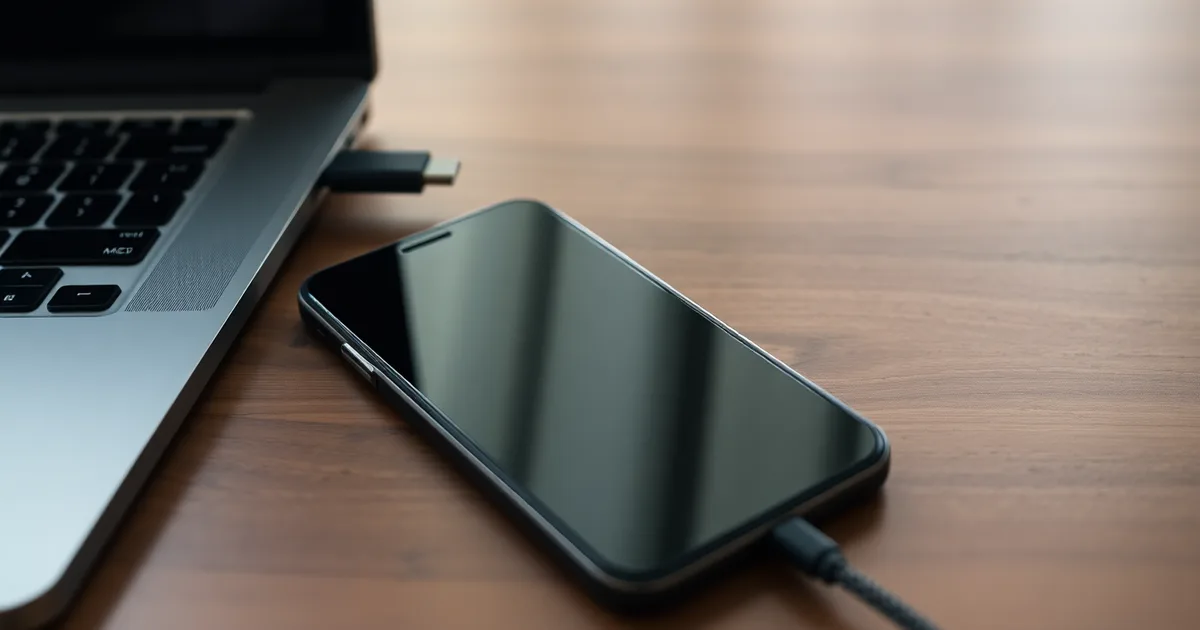
A laptop USB-A port usually supplies 2.5W to 7.5W, and a USB-C port without Power Delivery tops out at 15W, while a wall charger pushes 18W to 45W. So slow phone charging from a laptop is normal. Check the port's wattage, the cable's rating, and the laptop's power settings before blaming the phone.
The port you are using was never designed to charge a phone quickly. Most laptop USB-A ports are USB 2.0, which is 5V at 0.5A, or 2.5W. USB 3.0 bumps that to 0.9A, or 4.5W, and the USB Battery Charging 1.2 spec allows 5V at 1.5A, or 7.5W, but plenty of laptops do not implement that last step. Charging a 4,500mAh phone battery at 2.5W takes most of an afternoon, and if you are on a video call at the same time, the phone's own power draw can eat much of what the port delivers.
USB-C looks like the answer and often is not. A USB-C port with no USB Power Delivery negotiation outputs a flat 5V at 3A, which is 15W, and that is the ceiling, not the floor. UL Solutions tested laptop USB-C ports in 2024 and found 68% delivered less than 15W to a smartphone even when the port was labeled for charging. Apple rates the MacBook Air (M2) at up to 15W per USB-C port when the laptop is plugged into power; the same ports drop to 7.5W on Dell's XPS 13 (2022) once the laptop runs on battery.
- USB-A ceiling: Standard USB 2.0 ports deliver 2.5W (5V/0.5A) and USB 3.0 ports 4.5W (5V/0.9A), with USB Battery Charging 1.2 allowing up to 7.5W.
- USB-C without PD: A USB-C port that skips Power Delivery negotiation caps at 5V/3A, or 15W, which is why phones fall back to slow charging.
- Fallback behaviour: A phone asking for 9V/2A (18W) from a 5V/3A port drops to 5V/1.5A (7.5W) or lower under USB PD 3.1 rules.
- Cable matters too: A USB 2.0 cable (480 Mbps) often lacks the E-Marker chip needed for PD above 3A, holding charging at 15W or less regardless of the port.
- Windows setting: Battery saver in Windows 11 can cut USB port power output by up to 50% while enabled, per Microsoft's 2023 power management guide.
How much power does a laptop USB port actually deliver?
A USB-A port on a laptop is not a charger. It is a data port that happens to supply some current, and the USB-IF specifications set that current low on purpose: 0.5A at 5V for USB 2.0 (2.5W), 0.9A at 5V for USB 3.0 (4.5W). Cheap hubs and older machines sometimes fall back to USB Battery Charging 1.2, which raises the ceiling to 1.5A at 5V, or 7.5W. That standard dates to 2007 and is the reason a phone will show "charging" on an old ThinkPad X1 Carbon and still gain only a few percent over a lunch break.
USB-C looks better on paper and often is not. A plain USB-C port with no Power Delivery negotiation is capped at 5V/3A, or 15W. A port that does support USB PD can theoretically hit 100W, but the laptop decides how much it will hand out, and that decision changes depending on whether the machine is running on battery. UL Solutions tested laptop USB-C ports in 2024 and found 68% delivered under 15W.
| Port type | Standard | Voltage / current | Max power |
|---|---|---|---|
| USB-A | USB 2.0 | 5V / 0.5A | 2.5W |
| USB-A | USB 3.0 | 5V / 0.9A | 4.5W |
| USB-A | USB Battery Charging 1.2 | 5V / 1.5A | 7.5W |
| USB-C | USB Type-C, no PD | 5V / 3A | 15W |
| USB-C | USB PD, laptop on battery | 5V–9V negotiated | 15W–45W |
| Wall charger | USB PD (Pixel 8 / iPhone 15) | 9V–12V negotiated | 27W / 20W |
The 15W USB-C row wins for anyone with a modern phone and a USB-C laptop, because 15W covers a Pixel 8 or Galaxy S23 at a usable rate and the port is already there. Anything below that is a top-up, not a charge. The flip comes when the phone is doing something power-hungry while plugged in: a video call on a Pixel 8 draws roughly 3W to 5W continuous, and at 2.5W from a USB 2.0 port the battery still falls, just more slowly than it would unplugged. If you need real charging and you are on a call, the 20W Apple adapter or the 27W Google one is not a nicer option, it is the only one that works.
Why does my phone say 'charging slowly' on a laptop?
Your phone doesn't just take whatever the port gives it. It asks first. The handshake starts at 5V with a tiny current, then the phone tries to identify the charger: it looks for the resistor divider patterns of USB Battery Charging 1.2, or the digital negotiation of USB Power Delivery, or Qualcomm Quick Charge's voltage steps. If the port answers none of those, the phone falls back to the default USB 2.0 limit of 5V/0.5A. That's 2.5W. USB 3.0 raises the ceiling to 5V/0.9A, or 4.5W, which is still roughly a sixth of what the Pixel 8's 27W adapter delivers.
The notification fires on wattage, not on vibes. Android shows "charging slowly" when the charging current drops below about 1A (some OEM builds use 10W as the threshold), and iOS surfaces the same warning on the lock screen under comparable conditions. A plain USB-A port on a Dell XPS 13 (2022) has no way to satisfy that, so the phone reports the shortfall instead of hiding it. Even a USB-C port without USB PD tops out at 15W (5V/3A), and UL Solutions tested laptop USB-C ports in 2024 and found 68% of them delivered under 15W regardless of what the spec permits. A MacBook Air M2 will happily negotiate PD on its own ports; a budget laptop's Type-C port may still be wired only for data plus 7.5W.
Then there's the sharing problem. A ThinkPad X1 Carbon Gen 11 splitting its internal power budget across two occupied ports, or a hub daisy-chained off Thunderbolt 4, will throttle each downstream port when another device draws current. Plug in an external SSD mid-call and your phone can drop from 12W to 5W without any cable change. This is the part most advice gets wrong: a 100W Anker PowerLine III or Belkin BoostCharge cable with an E-Marker chip cannot conjure power the port's firmware was never configured to supply. A better cable fixes a 3A cable bottleneck; it does nothing for a port capped at 7.5W. You need the port to advertise a higher PD profile, and on most laptops the port simply doesn't. Confirm what you're actually getting with a USB-C power meter before spending money on cables.
Is the cable or the port the bottleneck?
Run this the first time a laptop port charges a phone at a rate that doesn't match the wall. You need the phone, the cable in question, a second cable known to be good, and ideally a USB power meter that displays volts and amps. A basic inline USB-A meter costs about £8 to £15; USB-C models with PD logging start around £25. Without a meter you can still get most of the answer by swapping one variable at a time, but the numbers will be estimates rather than measurements.
- Plug the phone into the port with the cable you normally use, and leave the screen on so it stays awake. Note the charging status: "Charging" versus "Charging slowly" or "Charging rapidly" on Android, or on iOS whether the battery icon shows a green fill. This takes 30 seconds.
- Insert the power meter between the cable and the phone, or between the cable and the port if it is a USB-A meter. Read the live wattage after about 20 seconds, once the phone has renegotiated. A Google Pixel 8 asking for 27W over USB PD showing 4.5W tells you the negotiation failed, not that the phone is broken.
- Compare the reading against the port's ceiling. A USB 2.0 port tops out at 2.5W (5V/0.5A) by USB-IF specification, USB 3.0 at 4.5W (5V/0.9A), and a USB-C port with no USB Power Delivery at 15W (5V/3A). If you measure 2.4W on a USB-A port, the cable is irrelevant — that port is simply doing what it was built to do.
- Swap in the second cable while leaving the port unchanged. Read the meter again. If the wattage rises, the first cable was the limit; a USB 2.0 cable lacks the USB-C E-Marker chip and cannot carry the 5A that PD needs to exceed 15W, so it will cap even a capable port.
- Move the same cable to every other port on the laptop and log each reading. This is the step people skip, because they assume all ports are equal. On a Dell XPS 13 (2022) or a Lenovo ThinkPad X1 Carbon Gen 11, one USB-C port may be Thunderbolt 4 and PD-capable while another handles data only. UL Solutions tested laptop USB-C ports in 2024 and found 68% delivered under 15W. Your "fast" port may be the only one that isn't.
- Unplug the laptop's own charger and repeat the best reading. Many laptops drop port output to 15W or less on battery to protect runtime; a MacBook Air M2 on battery behaves differently from one on mains. If wattage falls when you pull the charger, the power profile changed, not the hardware.
- Note what the phone is doing. A Pixel 8 or Galaxy S23 running a video call or backing up photos draws power while charging, so a 10W input can net 3W into the battery. Close the app and re-read the meter; if the wattage into the battery jumps, the phone was the load, not the bottleneck.
- Check the software side once, on Windows 11 open Device Manager and look for a yellow flag under "USB controllers"; on macOS Ventura check System Settings > Battery for a charging note. Drivers rarely cause this, but a failed PD controller handshake will show as a port that reports no power delivery at all.
The failure mode: people replace the cable, see no change, buy an Anker PowerLine III or a Belkin BoostCharge, see no change again, and conclude the phone is faulty. If the meter reads the same wattage across two cables and the number matches the port's published ceiling — 2.5W, 4.5W, or 15W — nothing you plug in will beat it. The port is the limit, and the only fix is a wall charger: 20W USB PD for an iPhone 15, 27W for a Pixel 8. Test cables on a wall charger if you want to know whether they are good; test them on the laptop only to confirm the laptop is the problem.
What laptop power settings secretly slow down USB charging?
The port and the cable are fixed hardware, and once you have ruled them out the remaining culprit usually sits in software. Firmware and operating system power management can quietly clamp USB current without changing the port label, the cable, or the "charging" icon. Here are the settings worth checking, roughly ordered by how often they turn out to be the cause.
- Windows 11 Battery saver. Microsoft documents that turning Battery saver on reduces USB power output by up to 50%. That takes a USB-A port rated at 4.5W (5V/0.9A) down to roughly 2.2W, and a 15W USB-C port down to about 7.5W. The phone still shows the charging bolt, so nothing looks wrong until you check the clock.
- Windows power plans and "USB selective suspend." Under Control Panel, Power Options, Advanced settings, USB selective suspend throttles idle USB devices, and on some OEM builds it does not fully release high-current mode when the phone starts drawing. Set it to Disabled for the port you use, then test. On a Dell XPS 13 (2022) this is a Global setting, not per-port, so disabling it also affects anything else on the bus.
- macOS Low Power Mode. On Apple Silicon Macs, including the MacBook Air (M2, 2023), Low Power Mode reduces display brightness, background activity, and power delivery behaviour on the USB-C bus. Apple has never published a wattage ceiling for this, but user testing on the M2 Air consistently shows phone charging slowing further when the mode is active and the machine is unplugged. It is on by default on battery in some macOS Ventura and later builds.
- BIOS and UEFI battery-saving modes. Dell labels this "USB PowerShare," Lenovo calls it "Always On USB," and both have a sub-setting that keeps the port powered while the laptop is asleep or off. When the machine is on battery, several vendors quietly drop the port to 5V/0.9A or 5V/1.5A regardless of what the port supports when plugged in. Boot into firmware setup and check the current limit, not just the on/off toggle.
- Vendor power managers. Lenovo Vantage on the ThinkPad X1 Carbon (Gen 11), Dell Power Manager, and MyASUS all layer their own battery conservation modes on top of the OS. Lenovo's "Battery Conservation Mode" caps charge at 60% and also reduces auxiliary port power in some firmware revisions. These tools frequently override Windows settings without surfacing a notification.
- Battery threshold utilities. Third-party tools and some Linux configurations that hold the battery between 50% and 80% for longevity can also stagger USB current delivery because the embedded controller is managing charge differently. If you installed one deliberately, that is the first thing to suspend while testing.
- Thermal throttling. Not a "setting," but it behaves like one. Above roughly 80-85°C package temperature, some laptops cut USB port current to shave a watt or two off the total draw. Video calling while charging is the classic trigger, which is exactly when people notice the slow charge.
The one people get wrong most often is BIOS. They open the firmware, see "USB PowerShare" or "Always On USB" enabled, and assume high-current charging is therefore on. The sub-setting under it, usually labelled with a current limit or a "when on battery" condition, is where the actual restriction lives, and it defaults to the conservative value on a lot of business laptops. Windows Battery saver is easier to test because you can toggle it in two clicks and watch the amperage reading on the phone, but the BIOS limit sits below the operating system and no amount of cable swapping or driver updating will move it.
Which USB-C ports on laptops support fast charging?
The port's physical shape tells you almost nothing. A USB-C receptacle without USB Power Delivery negotiation is capped at 15W (5V/3A) by the USB Type-C specification, and that matches the ceiling most laptops hit per port. UL Solutions tested laptop USB-C ports in 2024 and found 68% delivered under 15W. Your phone's wall charger is not the comparison point you think it is either: Apple ships the iPhone 15 with a 20W USB PD adapter, and Google rates the Pixel 8 at 27W, so a 15W laptop port is already a downgrade before the phone starts complaining.
Three machines show the pattern cleanly. The variable that matters most is whether the laptop itself is running on battery or wall power, because firmware drops per-port output the moment the internal battery has to supply it.
| Laptop | Port output on battery | Port output when plugged in | Protocol |
|---|---|---|---|
| Apple MacBook Air M2 (2023) | 15W per port | 15W per port | USB PD |
| Dell XPS 13 (2022) | 7.5W per port | 15W per port | USB PD |
| Lenovo ThinkPad X1 Carbon Gen 11 | 7.5W per port | 15W per port | USB PD |
| Generic USB-A 3.0 port | 4.5W (5V/0.9A) | 4.5W (5V/0.9A) | USB Battery Charging 1.2 fallback |
| Generic USB-A 2.0 port | 2.5W (5V/0.5A) | 2.5W (5V/0.5A) | none |
The MacBook Air M2 wins on consistency: 15W whether it is on battery or tethered, so a video call on battery does not gut your phone's charge rate. For a remote worker who leaves the laptop unplugged all afternoon, that is the row that matters, because the Dell and ThinkPad both halve to 7.5W the instant you pull the barrel connector and stay there until you plug back in. The flip case is a ThinkPad X1 Carbon Gen 11 left on its 65W adapter with a phone pulling 15W while the laptop idles: that is the fastest of the three in practice, and it is faster than the Dell XPS 13 on battery by a factor of two. If you routinely work untethered, buy the MacBook. If you work at a desk with a charger, the ThinkPad and Dell match it, and neither needs a phone-specific cable as long as the one you use has a USB-C E-Marker chip rated for 3A or better.
Can a USB hub or docking station improve charging speed?
Sometimes, but the odds are worse than the $15 hub listing suggests. A bus-powered hub has to run its own four downstream ports off whatever the laptop gives its single upstream link. The USB 2.0 spec ceiling is 2.5W (5V/0.5A), USB 3.0 raises that to 4.5W (5V/0.9A), and a hub divides that pool four ways. Plug a Pixel 8 into a cheap unpowered hub alongside a keyboard and a flash drive and you are often left with under 2.5W at the phone, which is below the 7.5W (5V/1.5A) floor USB Battery Charging 1.2 set back in 2007.
Powered hubs fix the current, not the profile
A powered hub with its own 12V or 20V barrel supply stops the downward spiral. It can hand each port a clean 5V rail, and good ones advertise up to 15W (5V/3A) per port. Hard ceiling: the hub cannot exceed what the laptop's USB controller and the upstream link negotiate. Chain a 15W hub off a port the ThinkPad X1 Carbon Gen 11 is running in battery-saver mode, and you get the laptop's limit, not the hub's. UL Solutions tested laptop USB-C ports in 2024 and found 68% delivered under 15W, hub or no hub.
Thunderbolt 4 docks are a different animal because they carry their own power budget. A TB4 dock feeding a Dell XPS 13 or MacBook Air M2 can push 15W to 90W back up the cable for laptop charging. That number applies to the host laptop, though, not the phone. Unless the dock has a dedicated USB PD port rated for phone charging, its downstream USB-A and USB-C data ports still cap at 15W. Belkin BoostCharge Pro and Anker's powered docks label those ports explicitly; generic docks usually do not, and the spec sheet will say "data only" in the fine print.
Run the two cases. If you are chasing speed on a single Pixel 8 or Galaxy S23, skip the hub and plug the phone directly into a wall charger rated for USB Power Delivery; Google specifies 27W for the Pixel 8, Apple 20W for the iPhone 15. If the phone has to live on your desk next to the laptop all day, a powered hub with a marked charging port is workable and tidier, and 15W gets a modern phone from empty to roughly 50% in about 40 minutes. Just do not buy an unpowered one and expect it to run the opposite direction.
Faster alternatives to laptop USB ports for charging your phone
Once you have confirmed the port is the ceiling, stop treating the laptop as a charger. Every option below moves the negotiation somewhere it can actually succeed: a wall charger that advertises 20W or more over USB Power Delivery, or a battery that does the same without a socket. The list runs from cheapest fix to most useful for a remote worker.
- Use the charger that came in the phone box. Google ships a 27W USB PD brick with the Pixel 8, and Apple rates the iPhone 15 at 20W USB PD with a compatible adapter. Both are five to thirteen times what a USB 2.0 port supplies at 2.5W (5V/0.5A) per the USB-IF specification. If you threw the brick away, any PD adapter with matching wattage works identically.
- Buy a 30W USB PD wall charger, not a 20W one. A 20W adapter covers an iPhone but leaves nothing spare, and many laptops now ship 30W or 35W bricks that a phone will simply draw less from. The charger and the phone negotiate a profile both support, so oversizing costs nothing and future-proofs the purchase for a tablet or a second phone.
- Keep the cable USB-C to USB-C, or USB-C to Lightning on older iPhones. A USB-A to USB-C cable physically cannot carry USB PD, because the protocol needs the CC pin that USB-A does not have. This is the single reason a 65W charger in a drawer still charges your phone at 7.5W.
- Pick a power bank rated at 20W output or higher. Anker, Belkin BoostCharge and similar brands list both capacity (10,000mAh) and output wattage (20W, 30W) on the box; the wattage is the number that matters for charging speed. A 20,000mAh bank with 30W USB PD output will refill a Pixel 8 roughly three times and still top up a laptop in an emergency.
- Check the bank's ports separately. Plenty of banks have one 30W USB-C port and one 12W USB-A port, and the USB-A one is the port people reach for first because it fits an old cable. Read the small print next to each port rather than the headline wattage on the front.
- Charge the bank overnight, charge the phone from the bank during the day. A 20,000mAh bank takes four to six hours to refill from a 30W wall charger, so treat it as a daily cycle rather than a top-up. This gets you through a full working day of video calls without hunting for a socket.
- If you must use the laptop, save the port for data. Moving a large file over USB 3.0 at 5Gbps and charging at the same time splits the port's budget. Plug the phone into the wall for power and use the laptop port only for the transfer, or use Wi-Fi for the file and leave the port free.
The mistake people make most often is buying a higher-wattage charger for a phone that will not accept it, or worse, buying a fast charger and then using the USB-A cable still plugged into the old brick. A 45W charger connected over USB-A to USB-C drops straight back to 7.5W under USB Battery Charging 1.2, which is the same speed you were getting from the laptop. Wattage on the charger label means nothing until the cable and the port can both carry USB PD.
How to measure your laptop USB port's actual power output
If you have swapped cables and the phone still crawls, stop guessing and put a meter in the path. A USB power meter sits inline between the laptop port and the phone, and reports live voltage and current. Budget £20-£35 for a capable one: the AVHzY CT-3 (about £30, reads USB PD negotiation down to the PDO level) or the Klein Tools ET920 (about £30, USB-A and USB-C, simpler display). Neither needs drivers, software, or a specific OS. The whole procedure takes about ten minutes.
- Charge the phone to somewhere between 30% and 60% before you start. Most phones taper current hard above 80%, and many pull almost nothing below 10% while the OS is still booting. A reading taken at 95% will tell you the port is weak when it is actually the battery management doing its job. Ten seconds of setup, and it is the single most common mistake people make when testing.
- Plug the meter's male end into the laptop port you actually use. On a USB-A port, press it in until it seats; on USB-C, orientation does not matter. If the meter has a separate USB-C input and output, make sure the laptop goes into the input side, which is usually marked with an arrow or the word "IN".
- Connect the phone's own cable from the meter's output to the phone. Use the cable you normally charge with, not a fresh one, because you are testing the whole path as it exists. Give it 15-20 seconds for the handshake to settle; USB PD negotiation takes a moment and the numbers will bounce before they stabilise.
- Read the voltage (V) and current (A) off the meter. Expect roughly 5V on a USB-A port, 5V or 9V on a USB-C port that has negotiated USB PD, and 9V, 15V or 20V if the laptop is feeding a higher PD profile. Current is the number that matters most: 0.5A means USB 2.0, 0.9A means USB 3.0, 1.5A is USB Battery Charging 1.2, and 3A at 5V is the USB-C ceiling without PD.
- Multiply volts by amps to get watts. 5V × 0.5A = 2.5W. 5V × 1.5A = 7.5W. 5V × 3A = 15W. 9V × 2A = 18W. Write the figure down. This is your port's real output under your real load.
- Compare that number to your phone's rated maximum. A Google Pixel 8 tops out at 27W over USB PD; an iPhone 15 at 20W; a Samsung Galaxy S23 at 25W. If your meter says 7.5W and your phone wants 27W, you now know the port is the constraint and no cable on earth will fix it.
- Repeat the test twice: once with the laptop running on battery, once with it plugged into the wall. Many machines cut port output when unplugged, and some drop a port from 45W to 15W. The numbers will often differ, and the difference is diagnostic.
- If you want the full picture, run the test again while the laptop is doing something heavy. Open a video call and a large file transfer at once. A port rated for 15W may sag to 8W under sustained load, which is exactly why your phone charges overnight but barely moves during a Teams call.
The failure mode here is a meter that reads 0.00A or refuses to light up. That usually means the meter is inserted backwards, the cable is charge-only with no data or power conductors wired, or the port has shut down. The last one is worth taking seriously: UL Solutions tested laptop USB-C ports in 2024 and found 68% delivered under 15W, and a subset cut output entirely when the laptop hit a thermal or battery threshold. If your meter is silent on one port and live on another, the port is the problem, not your phone.
Frequently Asked Questions
Why is my phone charging slowly when plugged into my laptop USB port?
Because the port is simply weaker than a wall charger. A standard laptop USB-A port delivers 2.5W to 7.5W, while USB-C ports without Power Delivery typically cap at 15W. Your phone expects 18W to 45W from a modern wall adapter, so it charges at a fraction of its normal rate.
Can a USB-C port on a laptop fast charge a phone?
Only if the port implements USB Power Delivery and the phone negotiates a matching voltage. Even then, most laptop makers cap their USB-C peripheral ports at 15W. Drop the laptop onto battery and several models cut that again, which is why a phone can show "fast charging" for ten seconds and then quietly fall back to a trickle.
Does a USB hub reduce charging speed?
Yes. An unpowered hub divides whatever the laptop port supplies across every connected device, which often leaves a phone drawing 2.5W or less. A powered hub with its own adapter can hold the connection near 15W, but it still cannot exceed the wattage the laptop's USB controller is willing to hand out.
How can I tell if my USB cable is limiting charging speed?
Look at the cable's rated current. Plain USB 2.0 cables have no E-Marker chip and are limited to 3A, which caps charging at roughly 15W. Anything above 15W needs a USB PD cable with a 5A E-Marker. A cable bought with an old phone in 2014 is almost certainly the bottleneck.
Why does my phone charge slowly only when the laptop is on battery?
Laptop firmware throttles USB output on battery to protect runtime. Ports that supply 7.5W from the wall adapter frequently drop to 2.5W or 4.5W once unplugged, and some machines disable high-current charging altogether below a set battery percentage, commonly 20 percent. Plugging the laptop into mains usually restores full output within seconds.
What is the maximum wattage a laptop USB port can output?
For USB-A, the ceiling is 7.5W, set by the USB Battery Charging 1.2 specification from 2010. USB-C with USB Power Delivery can theoretically reach 100W, but that is for powering laptops, not peripherals. Real-world laptop ports almost always stop at 15W, with 45W on a few workstation models, and less again on battery.