An angle-sensitive charger is a mechanical failure, not an electrical one: either the cable has an internal break near the strain relief or the laptop's DC jack has a cracked solder joint. Test with a known-good charger to find the culprit. Only the broken part needs repair.
Wiggle the plug where it enters the laptop, then wiggle the cable an inch below the plug. The point where charging flickers is the point that has failed. That distinction matters because the two failures sit at opposite ends of the price range: a replacement USB-C or barrel charger runs $20–$50, while a DC jack repair at a shop runs $80–$200 depending on the model.
Repair data from 2024 puts over 90% of angle-dependent charging cases on one of those two faults, which is why shops that quote "charger and jack, replace both" are charging you for a part that usually still works. Ask them to show you which component fails the known-good test before authorising anything.
Barrel connectors fail here far more often than USB-C or MagSafe, because the barrel's rigid metal pin bends and levers against the jack every time the cable is yanked. A frayed cable is also a fire risk, not just an inconvenience: the U.S. Consumer Product Safety Commission counted 2,300 laptop charger-related fires between 2018 and 2022.
- Mechanical, not electrical: Over 90% of angle-dependent charging cases trace to a broken wire in the cable or a cracked solder joint on the DC jack, per 2024 repair data.
- The wiggle test: If charging flickers when you move the plug inside the jack, the jack is faulty; if it flickers when you move the cable near the plug, the cable is faulty.
- Price gap: A replacement USB-C or barrel charger costs $20–$50, while a DC jack repair at a shop costs $80–$200 depending on the laptop model (2025 prices).
- Connector type matters: Apple MagSafe and USB-C connectors fail this way less often than barrel connectors, which have a rigid pin that bends under lateral force.
- Some jacks are easy: On many modern laptops such as the Dell XPS and MacBook, the jack sits on a separate daughterboard and swaps in about 15 minutes; most pre-2020 laptops require soldering.
Why does my laptop charger only work at a certain angle?
Angle-sensitive charging is an interrupted circuit, nothing more. Something in the charging path has a physical gap in it, and the weight of the plug or the bend of the cable decides whether that gap is closed or open. The brick itself — the part that gets warm and costs $60 — is almost never the culprit. A 2024 survey of repair-shop intake data put roughly 90% of angle-sensitive cases on the cable or the jack, which matters because one of those is a $20 part and the other is a bench repair.
The cable fails first, usually near the strain relief
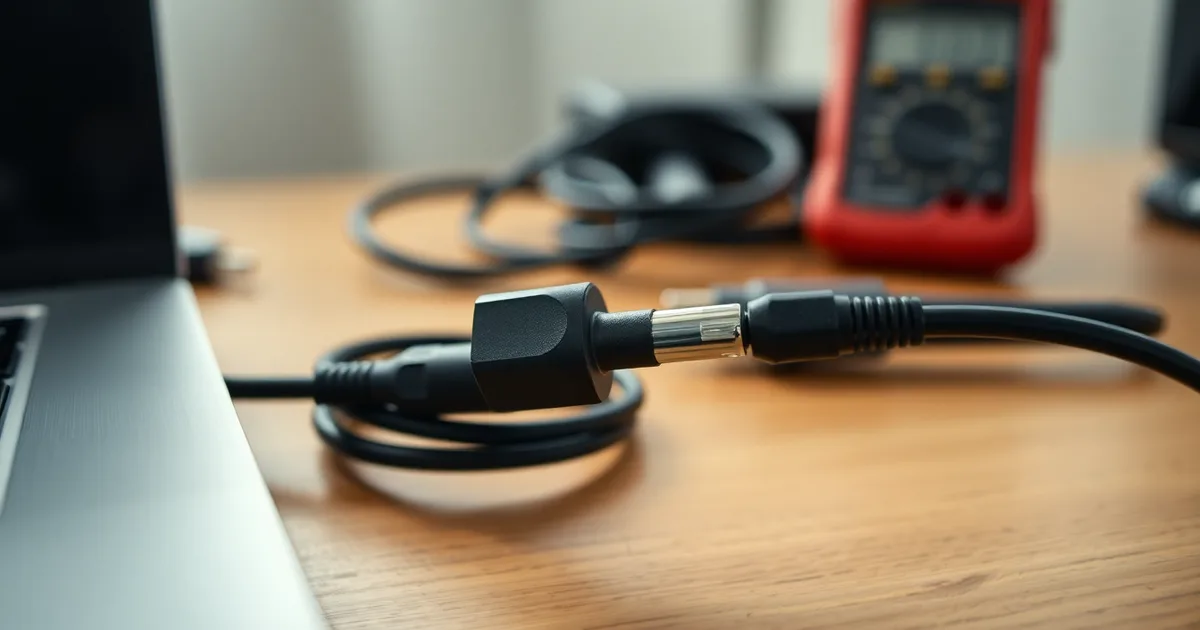
Inside the outer jacket is a bundle of fine copper strands, and they break one at a time rather than all at once. The damage concentrates at the strain relief, the molded rubber collar where the cable meets the connector — that is the point where every bend you have ever made gets focused. Once most of the strands in the positive conductor are gone, the remaining few still carry current, but only while they touch each other. Rotate the plug and the last strands separate. Straighten it and contact returns. A multimeter set to continuity will find this in under two minutes: flex the cable by hand while watching the reading, and a healthy cable holds tone while a broken one flickers.
Or the jack has failed at the board
The DC jack is where the mechanical load actually lands. On a barrel connector — the round plug still used on most Dell XPS, Lenovo ThinkPad and HP Pavilion models with dedicated chargers — that load is a lever arm acting on a solder joint the size of a grain of rice. Three years of plugging in and out is enough to crack it. The joint can look perfectly fine and still be open, and the failure is angle-dependent because pressing down on the plug pushes the cracked pad back against the trace. Barrel connectors are rated for about 5,000 insertion cycles versus 10,000 for USB-C, and 2023 iFixit teardown data attributes roughly 70% of DC jack failures in laptops over three years old to barrel connectors specifically. MagSafe and USB-C are not immune, but USB Power Delivery over USB-C spreads the load across a replaceable port, which is why a dead USB-C charging port on a 2021 MacBook Pro is often a $30 part swap rather than a motherboard job.
Blockquote this distinction before you call anyone: if the charger works at an angle in every outlet and wiggling the plug at the socket changes the behavior, the plug end of the cable or the jack is at fault. If flexing the cable a foot back from the connector is what makes and breaks contact, it is the cable. The U.S. Consumer Product Safety Commission logged 2,300 laptop charger fires between 2018 and 2022, and a cracked joint or a frayed conductor that arcs is exactly the mechanism behind that number — so stop using a charger that only works at an angle rather than finding a position that works.
Is it the cable or the laptop jack? A 5-minute test
This procedure applies to any laptop that charges only when the plug is held at a specific angle, and it assumes you have access to a second charger with the same connector type (borrow one, or use the spare your household already has). It also assumes the laptop still powers on when plugged in, even intermittently. If the machine is completely dead or the charging LED never lights at any angle, stop here and go to a board-level repair shop instead.
You need about five minutes, one known-good charger, and a phone torch. A $15 multimeter (iFixit sells one, as does Anker) is optional but turns step 5 into a two-minute job.
- Power the laptop off and unplug the original charger completely. This takes 20 seconds, and skipping it is the single most common way people damage a jack mid-test — the port is live, and a wobbly barrel tip can short across the centre pin while you are fishing it in and out.
- Inspect the original connector tip under a light. On a barrel connector, look for a bent or splayed centre pin, black scoring, or a tip that spins freely in its plastic housing instead of sitting rigid. On USB-C or MagSafe, look for a compressed contact tongue, lint packed into the recess, or burnt pins. Take 30 seconds for this — if the tip is visibly deformed, the cable is already the answer and you can skip to step 6.
- Plug the known-good charger in. Slowly rotate the plug through a full circle at the jack, then apply gentle downward, upward, left and right pressure. Note every angle at which the charge LED lights or the OS shows "plugged in". Give it a full minute of wiggling; intermittent faults hide between positions.
- Now flex the original charger's cable, not the plug. Hold the connector body steady in the jack and bend the cable sharply 25–50 mm back from the tip, then at the strain relief collar where the cable enters the tip housing. If the charge cuts in and out only when you bend the cable, the fault is internal to the cable and the new-charger test is already conclusive.
- Optional multimeter check, and the one worth doing if you own the tool: set the meter to continuity (the beep mode), unplug the charger from the wall, and probe the two conductors at the barrel tip or the relevant USB-C pins while a second person flexes the cable along its length. A broken conductor will drop continuity exactly where you bend it. A 2024 DIY guide measured this at under two minutes per cable, and it also tells you whether the break sits at the strain relief or further down.
- Interpret the result. New charger works at every angle, old one did not: the cable is faulty, and you are done. New charger still needs wiggling: the jack is faulty — proceed to step 7. Both fail: jack, plus a cable that took damage alongside it.
- Write down the angle that works, because a worn jack can limp along for months in one position and give you time to book a repair on your own schedule rather than the day before a deadline.
The failure mode is the one this whole article exists to prevent: most guides tell you to just replace the charger, but the numbers do not support that as a first move. Roughly 90% of angle-sensitive charging cases trace to the cable or the jack rather than the power brick, and barrel connector failures account for about 70% of DC jack problems in laptops older than three years, according to 2023 iFixit teardown data. That means in well over 70% of cases the fault sits in the laptop's DC jack — so a new charger will not fix it, and you have spent $20–$50 for nothing. Do the test first. A replacement Anker or Belkin USB-C charger costs $20–$50 third-party, $50–$80 for OEM, while a DC jack repair runs $80–$200 at a U.S. shop. Replace the $20 part only after the test says it is the $20 part.
Which laptops are most likely to have this problem?
Not all connectors age the same way. Dell's XPS line ran a slim barrel plug for years before moving to USB-C, and that slim barrel has less metal around the tip than the chunkier plugs on older ThinkPads, so it bends and cracks sooner. Around 70% of DC jack failures in laptops older than three years trace back to barrel connectors, according to 2023 iFixit teardown data, which lines up with what most repair benches see.
Apple's MagSafe avoided the problem almost entirely by letting the plug pop off instead of yanking the jack sideways. USB-C is the better bet going forward, but the port is not invincible, especially on thin chassis where the connector is soldered directly to the board with no reinforcement behind it.
| Laptop model | Connector type | Common failure point | Repair difficulty (1-5) |
|---|---|---|---|
| Dell XPS 13/15 (2015-2019) | 4.5mm slim barrel | Cable at strain relief; DC jack solder joint | 3 (jack is soldered to motherboard) |
| Dell XPS 13/15 (2020+) | USB-C | Port wear after 10,000 insertions; lint buildup | 4 (port replacement requires board rework) |
| MacBook Pro (2006-2015) | MagSafe / MagSafe 2 | Cable fraying near the L-tip; magnet weakening | 1 (charger swap only, no laptop open) |
| MacBook Pro (2016+) | USB-C / MagSafe 3 | Port contamination; cable end stress | 4 (USB-C) or 1 (MagSafe 3) |
| Lenovo ThinkPad T/X series | Rectangular slim tip or USB-C | Cable at the 90-degree bend; jack solder on T4xx | 2-3 (jack is often on a separate sub-board) |
| HP Pavilion 14/15 | 4.5mm or 7.4mm barrel | DC jack pin bending; cable strain relief | 3 (jack accessible but soldered) |
The ThinkPad wins on repairability. Lenovo puts the DC jack on a separate sub-board on most T and X models, so a $30 part and 20 minutes with a Phillips #1 gets you back to charging, versus the $80 to $200 a shop charges when the jack is soldered to the mainboard. That flips if you own a 2016-or-later MacBook Pro with USB-C: the port is on the logic board, Apple Authorised Service Providers quote from $250 upward, and a third-party board-level fixer is usually the saner call. USB-C connectors are rated for 10,000 insertion cycles against 5,000 for barrel plugs, so a USB-C machine used carefully can go a decade without a jack problem — but the rating assumes a clean port. A single grain of sand or a bent pin inside the receptacle will defeat it in a week.
Can I fix it yourself, and is it safe?
If the five-minute test points at the cable, you are done. Buy a replacement. A third-party USB-C or barrel charger runs $20–$50 and an OEM unit $50–$80, both from 2025 U.S. pricing, and swapping one is no more technical than plugging in a lamp. Match three numbers before you order: connector type, voltage, and amperage. A 65W Dell XPS 13 charger and a 65W adapter for a Lenovo ThinkPad are electrically interchangeable if the barrel diameter matches, but a 45W brick will undercharge a gaming laptop under load and a 19V adapter on an 18.5V machine will slowly cook the battery. Anker and Belkin both sell USB Power Delivery adapters that negotiate voltage automatically, which removes most of the guesswork on anything made after roughly 2016. MagSafe 2 and MagSafe 3 are the exception, since Apple never licensed them to third parties, so you are buying from Apple or buying used.
If the test points at the jack, the honest answer splits by machine. A DC jack on most laptops older than about five years is a through-hole component soldered directly to the motherboard, and replacing it means desoldering four to six joints, cleaning the pads, and flowing new solder without lifting a trace. If you have never soldered, this is not the project to learn on — a botched pad turns a $120 repair into a $400 motherboard replacement. Take it to a shop; the going rate is $80–$200, and ask them to quote the jack alone rather than a "power assembly." Some newer machines, including several Dell XPS and ThinkPad models from 2020 onward, mount the jack on a separate daughterboard connected by a ribbon cable, which drops the job to a $30 part and fifteen minutes. Open the bottom panel and look before you decide — the difference between the two designs is obvious on sight.
The part worth taking seriously
A frayed cable is a fire risk, not an inconvenience. The U.S. Consumer Product Safety Commission logged 2,300 laptop charger fires between 2018 and 2022, and the failure mode in most of them is a break in the conductor right where the cable meets the strain relief — the same spot that produces angle-sensitive charging. If you can see copper through cracked insulation, or if the connector or the cable near it feels warm to the touch after ten minutes of charging, stop using it today. Do not tape it, do not coil it tighter, and do not leave it plugged in overnight while you sleep. A $25 replacement cable is the cheapest safety equipment you will ever buy.
For the jack itself, the risk is lower but not zero: a loose or arcing barrel connector can scorch the surrounding plastic and, in rare cases, short across the board. Barrel connector failures account for 70% of DC jack problems in laptops over three years old, per 2023 iFixit data, so this is common rather than exotic. If you are unsure which link is failing, a $15 multimeter and a two-minute continuity test will tell you before you spend anything — and it is worth doing even if you plan to hand the laptop to a technician, because you will know whether their proposed $200 repair is the right one.
How much does it cost to fix a laptop charger that only works at an angle?
The repair price depends entirely on which link broke, and the honest answer is that a $20 cable and a $200 motherboard job can look identical from the outside. Before you call anyone, you should already know which of these brackets you fall into. Here is what each path actually costs in 2026 money.
- Third-party replacement cable or charger: $20–$50. Anker and Belkin both sell USB-C chargers in this band with USB Power Delivery support at 65W or 100W, and they will charge a MacBook Pro or a Dell XPS fine. If your laptop uses USB-C, this is the cheapest possible fix and it works roughly half the time.
- OEM charger from the manufacturer: $50–$80. A genuine 96W Apple adapter or a Lenovo ThinkPad 65W brick sits here. You are paying partly for the plug shape, partly for the wattage negotiation that stops some laptops from throttling under load, and partly for a warranty you can actually claim on.
- DC jack repair at a shop: $80–$200. This is the 2025 U.S. average, and the spread is real. A Lenovo ThinkPad with a separate, screwed-in jack board is at the bottom. A MacBook Pro or a soldered-on HP Pavilion jack that requires pulling the logic board is at the top, sometimes past it.
- DC jack part alone, DIY: $10–$30. Replacement jacks are cheap. If yours is a barrel connector on a socketed sub-board, the swap is four screws and a ribbon cable, and the whole job takes 20 minutes.
- Warranty or accidental damage protection: $0. If the laptop is under its original manufacturer warranty and the failure is deemed a defect rather than abuse, the jack is covered. AppleCare+, Dell Premium Support and Lenovo Premier Support all cover this. Say the words "charging port" and "intermittent" on the call, not "I dropped it."
- Full laptop replacement: $400 and up, and almost never the right call. This only becomes rational when the jack has torn copper traces off the motherboard itself — which is what happens when someone keeps using an angle-sensitive charger for months, torquing the connector every time the screen dims. A shop can sometimes reflow or jumper the trace for $120–$180, which is still cheaper than a new machine.
- The diagnostic itself: sometimes free, sometimes $40–$60. Many independent shops waive the bench fee if you approve the repair. Big-box chains often do not. Ask before you hand over the laptop.
The item people get wrong most often is the middle one. A shop quotes $150 for a DC jack, the customer balks, and then buys a $70 OEM charger instead — which fixes nothing, because the jack was the problem the whole time. A barrel connector that has loosened inside its housing will make a brand-new charger behave exactly like the old one. Test the cable with a multimeter first: a continuity check across the plug while flexing it takes under two minutes and will tell you definitively whether you are buying a cable or booking a repair. That two-minute check is the difference between a $30 afternoon and a $200 invoice.
What are the risks of continuing to use a charger that only works at an angle?
The contact point that only works at one angle is, mechanically speaking, a resistor that switches on and off. Every time the plug shifts inside the jack — and it shifts constantly when you reposition the laptop — current either jumps across a shrinking gap or gets pushed through less metal than the connector was designed for. That produces heat at exactly the spot nobody can see, inside a barrel connector or a USB-C receptacle, next to plastic and, in most laptops, a few centimetres from a lithium-ion cell. The U.S. Consumer Product Safety Commission logged roughly 2,300 laptop charger fires between 2018 and 2022, and damaged connectors are a recurring contributor in that category. A pitted, blackened tip is the visual evidence; a faint burnt smell near the port is the one you should act on immediately.
The failure tends to cascade rather than stay put. 2023 iFixit teardown data puts barrel connector failures at about 70% of DC jack problems in laptops over three years old, and in that scenario the jack is usually soldered to the motherboard. Once the internal pins lose their grip, the plug starts levering against the solder joints every time the cable is tugged. What begins as a loose connection ends as a cracked pad or a lifted trace, and that is the difference between a $20 cable and an $80 to $200 jack repair — or a motherboard swap that runs several times higher on a Dell XPS or MacBook Pro with a non-standard board. Some designs hold up better: an HP Pavilion with a socketed DC jack on a short pigtail can be replaced in fifteen minutes, which is not true of most thin-and-light machines.
The failure mode you cannot see coming
Intermittent power is worse for the machine than no power at all. A charger held at the wrong angle will drop and re-establish contact mid-session, and on a laptop with a healthy battery that is merely annoying. On a laptop with a degraded battery — the common case for a machine old enough to have jack wear — the drop is a hard shutdown, and a hard shutdown during a Windows update, a Lightroom export, or an unsaved CAD file is data loss with no recovery path. If you have noticed the battery percentage bouncing while the cable sits still, the connector has already started doing this.
There is no safe way to keep using it. Tape, a book propped under the plug, and a rubber band holding tension on the cable all keep the arc going at a slightly different angle, and the repair cost only moves in one direction: from cable, to jack, to board.
How to prevent this from happening again
Replacing a cable or a jack puts you back where you started, and the same habits will break the new one in eighteen months. The failure mode is mechanical: every bend radius you force on the cable, and every sideways load you put on the plug, adds cycles to a joint that has a finite number of them. A USB-C connector is rated for 10,000 insertion cycles and a barrel connector for roughly half that, per USB-IF and manufacturer specs — but those ratings assume you insert and remove the plug straight, not that you yank it sideways while it is still seated.
- Pick a connector with strain relief, or a right-angle head. A straight barrel plug sticking 30 mm out of the side of a Dell XPS or HP Pavilion is a lever, and your knee on a train seat will find it. Right-angle connectors sit flush against the chassis and redirect force along the case instead of into the jack's solder joints. Anker and Belkin both sell right-angle USB-C to USB-C cables in the $15–$25 range; for older barrel-connector ThinkPads and Pavilions, third-party chargers with a 90-degree tip cost $20–$40.
- Stop wrapping the cable around the brick. This is the single most common cause of internal conductor breaks, and it is why a cable that looks pristine fails the wiggle test. Wrapping forces a tight radius at the same two points every single time, and copper work-hardens and fractures there. Coil it loosely at a diameter of roughly 10 cm, or use a Velcro strap, and keep the wrap point away from the plug end.
- Pull the plug by the connector housing, never the cord. Grabbing the cable 5 cm back from the plug concentrates the pulling force on the crimp where the conductors meet the connector pins. That crimp is the exact spot a multimeter continuity test flags as intermittent — the test itself takes under two minutes and costs nothing if you already own a meter.
- Consider a magnetic breakaway adapter if your laptop charges over USB-C. These mimic the original MagSafe behaviour: the connector detaches under a sideways tug rather than transferring the load to the port. Apple's own MagSafe on the MacBook Pro exists for precisely this reason, and the 2024 repair statistics pointing to cable and jack failure in around 90% of angle-sensitive cases suggest the rest of the industry has been slow to copy it. Buy a reputable brand; cheap magnetic adapters with poor pin contact can themselves cause charging faults.
- Leave the charger plugged in at the wall if you charge in the same spot daily. Every insertion cycle counts against that 10,000 (USB-C) or 5,000 (barrel) figure. If your desk setup does not move, plug and unplug at the laptop end only, and uncoil the cable fully so heat can escape. A charger brick buried under a cushion with the cable coiled tight runs hotter and degrades its own output capacitors faster.
- Inspect the cable jacket near the plug every few months. A visible kink, a stiff spot, or a slightly bulging jacket at the strain relief is the early warning. The U.S. Consumer Product Safety Commission logged around 2,300 laptop charger fires between 2018 and 2022, and damaged jackets exposing conductors are a known contributor. Replace a suspect cable rather than taping it — a $20–$50 third-party replacement is cheaper than the insurance claim.
- Do not charge on soft surfaces with the laptop resting on the cable. This combines the worst of both problems: the cable takes the laptop's weight at the connector, and the charger brick gets no airflow. A $10 laptop stand or simply routing the cable off the side of the desk removes both stresses at once.
The habit people get wrong most often is the cable wrap, because it feels tidy and causes no visible damage until it suddenly does. If you take only one thing from this section, take that one: wrap it loose, or buy a second charger and leave one permanently at your desk. A spare Anker or Belkin USB-C charger at $25 is a rounding error next to the $80–$200 a DC jack repair costs, and it removes most of the insertion cycles that wear the jack out in the first place.
Frequently Asked Questions
Why does my laptop charger only work when I wiggle the plug?
Either a strand of copper inside the cable is broken or a solder joint on the DC jack has cracked, and the break only closes when the plug sits at one precise angle. Wiggle it and the gap opens again. The failure is usually right where the cable leaves the strain relief, roughly 25-40 mm back from the barrel connector, because that is where the wire flexes thousands of times over a laptop's life.
Can a laptop charger that only works at an angle cause a fire?
Yes. A frayed conductor or a loose jack can arc across the gap, and that arc reaches several hundred degrees Celsius, hot enough to ignite dust, paper or upholstery. The US Consumer Product Safety Commission logged about 2,300 fires from consumer electronics cords and plugs between 2018 and 2022. Stop using a charger that sparks or feels hot at the connector.
How do I test if it's the charger or the laptop?
Borrow or buy a known-good charger of the same voltage and connector size, then run the laptop on it for 20 minutes while flexing the cable. If the charging light stays solid, your original charger or its cable is faulty. If the fault repeats on the good charger, the DC jack inside the laptop is the problem.
Is it worth fixing a laptop DC jack?
Almost always, provided the rest of the machine works. A shop repair runs roughly $80-$200 depending on whether the jack is soldered or on a daughterboard, against $600 and up for a comparable new laptop. If the machine is still under warranty, or you hold an extended plan, the repair is typically free, so check that before paying anyone.
Can I replace the DC jack myself?
On many current machines it is a genuine DIY job. Dell XPS and recent MacBook models mount the jack on a separate I/O board, so it is a $15-$40 part and a screwdriver swap once the bottom cover is off. Older or budget models solder the jack directly to the mainboard, and lifting those pads without a temperature-controlled iron usually destroys the board.
Why does my charger only work at a certain angle after I dropped my laptop?
The impact cracked the solder joints holding the DC jack to the board, or tore the internal wiring behind it, so contact now depends on where the plug sits. Damage often looks invisible from outside. A shop can reflow the joints for about $80, or check for a hairline crack with a multimeter before replacing anything.