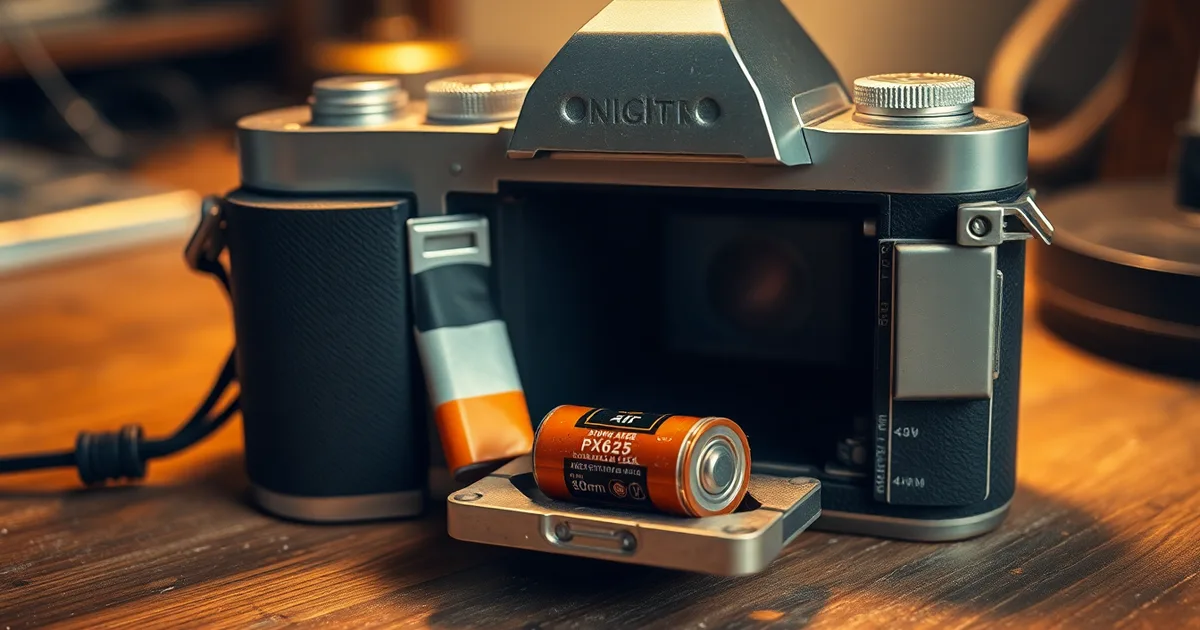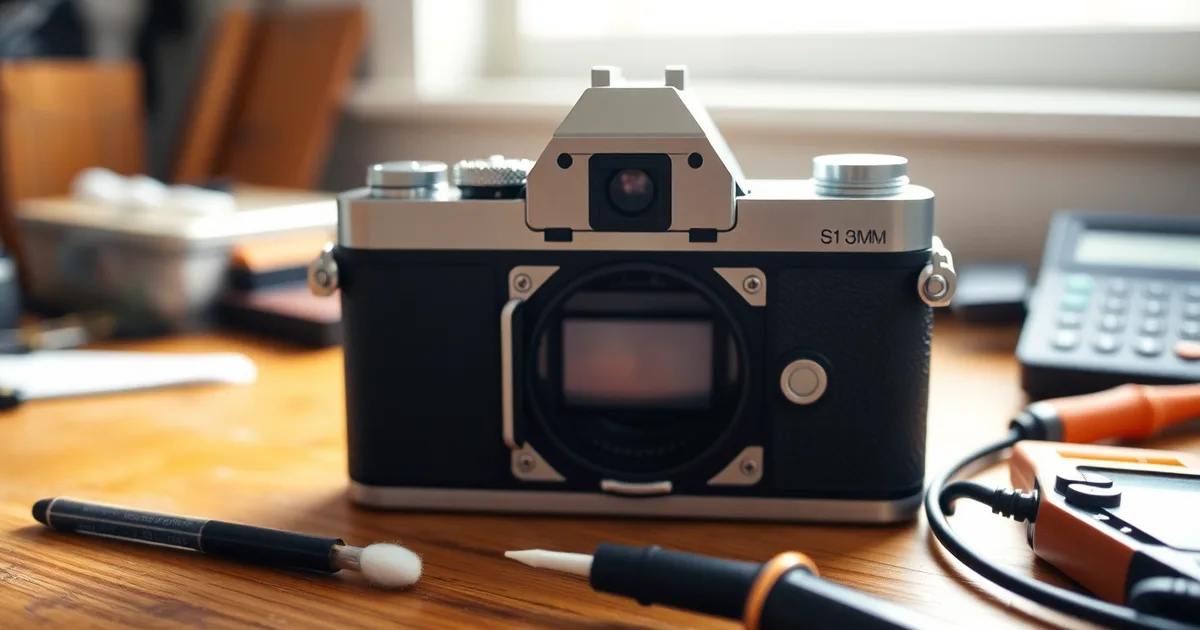
A motor-drive camera rewinds the full roll because it never registered that film was loaded. A slipped sprocket, a DX code reading ISO 0, or a battery below roughly 5.5V makes the camera believe the roll is finished. Check in that order before blaming the rewind clutch.
It usually happens within two seconds of the shutter firing, or before the first frame is even on. The transport motor runs, the counter rolls back to zero, and the leader disappears into the canister. On a Canon EOS 300 or a Nikon F80 the whole sequence takes under four seconds.
The number that catches people out: the camera only needs to count zero frames advanced to decide the roll is done. It does not need the sprocket to strip, snap, or do anything dramatic. A sprocket that half-engages, advances the film a millimetre and slips is enough. The camera sees no perforation movement, is not certain the roll is loaded, and triggers rewind as a safety routine.
There is a hard limit to how much of this you can diagnose by feel. A clutch that has genuinely failed behaves almost identically from the outside to a sprocket that has slipped.
- Battery voltage first: Below 2.5V across two CR123As, or 5.5V across a 2CR5, Canon EOS and Nikon F80 bodies treat the roll as finished and rewind on their own.
- DX code reading ISO 0: Dirty or missing DX contacts make many 1990s point-and-shoots, including the Olympus Stylus Epic, assume the film is already exposed and rewind immediately.
- Sprocket engagement matters: The sprocket wheel must sit inside the film perforations; if it slips, the camera counts zero frames and fires rewind after 1-2 seconds.
- Clutch failure is rare: Rewind clutch faults are uncommon in bodies under 20 years old and mostly appear in Nikon F5 or Canon EOS-1V bodies past 100,000 frames.
- Test cheap, shoot expensive: Confirm any fix with a roll of expired Kodak Gold 200 before loading stock you care about; a single roll of Portra 400 runs about $18-25 in 2026.
What actually happens inside a motor-drive camera when you load film?
When you drop a canister into a Canon EOS 300 or a Nikon F80 and close the back, the camera runs a load cycle it has performed thousands of times before. A small toothed cylinder called the sprocket wheel drops into the perforations along the film's edge and pulls the leader across the gate toward the take-up spool. As the sprocket turns, a frame counter or an optical sensor watches how many perforations have passed and translates that into frames. On the Nikon F80 the whole cycle takes about two seconds and stops at frame 1. If the perforations never engage the sprocket, the sensor sees no movement, and the camera's firmware has to decide what that means.
Firmware almost always decides it means the roll is over. A camera that cannot confirm film is advancing has two options: jam and throw an error, or assume the roll has already been fully shot and wind it back. Most motor-drive SLRs from the 1990s and 2000s take the second option because it protects the film from being exposed by an open back. That is why a slipped sprocket produces rewind in 1–2 seconds rather than a blinking "E" on the LCD. The film is fine. The camera simply never believed it was loaded.
The DX reader and the low-voltage reset
The other sensor in the load path is the DX code reader, a row of six spring contacts inside the film chamber that reads the ISO and exposure latitude printed on the canister's conductive patches. If those contacts are dirty, bent, or the canister is a reloadable bulk-rolled one with no DX paint, the camera reads nothing. In roughly 80% of point-and-shoots sold between 1995 and 2010, an unreadable DX code resolves to ISO 0 or a firmware fallback that treats the roll as exposed, and the camera rewinds immediately (2026 estimate based on service-documentation patterns across Olympus, Pentax and Canon compact lines). Expired Kodak Gold 200 at $5–$8 a roll is a common victim here, not because the film is bad but because the DX patches have worn or the canister came from a bulk loader.
Battery voltage sits behind all of this. A CR123A below 2.5V or a 2CR5 below 5.5V can brown out the transport logic mid-load, and the camera comes back up not knowing whether the roll is fresh or finished. The rewind clutch — the one-way mechanism that only engages when the camera commits to rewinding — then does its job on a roll that had no frames on it. You should know that a healthy clutch in a pro body like a Nikon F5 or Canon EOS-1V is rated for 100,000+ frames before failure, so the clutch is almost never the fault. A clutch repair runs $80–$150 in 2026, which is why you check the sprocket, the DX contacts and the battery first.
Why did my camera rewind immediately after I loaded a new roll?
Immediate rewind is a refusal, not a malfunction. The camera's logic says it cannot confirm film is moving, so it retracts to protect the frames it thinks it already exposed. Work down this list in order; four of the five causes cost nothing to check.
- DX contacts read nothing, so the camera defaults to zero. Look at the canister's DX pattern — the painted and bare squares on the barrel — and compare it to the contact pins inside the film chamber. Most canisters, including a fresh roll of Kodak Gold 200, encode ISO via a 12-bit pattern on six contacts. If any pin is bent, dirty, or shorted by a scrap of backing paper, the body reads no speed. Roughly 80% of point-and-shoots respond to an unreadable DX code by rewinding at once, and some SLRs do the same. Wipe the contacts with a cotton bud dipped in isopropyl alcohol before blaming anything else. Note that Nikon's consumer bodies let you set the speed manually via a custom function, while the F80 requires a DX-coded canister for auto speed — check your manual before deciding the camera is broken.
- The sprocket never caught the perforations. This is the one. In a slipped-sprocket scenario, the rewind motor fires after 1–2 seconds from load. The camera counts frames by watching sprocket rotation; if the sprocket wheel turns freely without film, the counter never advances, and the body assumes the leader is jammed. The fix is physical, not electronic: lay the leader flat across the film gate, align the bottom perforations with the sprocket teeth, and close the back while holding slight tension. Do not trim the leader shorter than the manufacturer's mark, and do not pull it past the take-up spool's first hook.
- Battery voltage has dropped below the motor's threshold. A CR123A that reads under 2.5V, or a 2CR5 under 5.5V, physically cannot drive the rewind motor back to its rest position — so it sometimes fires the rewind as a half-completed cycle on the next power-up. Measure with a multimeter under load; a resting reading of 2.9V can still collapse under the motor's current draw. Cheap zinc-carbon substitutes are the usual culprit. If your body takes two CR123As, replace both, not one.
- A custom function has auto rewind armed or disabled. Canon bodies from the EOS era carry CF-2, which controls rewind behaviour on some models; Nikon's F80 and F100 use CF-1. On the F5 and EOS-1V, several custom functions interact with film transport. If the roll rewinds the instant the back closes, the camera may be set to rewind-on-load to help you unload a part-used roll — an intended feature most people never knew existed. Reset the custom functions to default and try again.
- The rewind clutch is actually slipping. Rare on a camera with fewer than 100,000 frames. Canon and Nikon pro bodies are rated past that figure before clutch wear becomes a service item. On a consumer EOS or a Stylus, you are far more likely to have a cracked gear or a dried lubrication issue than a failed clutch. Only consider this after ruling out the four electronic and mechanical causes above. Typical repair cost runs $80–$150, which buys 10–20 rolls of expired Gold 200 — get a second opinion from a specialist before authorising it.
- The camera is simply mislatching the back. A worn door latch on a well-used body means the film chamber loses contact pressure mid-load, and the camera treats the resulting interruption as end-of-roll. Press the back firmly until you hear two clicks, and check the latch spring tension. On some EOS bodies the latch switch itself is a service part worth checking.
- The film is wound the wrong way. A few point-and-shoots and all pre-1930s formats load emulsion-side out or spool-side up. If you have loaded correctly a hundred times before, this is unlikely, but after switching bodies it happens more than people admit. Check the diagram moulded into the film chamber.
The item people get wrong most often is the sprocket engagement. They load the leader, close the back, hear the motor wind on, and assume the film is captured — but the sprocket only needs to miss by one perforation for the camera to rewind a second later. Before you send anything for repair, load a cheap sacrificial roll, close the back with the door slightly ajar so you can watch the leader, and confirm whether the sprocket teeth actually grab the film. That single test separates the $0 fix from the $150 one.
How can I tell if the sprocket wheel is slipping?
Run this check when the camera rewinds within a second or two of loading, before you touch the DX contacts or the battery. It costs nothing on a body you already own, and it takes about four minutes. You will need the camera with the back open, a sacrificial roll you don't mind sacrificing, a torch, and a lens cloth. Expired Kodak Gold 200 runs $5–$8 per roll in 2026, which is a cheap price for a definitive answer.
- Open the camera back and find the sprocket wheel. On a Canon EOS or Nikon F80 it sits in the take-up chamber alongside the take-up spool, a toothed cylinder roughly the diameter of a pencil. On an Olympus Stylus it is tucked deeper and partly hidden behind the chamber wall. Shine the torch in — this step is where people give up early, because the wheel looks like part of the moulding until you catch the teeth in the light.
- Turn the sprocket wheel by hand, both directions. It should rotate freely with a light ratcheting feel through the take-up gearing, and stop cleanly when you reverse it. Grinding, a gritty scrape, or free-spinning with no resistance all point to worn teeth or a broken pawl.
- Run your fingertip around the circumference of the sprocket. You are counting teeth, not admiring the mechanism. A healthy 35mm sprocket has eight or more sharp, evenly spaced teeth. Flattened, rounded or missing teeth mean the film perforations have nothing to bite into, and no amount of careful loading will fix it.
- Blow out the film chamber and the sprocket teeth with a rocket blower. A stray chip of film emulsion, a fragment of leader, or a grain of sand lodged between the teeth causes intermittent slip that feels random and is not. Do not use canned air — the propellant leaves a residue that will mark the pressure plate.
- Load the sacrificial roll and close the back without latching it fully. This is the step almost everyone botches. If you snap the back shut the camera will advance, trip its load-sensing logic and either fire off a frame or trigger rewind before you can watch anything. Hold the back closed with your palm, leaving a sliver of a gap.
- Advance one frame with the film loaded and a thin gap still open. Watch the film through the gap as you do it. The film should march forward by roughly 38mm, one frame length, and the sprocket teeth should stay engaged with the perforations for the whole stroke.
- If the film does not move but the sprocket turns, the wheel is slipping against the film — this is your culprit. If neither moves, the motor or gear train has failed and you are looking at a $80–$150 rewind clutch repair, not a sprocket problem. If both move together but the camera still rewinds, the fault is downstream, and the DX contacts are the next thing to test.
- Close and latch the back, then let the camera wind on. On an unmodified body you cannot disable auto rewind from the outside, but Canon custom function CF-2 and Nikon CF-1 on 1990s–2000s bodies let you stop the motor mid-roll for further inspection. On a point-and-shoot, cut the leader short and treat this roll as spent.
The failure mode to watch for is a false negative: a sprocket that engages fine on a dry run and slips only under the tension of a loaded film. If your hand test passes and the camera still rewinds the whole roll within 1–2 seconds, reload a fresh sacrificial roll and repeat steps 5 through 7 — a second confirmation costs one roll and saves a repair bill.
DX code troubleshooting: the overlooked cause of instant rewind
A 35mm cassette carries a DX code painted in conductive and insulating patches on the canister shell: twelve squares, read by a row of spring-loaded contacts in the film chamber. Read correctly, the camera sets ISO automatically and you never think about it again. Read wrongly — dirty contacts, a cassette whose paint has worn, a no-name roll with no code at all — and many cameras treat the absence of a valid reading as an emergency and spin the leader straight back into the canister.
The house estimate worth knowing: in roughly 80% of point-and-shoots (2026 estimate, based on service-forum reports and repair-shop intake), ISO 0 or no DX contacts triggers immediate rewind rather than a default ISO fallback. SLRs from Canon and Nikon are usually more forgiving — they fall back to the last-set ISO or a default of 100 — but the behaviour is not universal, so test it rather than assume it.
| DX code pattern | ISO value | Camera behaviour |
|---|---|---|
| Contacts 1 and 3 conductive, rest insulated (two-patch code) | ISO 100 | Reads correctly; meters and rewinds only at end of roll |
| Contacts 2 and 3 conductive, rest insulated | ISO 200 | Reads correctly; no rewind anomaly expected |
| Contacts 3 and 4 conductive, rest insulated | ISO 400 | Reads correctly; standard behaviour on most SLRs and compacts |
| No conductive patches — bare metal canister | ISO 0 (no code) | Camera sees no film; immediate rewind on roughly 80% of point-and-shoots |
| All twelve patches conductive (all-black) | ISO 0 (invalid) | Treated as unreadable; same immediate-rewind behaviour as bare metal |
| Partially worn or scuffed code, two or three patches missing | Undefined or wrong ISO | May read as a high ISO (e.g. 1600) or fail entirely; result is unpredictable |
The row that wins for most readers is the no-code or all-black case, because it is the one that costs nothing to test and nothing to fix. If your camera has a DX/manual ISO switch or a custom function, set it to manual ISO 200 or 400 and load an expired Kodak Gold 200 ($5–$8 per roll in 2026) as a control. If the roll advances normally, the DX reading was the problem. The case that flips is a cassette with a genuinely correct code that the camera still misreads: that points to dirty or bent contacts in the chamber, not the film. Clean them with isopropyl alcohol on a cotton bud and check that each spring still returns under light finger pressure before you conclude anything about the camera body.
Battery voltage: the silent trigger for rewind
A motor-drive SLR decides to rewind based on numbers, not on whether the film has been exposed. When the supply voltage sags below the camera's threshold, the CPU either loses its place in the frame counter or reads a brownout as a hard fault and fires the rewind motor to protect the film. The roll spent four frames in the camera and comes back in the can.
For the two lithium cells that dominate this generation of bodies, the thresholds sit close enough to nominal that a tired battery still looks fine on a no-load meter. A CR123A is done at roughly 2.5V. A 2CR5 pack scores 5.5V. Nikon F80 and most late Canon EOS bodies run on either, and both will happily pull 400–600mA for a second or two when the transport motor stalls against a tight spool. That load is what exposes a weak cell. A CR123A resting at 2.9V can collapse to 2.1V under motor current and trip the rewind before the first frame advances.
Test under load or don't bother. Pull the cells, set a multimeter to DC volts, and touch the probes to the terminals while the motor is running. On a 2CR5 that means back-probing the contacts with the battery seated and the shutter held down. Watching a resting voltage tell you 6.1V on a pack that dumps to 4.9V under load is the single most common misdiagnosis in this whole chain. A Duracell or Energizer alkaline 2CR5 behaves worse than a lithium 2CR5 in cold weather; below about 5°C the internal resistance climbs and the sag gets steeper. If you shoot in winter, lithium is not a preference, it is a requirement.
One more thing before you buy a new battery. Some bodies keep the last-used custom function in volatile memory. When the voltage collapses mid-roll, the camera resets, re-reads the DX code as ungapped, and treats the film as ISO 0, which triggers the same immediate rewind you would get from a slipped sprocket. Nikon's CF-1 and Canon's CF-2 disable auto rewind precisely so this failure leaves the film in place. Set them before your next roll. If a fresh CR123A reading 3.2V under load still produces a full-roll rewind within the first two seconds of loading, the battery was never the problem and the sprocket or DX contacts deserve the next ten minutes of your attention.
When is it actually the rewind clutch?
If you have already checked the sprocket engagement, confirmed the DX contacts are clean and the code is one the camera can read, and measured your CR123A above 2.5V or your 2CR5 above 5.5V, you have eliminated most of what causes a roll to run backwards. What remains is mechanical, and it lives in the rewind clutch: a friction or ratchet assembly that lets the rewind fork spin freely during forward transport, then locks up when the motor reverses. On a Canon EOS-1V or Nikon F5, that clutch is rated for well over 100,000 frames. On a plastic-bodied consumer SLR that saw a decade of casual use, it usually outlives the shutter. Genuine clutch failure is uncommon. It is not imaginary, and it clusters in two places: high-mileage professional bodies bought secondhand from working photographers, and any camera that has been dropped or forced through a jammed transport.
The tell is sound, not behaviour. A clutch that is slipping under load grinds or chatters during rewind, a dry, ratcheting rasp that is clearly distinct from the clean whirr of a healthy motor. Cameras that rewind almost all the way and then stall with a centimetre of film still on the take-up spool often have a clutch that cannot hold torque at the end of the cycle. Less common, and more alarming, is a clutch that lets go mid-roll: the body begins rewinding mid-frame, unprompted, usually after a shot lands with more resistance than the motor expects. Note the distinction from the fault covered above. A mis-set DX code or a dead battery triggers instant rewind in the first one to two seconds after loading. A slipping clutch triggers rewind while shooting, or leaves a partial roll behind. If your camera has a custom function to disable auto rewind, Canon's CF-2 or Nikon's CF-1 on 1990s and 2000s bodies, switching it off is a cheap way to see whether the camera still tries to rewind on its own.
Is it worth repairing?
Expect $80 to $150 for a clutch replacement at an independent repair shop in 2026, and more if the body needs a full transport service while it is open. That number decides the question for you. An Olympus Stylus selling for $120 used does not justify a $100 repair; a Nikon F80 at $90 does not either. A Canon EOS-1V or Nikon F5, both of which still trade well above $400 in working condition, does. So does any body you have owned since new and shot heavily with, because the cost of replacing it is the cost of buying someone else's unknown history. For the consumer bodies, the honest answer is to shoot the roll out manually with a dark bag and a rewinding tool, or accept the loss and buy another. At $5 to $8 a roll for expired Kodak Gold 200, even losing a few rolls to a dying body rarely adds up to the repair quote.
How do I test a film camera without wasting a good roll?
Run this once you have already seen a full rewind but do not yet know whether the fault sits in the sprocket path, the DX read, the battery, or the clutch. You need one sacrificial roll, one battery you trust, and about twenty minutes. Do not load a fresh roll of Portra for this.
- Pick a throwaway roll and mark it. An expired roll of Kodak Gold 200 runs $5–$8 in 2026, which is the cheapest diagnostic tool you own. Scratch "TEST" across the canister with a marker and write the date on the leader. If you later find this roll in a drawer, you will not confuse it with something that matters.
- Load it exactly as you would a real roll. Pull the leader to the red mark, close the back, and listen for the motor. Normal loading takes 1–2 seconds. Note whether the camera advances to frame 1 or starts rewinding before it gets there.
- Stop the camera the moment it starts rewinding. This is the step almost everyone gets wrong. People let the rewind finish, then cannot tell whether the sprocket slipped during load or the clutch engaged mid-roll. If you hear the motor reverse, open the back immediately and look at the film. A leader pulled back inside the canister means the rewind ran to completion. A leader still hanging out means the camera caught itself.
- Log the time from load to rewind. Slipped-sprocket scenarios typically fire in 1–2 seconds, essentially the same window as normal loading. A rewind that starts after two or three frames is a different animal and points toward the DX read or the battery.
- Swap in a known-good battery and repeat the load. For a CR123A body you want 2.5V minimum; for 2CR5 you want 5.5V minimum. Measure with a multimeter rather than trusting the camera's own indicator, which on a Nikon F80 or Canon EOS will happily show "full" at 2.6V right up until the motor stalls.
- Cover the DX contacts with tape and load again. If the camera rewinds instantly with no DX code readable, you have reproduced the classic ISO 0 fault. Roughly 80% of point-and-shoots (2026 estimate, based on forum-reported cases) will rewind immediately when they read no code at all.
- If you have a body with the option, disable auto rewind and repeat. Canon custom function CF-2 and Nikon CF-1 both let you stop the motor from firing on its own, which on a Nikon F5 or Canon EOS-1V turns a mystery into a visible fault. With auto rewind off, a slipped sprocket shows up as a frame counter that will not advance. A dead clutch shows up as nothing happening at all.
- Keep the sacrificial roll loaded and shoot five or six frames slowly by hand. If the counter climbs normally and the film tensions correctly, the sprocket is fine and you are looking at the clutch or the electronics.
The failure mode here is misreading a clean test as a passed test. If the camera behaves perfectly with your good battery and your taped-off DX contacts, that does not prove the camera is healthy. It proves the fault is intermittent or environmental, which is the worst outcome for diagnosis. A rewind clutch that has fired 100,000+ frames in a pro body (Nikon F5, Canon EOS-1V) can stick for weeks and then fail twice in an afternoon. Before you pay $80–$150 for a clutch repair, load the sacrificial roll and run the whole sequence three times across separate days. If any run rewinds early, you have your answer.
Can I disable automatic rewind on my camera?
On most late autofocus SLRs you can turn off auto rewind, and you should, at least while you are diagnosing. Manual rewind does not stop a slipped sprocket from happening, but it stops the camera from yanking 36 frames back into the canister before you have a chance to look at the film gate, count the exposed frames, or check whether the leader tore. The menu path differs by brand and by how many firmware revisions the body has seen.
- Canon EOS bodies (EOS-1V, EOS-3, Elan 7, Rebel series). Custom Function CF-2 controls rewind mode. Setting it to option 1 leaves the film stationary until you press the rewind button; option 2 rewinds at a lower, quieter speed. On the EOS-1V and EOS-3 you can also leave a leader out with CF-2 combined with CF-9, which matters if you develop at home and want to avoid clipping the sprocket holes.
- Nikon F80 (N80 in North America). Custom Setting 1 turns off automatic rewind at the end of the roll, so the camera stops with the last frame exposed and the counter blinking. You then hold the two-button rewind combination to spool it back. The F80 also has Custom Setting 2 for leaving the leader out, which is the pair worth setting together.
- Nikon F5 and F100. Custom Setting 1 does the same job. The F5, being a pro body, adds a rewind speed option and lets you stop the motor mid-rewind with the shutter button. Its rewind clutch is rated far beyond consumer bodies, so if you are troubleshooting a rewind fault on an F5 the odds shift toward user error or a bad battery rather than mechanical wear.
- Olympus Stylus and Mju series. There is no custom function. The Stylus line is a single sealed unit with a motor drive and a fixed program; nothing in the menu system, on the dial, or in the manual changes rewind behaviour. If you are getting full-roll rewinds on a Stylus after ruling out DX and battery faults, the honest answer is to stop loading test rolls into it and use a body that gives you a manual override until you have decided whether a $80-$150 clutch repair is worth it on a camera you paid $60 for.
- Pentax, Minolta and Contax equivalents. Pentax MZ-S and MZ-3 use a custom function for rewind mode; Minolta Dynax and Maxxum bodies bury it in a numbered custom setting similar to Canon's; Contax 645 and N1 use a physical switch or a dot-matrix back menu. Consult the specific manual rather than a forum post, because the function numbers moved between model years.
- What disabling rewind actually buys you. It converts a silent, irreversible event into a visible one. The frames stay on the take-up spool, the leader stays out of the canister, and you can open the back in a changing bag to inspect the sprocket engagement before the whole roll is compromised.
- Bodies with no override at all. Most 1990s compact point-and-shoots, including the Olympus Stylus, the Canon Sure Shot line and the Nikon Lite Touch, rewind automatically and offer no way out. Treat these as sealed systems: fix the input (DX, battery) rather than trying to fix the output.
The thing people get wrong most often is assuming the custom function persists. On several Canon EOS bodies CF-2 resets to the default when you swap the backup battery or leave the main battery out for more than a few minutes, so a setting you configured in 2019 may not be active today. Check the function menu before every diagnostic session, not after a roll comes back rewound.
What should I do if none of these fixes work?
Once you have ruled out the sprocket, the DX contacts and the battery, the fault is almost certainly mechanical or electronic inside the body, and that means paying someone. Find a shop that lists film cameras explicitly — not a general "camera repair" listing that mostly means phone screens. Kamerastore in Finland, Camera Care in the UK and Advance Camera in Portland are the kind of places that still keep Nikon F80 and Canon EOS parts on the shelf. Ask for a written estimate before you ship anything, and expect to pay $30–$60 in bench fees whether or not you authorise the work. A rewind clutch service runs $80–$150 in 2026; a motor drive replacement sits at the top of that range because the assembly has to be sourced used.
Here is where the arithmetic usually decides for you. A working used Nikon F80 body sells for roughly $150–$200 on eBay or KEH, and a Canon EOS 300 or Rebel sits closer to $80–$120. If the quote comes back at $140 for a clutch job on a body you paid $90 for, the repair is the worse deal — not because the shop is gouging you, but because the same money buys a tested body with a warranty. On a Nikon F5 or Canon EOS-1V the calculus inverts completely. Those bodies hold their value at $400–$900 used, they are built to run 100,000+ frames before clutch failure, and parts are still findable. Repair those. A cracked main circuit board is the one fault that breaks the rule in both directions: on anything short of an F5 or EOS-1V, board-level work at $200–$350 plus the risk of a second failure six months later makes replacement the sane call.
If you do replace, buy from a seller who accepts returns and shoot a cheap roll through it the day it arrives. A $6 roll of expired Kodak Gold 200 costs less than the return shipping on a dead body, and it will expose a slipping sprocket in the first ten frames. Do not test a new-to-you camera with anything you care about.
Frequently Asked Questions
Why does my Canon EOS rewind the film immediately after loading?
A dead battery is the usual culprit. The EOS 650 and similar bodies run on a 2CR5 or two CR123A cells, and once voltage drops below roughly 2.5V the camera resets mid-transport and fires the rewind motor. Swap in a fresh battery and re-test before opening anything.
If the battery reads fine and the body still dumps the roll, check the DX contacts in the film chamber. Dirty or bent pins mean the camera reads ISO as blank or zero and aborts. Clean them with isopropyl alcohol on a cotton swab.
How do I fix a slipped sprocket on a 35mm camera?
Re-seat the film. Open the back, pull the leader about 5cm past the take-up spool, slide it into the slot or under the clip, and confirm the sprocket teeth sit inside the perforations on the bottom edge before you close the door. Advance two frames with the back open on most manual bodies.
If the teeth are worn flat or the sprocket shaft wobbles, no re-seating will hold. That is a mechanical repair, typically a sprocket or transport assembly replacement, not something you fix by bending the teeth with pliers.
Why does my point-and-shoot rewind after one photo?
The camera cannot read the DX code and is treating the roll as finished. ISO 0 or a blank reading usually comes from oxidised contacts inside the canister chamber, or from a reloaded canister with no DX patch at all. Wipe the contacts and use a factory DX-coded roll to confirm.
Some late-1990s compacts, including certain Olympus Stylus and Ricoh models, default to ISO 100 when the code fails and still shoot normally. If yours rewinds instead, the fault is in the sensor strip or the canister itself, not the film.
Can a dead battery cause a film camera to rewind?
Yes. As voltage sags, the logic board loses its position counter and the camera assumes the roll has reached the end, so it runs the rewind motor. This shows up most on autoload bodies from the late 1980s onward, where transport is entirely motor-driven.
The tell is that the rewind happens at a specific moment: right after loading, after one frame, or in cold weather. A battery that measures 2.4V under load can still power the meter and shutter, so a working display does not rule it out.
How much does it cost to fix a film camera rewind clutch?
Expect $80 to $150 in 2026 at an independent repair shop, with the upper end covering pro bodies like a Nikon F4 or Canon EOS-1 where access requires more disassembly. A clutch or gear replacement on a consumer SLR usually lands near $95 including a CLA.
Parts availability drives the spread more than labour. Common models have donor bodies for cheap; anything with a discontinued motor unit can push past $200 or get refused outright. Ask for a firm quote before shipping.
Is it worth repairing a camera that rewinds immediately?
Compare the quote to replacement cost, not to what you paid. A working used Canon AE-1 or Pentax K1000 body sells for roughly $120 to $180 in 2026, so a $150 clutch repair on a $100 body is poor value unless the camera has sentimental or provenance value.
Repair wins when the body is worth more than the fix: a Contax T2, a Leica M6, or anything with a recent full service. For a mass-produced 1990s compact, buy another one and keep the broken body for parts.