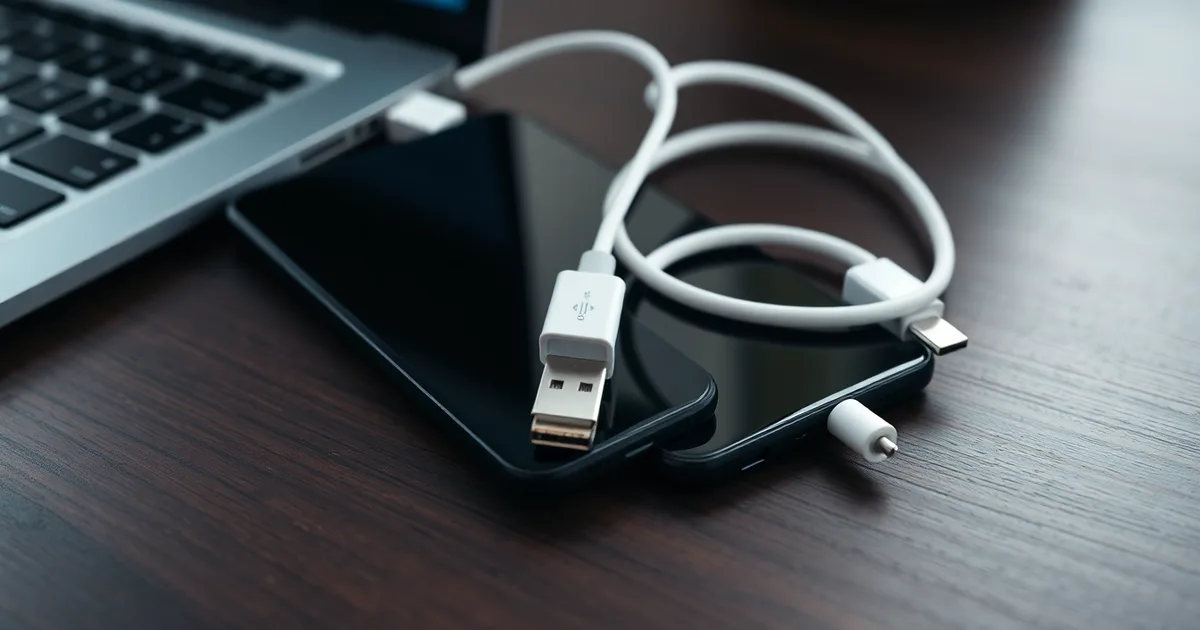
A USB-A to USB-C cable charges slowly because the USB-A port tops out at 5V and the cable usually can't signal for more than 2.4A. With no USB Power Delivery negotiation possible on USB-A, your phone falls back to roughly 5V/1A, often under 10W.
USB-A was never designed to negotiate. A USB 2.0 port on a laptop or old wall brick typically supplies 0.5A, USB 3.0 raises that to 0.9A, and only proprietary schemes push a single USB-A port toward 2.4A. Multiply that out and you're looking at 2.5W on a laptop port, which is why a phone can sit plugged in for two hours and gain 15%.
The part that catches people off guard is the cable itself. Inside a USB-C connector there should be a 56kΩ pull-up resistor on the CC line telling the phone what the source can safely deliver. Cheap USB-A to USB-C cables frequently omit it or get the value wrong, so the phone either plays it safe at minimal current or, in bad cases, draws more than the port can supply and the charger browns out. USB Power Delivery cannot rescue any of this, because PD negotiation runs over the CC wire and USB-A has no such wire to negotiate on.
Qualcomm Quick Charge 3.0 can hit 18W over USB-A, but that requires a QC-certified charger, a cable wired for it, and a phone that still supports the protocol. Many 2024-and-later handsets dropped QC over USB-A entirely to comply with the EU's Common Charger Directive, which mandates USB PD support on new phones sold in the bloc.
- USB-A ceiling: Ports supply 0.5A at USB 2.0, 0.9A at USB 3.0, or up to 2.4A with vendor fast-charge protocols, all at a fixed 5V.
- No PD over USB-A: USB Power Delivery requires the CC line present only on USB-C to USB-C connections, so USB-A cannot negotiate higher voltages.
- The 56kΩ resistor: A missing or incorrect pull-up resistor in a USB-A to USB-C cable caps current at minimal levels or risks overdrawing the port.
- Quick Charge is the exception: QC 3.0 reaches 18W over USB-A, but only when charger, cable and phone all support it.
- Certification matters: The USB-IF certifies cables for power rating; a USB-IF logo or an explicit wattage figure in the listing is the checkable signal.
Why does a USB-A to USB-C cable charge slower than a USB-C to USB-C cable?
The connector on the wall end decides almost everything. A USB-A port has four pins and no dedicated channel for the charger and the phone to talk about voltage. It sits at 5V, permanently. A standard USB 2.0 port supplies 0.5A (2.5W), a USB 3.0 port manages 0.9A (4.5W), and a port that implements USB Battery Charging 1.2 tops out at 1.5A (7.5W). Nothing a cable can do changes those numbers, because the negotiation simply cannot happen over the A connector.
USB Power Delivery runs on the CC (configuration channel) pin, and the CC pin only exists in a USB-C to USB-C connection. That is what lets a phone and charger agree to step up to 9V, 15V or 20V, which is how a modern handset reaches its rated 18W to 45W. With USB PD 3.1, the ceiling is 240W. Plug a USB-A charger into the same phone through an A-to-C cable and the phone is stuck at 5V, so a 45W phone charges at roughly 7.5W in the best case. That is the whole gap.
Where the cable actually matters
Inside an A-to-C cable, the phone cannot read a proper PD contract, so it falls back on resistance signalling. The USB Type-C Cable and Connector Specification defines a 56kΩ pull-up resistor on the cable's VCONN line that tells the phone it may draw a defined current. A cheap cable with the wrong resistor, or none, leaves the phone guessing. Some phones guess low and trickle along at 500mA; others guess high and pull more than 3A through wiring rated for far less, which is why USB-IF warns that non-compliant cables can overheat. A USB-C to USB-C cable from a known brand, Anker or Belkin, is a two-wire-plus-CC assembly built to carry the current the charger offers.
The trade-off is real. If your only power source is a laptop's USB-A port, a USB-C to USB-C cable will not help, because the port itself is the limit. If you have a proper USB-C wall charger, whether it uses USB PD or Qualcomm Quick Charge 3.0 at 18W, the cable is the bottleneck and swapping it is the fix. Cables matter more at higher watts: above 60W, look for an e-marked cable, because a 100W or 240W charger will not deliver its full rating through an unmarked one.
What is the 56kΩ resistor and why does it matter for charging?
Inside every compliant USB-C plug there are two resistors, one on each of the CC (Configuration Channel) pins, each nominally 56,000 ohms. When you plug a USB-A to USB-C cable into a phone, that resistor pulls the phone's CC line up to roughly 5V through the cable's VBUS. The phone reads that voltage and concludes, correctly, that it is attached to a legacy USB-A source rather than a native USB-C charger. It then negotiates what it is allowed to draw. On a plain USB 2.0 port that ceiling is 5V at 0.5A, or 2.5W. On a USB 3.0 port it is 5V at 0.9A, 4.5W. If the resistor is there and the port implements USB Battery Charging 1.2, the phone can recognise a Dedicated Charging Port and pull 5V at 1.5A, which is 7.5W.
The USB Type-C Cable and Connector Specification requires that resistor to be 56kΩ ±5%, and that tolerance is doing real work. It is what lets a phone distinguish "a normal cable attached to a normal host" from "an active cable or a source advertising something else." Strip the resistor out and the CC line floats or gets pulled somewhere ambiguous. Many phones respond by refusing to negotiate at all: they fall back to the 500mA default and stay there, which is why a 65W GaN brick and a $3 cable from a petrol station can leave a Samsung Galaxy at 2.5W overnight. Other phones interpret the floating pin as a request for more and try to pull above 3A from a port that was never rated for it. That is the failure mode that ends with a scorched connector or a dead charging IC, and it is why the USB Implementers Forum has repeatedly flagged non-compliant cables as the leading cause of USB-C port damage since the spec landed in 2014.
Why most "slow charging" advice gets the diagnosis backwards
The usual advice is to buy a bigger charger. That is backwards in this case. A charger cannot push current a cable will not pass, and it cannot fix a CC line with the wrong voltage on it. The Anker or Belkin 30W USB PD brick you already own will happily deliver 20V at 5A over a USB-C to USB-C cable, up to 100W, or 240W under USB PD 3.1. Through a USB-A to USB-C cable with a missing 56kΩ resistor, the same brick does nothing useful at all, because USB-A has no CC pin, no PD negotiation, and no way to carry more than 5V. That is a wiring constraint, not a firmware one. Qualcomm Quick Charge 3.0 gets around it slightly by signing over the D+/D- data lines to reach 18W (9V at 2A), which is why some USB-A ports on older phones and laptops can still hit usable speeds. But that is a vendor trick, not USB PD, and it is capped at 18W while typical 2026 phones fast charge between 18W and 45W.
The practical test takes thirty seconds. Check the plug that goes into the phone. If it says USB-A on one end, you are on legacy charging whether you like it or not, and no charger swap will change that. If it says USB-C on both ends, check the cable's spec sheet for the words "USB-IF certified" or "56kΩ pull-up". Certified brands like Anker and Belkin print it; unbranded cables on marketplace listings almost never mention it because the resistor costs a fraction of a cent and the counterfeit market routinely skips it. Under the EU Common Charger Directive, which took effect for new devices sold in the EU from 28 December 2024, every phone shipped there must charge over USB-C, but the directive does not police what the cable inside the box does. That job still falls to you, at the checkout page.
How to check your cable's power rating
Everything below applies once you've confirmed the problem is a USB-A to USB-C cable into a USB-A port on a wall brick or laptop, with a phone that supports fast charging. You need the cable itself, the packaging if you kept it, and ideally a USB power meter. The whole job takes about ten minutes, and a basic meter costs roughly £10-20 / $12-25 on Amazon. Skip the meter and you're guessing.
- Read the markings printed on the cable jacket and the connector housing. Run your thumbnail along the plastic near each end. Genuine high-current cables print a current rating — "5A", "3A", or a wattage like "100W", "60W", "240W". A cable with no marking at all is almost certainly a 2.5W or 7.5W part that shipped free with a power bank. That single absence explains most slow-charging complaints.
- Check the packaging or the retailer listing for the same figure plus a spec reference. A legitimately rated cable will cite the USB Type-C Cable and Connector Specification revision it was built to, usually in small grey text on the back. If the listing only says "fast charging supported" with no number, treat the rating as unknown.
- Look for the USB-IF certification logo — the trident emblem, sometimes with a "Certified USB" wordmark. The USB Implementers Forum maintains a public product search at usb.org, and you can type in the brand to confirm the listing exists. Anker and Belkin cables clear this; eBay generics rarely do. Certification is not required for a cable to work, but an uncertified cable has no independent check on its resistor or wire gauge.
- Plug the cable into your phone and charger, then put a USB power meter in line between the charger and the cable. Meters from brands like Plugable, Satechi or the generic TC66 read volts and amps live. Watch the reading for 30 seconds while the phone sits at, say, 40% battery — that is when it pulls hardest.
- Multiply the volts by the amps to get watts. 5V at 0.45A is 2.25W, which is a USB 2.0 port behaving normally and explains a charger that takes six hours. 5V at 1.4A is about 7W, which is USB Battery Charging 1.2 territory. If you see more than 5V — 9V, 12V, 20V — the negotiation worked and the bottleneck lies elsewhere.
- Repeat the measurement with a USB-C to USB-C cable and a Power Delivery charger of at least 30W. A 2026 mid-range phone typically pulls 18W to 45W here. The gap between the two readings is the cost of the old cable, stated in watts.
- If you have no meter, read the charge rate off the phone instead. Note the battery percentage, wait 15 minutes with the screen off, and note it again. Below about 10 percentage points in 15 minutes on a modern handset, the cable or port is the limiter.
The failure mode to expect: a meter reading of 5V and something near 3A from a cable that never claimed a rating. That is the missing 56kΩ resistor failing to cap current, and it is the one reading you should stop using the cable over. High current through thin conductors turns the cable warm and, in the worst documented cases, damages the charging port. Cheap unmarked cables are the usual source.
Comparison of charging standards and speeds
Watts are volts multiplied by amps, and USB-A pins a supply to 5V no matter how much current the charger can produce. That means a USB-A to USB-C cable tops out at 7.5W unless the charger and phone negotiate a proprietary higher-voltage mode over the same two data pins. A USB-C to USB-C cable with USB Power Delivery lets the two ends talk about voltage: 9V, 15V, 20V, up to 48V on USB PD 3.1.
The table below covers what a typical 2026 phone actually sees at the port. Where a standard permits more than one profile, the figure given is the ceiling for that connector type.
| Standard | Max power | Voltage / current | Connector | Notes |
|---|---|---|---|---|
| USB 2.0 port (PC or old hub) | 2.5W | 5V / 0.5A | USB-A | Default before any handshake. A phone on this takes roughly 4-6 hours from empty. |
| USB 3.0 port (PC) | 4.5W | 5V / 0.9A | USB-A | Higher current budget, same 5V ceiling. Barely faster in practice. |
| USB Battery Charging 1.2 | 7.5W | 5V / 1.5A | USB-A | Requires the correct 200Ω or 56kΩ resistors on the cable's CC and D+/D- lines. |
| Qualcomm Quick Charge 3.0 | 18W | 9V / 2A or 12V / 1.5A | USB-A | Proprietary voltage negotiation over D+/D-. Needs a QC-certified charger and a phone that supports it. |
| USB Power Delivery (USB PD 3.0) | 100W | 20V / 5A | USB-C | Mandatory e-marker chip in the cable above 3A. iPhone and Galaxy S-series both use it. |
| USB Power Delivery (USB PD 3.1) | 240W | 48V / 5A | USB-C | EPR mode, added in the USB Type-C Cable and Connector Specification revision 2.1. Almost no phones use it yet. |
| Typical phone fast charge (2026) | 18-45W | 9V / 2A to 11V / 4A | USB-C | Samsung Galaxy S26 draws 45W over PD PPS. Apple iPhone 18 draws about 30W over plain PD. |
USB-C with USB PD wins for anyone whose phone supports it, which in 2026 means basically every handset sold in the EU since the Common Charger Directive took effect in December 2024. Plug a 30W PD charger and a USB-C to USB-C cable into an iPhone 18 and you get a full charge in around an hour; the same charger with a USB-A to USB-C cable in the path drops to 2.5W to 12W depending on whether the charger and phone can agree on a proprietary mode, stretching that to three or four hours. The one case where that flips is a laptop or car USB-A port that only delivers 2.5W, where even a PD-capable phone cannot negotiate anything because the port itself has nothing to negotiate with. A cheap Anker or Belkin USB-C car adapter with 30W PD fixes that for about $20.
Can software or settings fix slow charging?
No app, firmware update or hidden developer menu can push a USB-A port past what the cable and port physically allow. A USB 2.0 port on a laptop delivers 5V at 0.5A, which is 2.5W; a USB 3.0 port manages 5V at 0.9A, or 4.5W. Your Galaxy or iPhone negotiates what it is allowed to draw, and when the cable lacks the 56kΩ pull-up resistor that marks it as a compliant Type-C source, the phone plays safe and settles at roughly 500mA. That is a resistor soldered inside the connector shell, not a driver setting. Samsung's own diagnostics and Apple's battery menu will both report the wattage arriving, and neither will let you raise it.
That "slow charging" banner some phones display is worth reading as a hardware verdict, not a nag. Samsung shows it when the phone detects it is drawing well under what its own fast-charging profile expects, which on an A-to-C cable almost always means the resistor or the port. Clearing cache, rebooting into safe mode, or trying a different charging app changes nothing, because the message comes from the charging IC measuring real current. If the banner appears with one cable and not another, you have already found your answer.
There is one genuine software cause, and it is intentional. Apple's Optimized Battery Charging holds an iPhone at 80% until it predicts you will need the rest, so a phone plugged in overnight can sit near 80% for hours and look like it is charging at a crawl. Samsung's Protect Battery caps at 85% the same way. That is the battery-health feature working, not a fault, and you can disable it under Settings > Battery if you need a full charge before a flight.
Everything else is current that has to come from somewhere. Buying an Anker or Belkin USB-C to USB-C cable gets you a path to 20V and up to 100W over USB Power Delivery, but only if the other end is a PD source. Plug that same cable into a USB-A port through an adapter and you are back to 5V and the same ceiling, just with a longer cable. Wattage is set by the weakest link in the chain, and software sits at neither end of it.
What cable and charger should you buy for fast charging?
Two purchases decide your charging speed: the cable and the wall adapter. Get either wrong and you cap the whole chain at whatever the weakest link allows. The phone itself is rarely the limit — a 2026 iPhone or Galaxy will happily accept 20W to 45W if the cable and charger can deliver it.
- Buy a USB-C to USB-C cable rated 60W or higher. The rating is printed on the packaging or the plug housing, and 60W means the cable carries 3A at up to 20V. Cables rated 100W (5A) and 240W (USB PD 3.1) exist and cost roughly $5 more; they are worth it only if you also own a laptop that uses USB-C charging.
- Match charger wattage to your phone, not to the maximum you can find. An iPhone 15 or later peaks around 20-27W, so a 20W USB PD adapter is enough; anything above that buys you very little. A Samsung Galaxy S24 or S25 draws up to 45W over USB PD PPS, and a 45W charger will hit that ceiling. Buying a 140W brick for either phone is wasted money, not wasted performance.
- Check for "USB PD" or "Power Delivery" on the charger, not just the wattage figure. A 30W adapter using Qualcomm Quick Charge 3.0 tops out at 18W on a phone that expects USB PD. The label matters more than the number.
- Stick to brands with published specs: Anker, Belkin, Apple, Samsung. Anker's 30W Nano and Belkin's BoostCharge 30W both list their PD profiles on the box. No-name cables sold as "fast charging" often skip the E-Marker chip that USB-IF requires for anything above 3A.
- For a computer port, use USB-C, not USB-A. A USB 3.0 port supplies 5V/0.9A (4.5W). A USB-C port on a modern laptop with PD output typically manages 45W to 100W. The same cable works in both, but only one will charge your phone at speed.
- Expect to spend $15-25 for the pair. Anker 30W charger plus a 60W USB-C to USB-C cable runs about $25 in the US; Apple's own 20W adapter is $19 and their 1m USB-C cable is $19. If you are paying $6 total, you are buying a 2.5W experience.
- If you are in the EU, a USB-C port is now mandatory on new phones and chargers under the Common Charger Directive. That does not guarantee USB PD support at any particular wattage — read the spec sheet before assuming.
The item people get wrong most often is the cable. They buy a 65W GaN charger, plug in the USB-A to USB-C cable that came in the box three years ago, and wonder why the phone still takes four hours. That cable physically cannot negotiate more than 5V, and many lack the 56kΩ resistor that signals to the phone it may draw above 500mA. Replace the cable first. If the charger is a USB-A brick, replace that too — a 20W USB PD adapter costs less than lunch.
Does the charger matter more than the cable?
Both components set the ceiling, and the lower one wins. A 65W USB-C PD charger paired with a cable that only negotiates 5V/0.5A delivers 2.5W, the same as the cheapest USB 2.0 port on a 2014 laptop. The charger's extra capacity sits unused because the cable never carries the signal that would unlock it.
USB-A chargers complicate this further. Qualcomm Quick Charge on a USB-A port can reach 18W (9V/2A or 12V/1.5A), which is genuinely fast for a 2026 mid-range phone. But Quick Charge over USB-A requires a cable with the right handshake support, and many generic USB-A to USB-C cables lack it. The result: an 18W Quick Charge brick charging your Samsung Galaxy at 5W because a £3 cable is in the way.
USB-C PD is the more future-proof pairing. USB PD 3.1 supports up to 240W (48V/5A) over USB-C to USB-C, well beyond what any phone needs. Typical phones in 2026 fast-charge at 18W to 45W, so even a modest 30W PD charger with a proper USB-C to USB-C cable covers almost every handset. EU Common Charger Directive rules have pushed USB-C PD into most new phones and chargers sold in Europe since 2024, making the USB-A route increasingly a legacy path.
The honest answer to "which matters more" depends on what you own. If you have a USB-A charger already, the cable is the fix: buy a USB-A to USB-C cable rated for Quick Charge or USB Battery Charging 1.2 (5V/1.5A), and you'll get 7.5W to 18W depending on the charger. If you're buying new, skip USB-A entirely. A 30W USB-C PD charger from Anker or Belkin plus a USB-IF certified USB-C to USB-C cable costs roughly £20-£30 and removes the bottleneck permanently.
Why does my phone say 'slow charging'?
That banner is a voltage and current measurement, not a complaint about the plug shape. Android phones poll the charging path continuously, and when the negotiated power sits below roughly 5W for more than a few seconds, the system surfaces a warning. Samsung Galaxy devices phrase it as "Charging slowly. Use the charger and cable that came with your device"; Apple iPhone models are quieter about it, showing the same behaviour as a flat or sagging battery graph. The 5W figure matters: it is exactly what a standard USB 2.0 port on a laptop delivers, 5V at 0.5A. A phone that decides it is on a data port rather than a charging port throttles itself and then tells you about it.
Three things produce that reading, in rough order of likelihood. The cable is first. A USB-A to USB-C cable that lacks the 56kΩ pull-up resistor, or that has thin power conductors, cannot carry more than 500mA no matter what the brick behind it is rated for. The charger is second: a 5V/1A (5W) adapter from 2014, or a USB 3.0 port capped at 0.9A, simply has no headroom. The port is third and gets overlooked — pocket lint packed into the USB-C socket on the phone lifts the contact resistance and drops the delivered current, sometimes intermittently, which is why the warning appears and vanishes when you nudge the cable. If the message shows up only when the phone is on a particular charger or in a particular orientation, you have already found the suspect.
Testing it without buying anything
Swap one variable at a time. Move the same cable to a different charger, then a different cable to the same charger. If a USB-C to USB-C cable with a USB Power Delivery brick pushes the phone to 18W or higher and the warning disappears, the old cable was the bottleneck — the common outcome. If both cables misbehave on every source, clean the phone's port: power the phone off, and use a wooden or plastic toothpick, never a metal pin or compressed air, to lift lint out of the connector. Then test again before assuming hardware failure. A port that is genuinely damaged usually also interrupts Android Auto or data transfer, which is a cheap way to confirm it.
One trade-off worth stating plainly. If the warning appears only on a computer's USB-A port and the phone charges normally on a wall charger, nothing is broken — a USB 2.0 port delivers 2.5W by specification, and no cable will change that. In that case leave it alone and charge from the wall overnight. If the warning appears on every source, including a known-good 20W USB PD charger with a USB-C to USB-C cable, the fault is in the phone's charging circuitry or battery, and no accessory purchase will fix it. Before you conclude that, check the port for lint one more time. It accounts for a surprising share of "broken" phones returned to carriers.
Frequently Asked Questions
Why does my phone charge slowly when using a USB-A to USB-C cable?
A standard USB-A port delivers a fixed 5V, and a legacy cable often lacks the 56kΩ pull-up resistor that tells the phone it can draw more. Without that signal the phone caps itself at 500mA, the USB 2.0 baseline. A 4,000mAh battery at 500mA takes roughly eight hours to fill.
Can a USB-A to USB-C cable support fast charging?
Yes, but only through proprietary protocols. Qualcomm Quick Charge 3.0 and Huawei SuperCharge run over USB-A by raising voltage on the data pins, and the cable must have the extra wiring those standards require. If charger and phone don't share a protocol, you get 5V at 2.4A maximum, about 12W, versus 45W on USB-C Power Delivery.
How do I know if my USB-C cable is fast charging compatible?
Look for a USB-IF certification mark and a printed power rating, such as 60W or 100W. Then verify it: a USB power meter like the Plugable USBC-VAMETER3, plugged inline between charger and phone, shows actual watts delivered. A cable rated below 3A will negotiate down, and passive cables above 60W require an e-marker chip in the connector.
Is it safe to use a USB-A to USB-C cable with a fast charger?
Safe, yes. The charger reads the cable and the phone's request, then falls back to 5V output. Nothing overheats and no damage occurs. You just lose the speed: a 65W GaN charger that pushes 45W over USB-C PD will deliver around 10-12W through a USB-A cable, so a two-hour laptop top-up becomes an overnight job.
What is the difference between USB-A and USB-C charging?
USB-A is locked to 5V and has no Power Delivery, so current is the only variable and 2.4A is the practical ceiling. USB-C adds a configuration channel that lets charger and device negotiate voltage up to 48V and power up to 240W under USB PD 3.1, ratified in 2021. That negotiation is why the same port can trickle-charge earbuds or run a 14-inch laptop.
Why does my phone charge slowly even with a USB-C to USB-C cable?
Most often the charger isn't a PD source. A 5V/2A brick with a USB-C plug looks identical to a 30W PD charger but delivers a quarter of the power. Check the printed output. If the charger is fine, the cable may lack an e-marker or the port may be packed with lint; a wooden toothpick has revived many slow-charging phones.