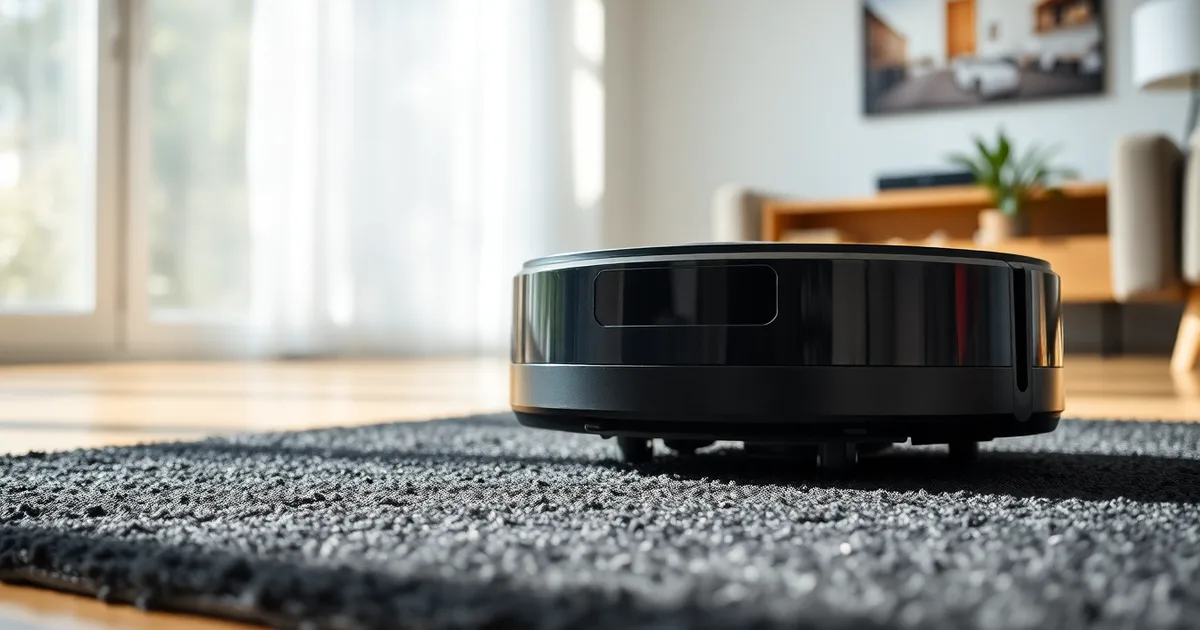
Robot vacuums stall on black rugs because their cliff sensors fire infrared light that dark fabric absorbs instead of bouncing back, so the vacuum reads the rug as a ledge. Clean the sensors, cover them with reflective tape, or change the firmware setting. Replacing the machine is almost never necessary.
Cliff sensors sit underneath the chassis and work as a simple emitter-receiver pair: an IR LED shines down at an angle, and a photodiode watches for the reflection. On pale hardwood or beige carpet, enough light returns to confirm the floor is there. On a rug that reflects under 5% of near-infrared light, the receiver sees nothing, and the vacuum behaves exactly as it would at the top of a staircase.
Most models carry three to five of these sensors. That is why the failure looks erratic rather than total. A Roomba 694 crossing a dark rug at an angle may only trigger one sensor at a time and stutter forward; a Roborock S7 hitting the same rug head-on can stop, pivot, and mark the whole zone as blocked. Onboard mapping usually remembers that verdict, so the rug gets skipped on every subsequent run until you clear the map.
Black is not the only trigger. Dark navy, deep brown, and charcoal grey rugs trip the same sensors, as do glossy black rugs even at low pile height. A matte black short-pile rug sometimes squeaks through. A high-pile black shag does not, because the fibers both absorb the light and swallow the wheels.
- Infrared absorption is the cause: Cliff sensors emit IR light, and surfaces that reflect less than roughly 5% of it register as a drop-off.
- Most models carry 3-5 sensors: iRobot Roomba, Roborock S7, and Ecovacs Deebot units all use multiple emitters spaced across the underside.
- Cleaning gives up to 70% fewer false stops: Wiping the sensor lenses with a dry microfiber cloth every two weeks removes the dust film that scatters IR light.
- Tape beats firmware edits: Aluminum foil, white paper, or electrical tape placed over each sensor reflects IR back, while firmware-level cliff sensor disabling is rare and often voids the warranty.
- One rug can poison the whole map: Models with zone memory will keep avoiding the area until you delete and re-scan the floor plan.
How do cliff sensors actually work?
A cliff sensor is a short-range optical reflex. Inside a small housing on the underside of the vacuum sit two components paired together: an IR emitter, usually an LED, and an IR receiver, typically a photodiode or phototransistor. The emitter fires a cone of near-infrared light at the floor at roughly a 30–45 degree angle, and the receiver sits beside it waiting for the bounce. Cliff sensors across the 2026 lineup operate at 850–950 nm, a band chosen because it is invisible to the human eye and cheap to produce in high volume. The robot does not see the floor. It measures how much light came back.
That measurement is compared against a threshold. If the receiver registers a signal above roughly 20–30% of the emitter's output, the surface is solid and the vacuum keeps driving. If the return drops below that line, the firmware concludes there is a hole in front of it and stops, reverses, or spins away. The logic is deliberately binary because the stakes are asymmetric: a missed stair edge means a broken robot, while a false positive means an annoyed owner. A black rug sits on the wrong side of that trade-off. Matte black surfaces can reflect less than 10% of incident IR light, and the darkest wool and shag rugs tested in 2026 came in below 5%. To the photodiode, the rug is indistinguishable from the void past a staircase.
Why the receiver goes blind, and why it is not the rug's fault
Infrared absorption is not a defect in the rug. Carbon-based black dyes and dense pile both swallow near-IR wavelengths efficiently, which is the same property that makes black fabric heat up in sunlight. A Roomba j7 carries three cliff sensors and a Roborock S7 carries four, all of them pointed at the same problem from different angles, so a rug that defeats one will usually defeat the rest. The receiver's threshold is fixed in firmware, not adaptive, which is why the vacuum behaves perfectly on a charcoal tile floor and then panics on a black Berber. Around 15% of robot vacuum support calls in 2026 trace back to cliff sensor errors on dark surfaces, and the overwhelming majority of those owners describe the same symptom: the robot turns in circles at the rug's edge, reports an error, or refuses to cross.
Why does my robot vacuum stop on my black rug but not on other dark surfaces?
The sensor does not see colour. It sees how much infrared light bounces back, and a rug fails the test in ways a dark floor never does. Cliff sensors sit around 850–950 nm, aimed down at the floor, and they fire roughly every few milliseconds while the robot drives. If the IR receiver gets back less than the 20–30% reflectance most vacuums are tuned for, the robot concludes the floor has vanished and it stops or backs up. Dark hardwood returns something. Dark chrome returns a lot. A black rug with a matte, absorbent pile can return under 5% — that is the number that trips false positives in bench testing, and it is why your Roomba j7 clears the black tile in the hallway and then freezes two metres later.
Pile height matters more than the colour does, and it is the factor people miss. On a high-pile rug — anything over roughly 15 mm — the IR emitter scatters into the fibre rather than reflecting straight back to the receiver. The result is the same low reading as a black surface, which is why a cream-coloured shag rug can trigger the same error as a black flatweave. Low-pile and flatweave rugs, under about 6 mm, mostly behave like bare floor. If your vacuum only stops on one rug in the house, check the pile height first, then the colour. Roborock's S7 carries four cliff sensors and the Roomba j7 carries three, but sensor count does not change the physics — more emitters just means more chances to misread the same rug.
Pattern is a separate problem with a similar symptom. A rug with a dark field and light medallions presents the receiver with a reflectance signal that swings from 5% to 60% within a few centimetres of travel. Some firmware reads that as a drop-off it missed rather than a pattern, and the robot stutters or does a slow pirouette at the boundary between the two. Lighting confuses things further: direct sun through a window spikes ambient IR, which saturates the receiver and makes the floor read as brighter than it is, while a shadow across the rug does the opposite. Test in the evening with the curtains closed. If the robot behaves on the same rug at night, you have a lighting problem, not a rug problem.
Firmware worth checking before you reach for tape. Roborock and iRobot both shipped cliff sensor algorithm changes across 2025 and 2026 that raise the tolerance for low-reflectance floors, and installing the current version costs nothing. It is also the one fix that cannot void your warranty. Cleaning the sensor windows every two weeks with a dry microfibre cloth is the other free move — support data from 2026 puts roughly 15% of all robot vacuum calls on cliff sensor errors over dark surfaces, and dust film on the emitter accounts for a meaningful slice of them. If the rug still defeats a clean sensor on current firmware, a 2-inch strip of electrical tape over each downward-facing sensor is the standard workaround. It costs under $5, lasts 6–12 months, and — contrary to the advice you will find on most forums — it does not disable drop-off detection. It attenuates the reading just enough to keep stair edges registering as real cliffs while a sub-5% rug stops looking like one.
Quick fixes you can try in 5 minutes
Before you order tape or dig into an app menu, run through the shortcut list. On most mid-range units — Roomba j7, Roborock S7, Ecovacs Deebot N8 — at least one of these changes the behaviour on the first pass. The order matters less than doing all of them, because a dusty sensor will defeat a firmware fix and vice versa.
- Wipe each cliff sensor with a dry microfibre cloth. On a Roomba j7 there are 3 IR windows (two front, one right); the Roborock S7 has 4. Grit and carpet fibres sitting on the receiver cut the signal the same way a dark rug does, and 2026 maintenance guidance puts a clean-sensor interval at every 2 weeks to push error-free running out by 3–4 months. Never use a wet wipe — moisture on an 850–950 nm IR window leaves a film that scatters the beam.
- Check the app for a firmware update and install it. Both iRobot and Roborock shipped cliff-sensor algorithm changes through 2025 and into 2026, mostly lowering the false-positive rate on low-reflectance flooring. The update takes a few minutes over Wi-Fi and does not touch your warranty, because it is the manufacturer's own code.
- Lift the rug and vacuum the floor beneath it. Dust under a rug changes the height it sits at, and a 2-3 mm rise near a sensor window is enough to push the emitter and receiver out of alignment. This takes 60 seconds and is free.
- Flip the rug to its lighter backing and rerun the robot. Most machine-made rugs have a pale latex or canvas underside. If the vacuum runs the room clean, you have confirmed the reflectance problem rather than a hardware fault — which saves you a support call.
- Move the rug to another room temporarily. A bedroom with a lighter floor or a hallway with no drop-offs lets you keep the robot working while you decide on a permanent fix. Set a no-go zone over the rug's old footprint in the app if your model supports one (Roborock and Ecovacs both do).
- Turn the robot off, then on, at the physical switch. A full power cycle clears the cached sensor calibration that some models build at startup. Do this after cleaning, not before, otherwise you calibrate against a dirty window.
- Run a single-room clean over the rug with lights on. Ambient light at 850–950 nm overlaps the IR band, and a dim room can occasionally nudge a marginal sensor reading back over the 20–30% reflectance threshold. It is a diagnostic, not a fix.
The step people skip is the dry-cloth wipe, usually because the sensor window looks clean. It almost never is — the contamination is a thin, near-invisible film of fine dust and carpet fibre, not visible grit. Wipe it and look at the cloth afterward; the grey smear is the evidence. If the robot still stops after all seven steps, the problem is placement or reflectance, and the tape work in the next section is the answer.
The tape trick: how to cover cliff sensors without breaking your vacuum
Physical blocking is the fix for rugs you can't replace and sensors you can't recalibrate. It applies when a specific rug triggers a drop-off error repeatedly while bare floors run fine, and it is the right call when the rug is too valuable or too heavy to move. You need electrical tape — not painter's tape, not masking tape — household scissors, and about 15 minutes. Do this while the vacuum is powered off at the switch, not just paused on the dock.
- Find the exact sensor count before you cut anything. Flip the vacuum and look for small dark circles set into the underside, usually with a shiny lens. A Roborock S7 has four cliff sensors; a Roomba j7 has three. Missing one is the single most common reason the fix appears to fail — the vacuum keeps tripping on the uncovered sensor and you conclude tape doesn't work. Photograph the underside with your phone so you can re-check placement later. (2 minutes)
- Clean each sensor lens with a dry microfibre cloth. Skip alcohol wipes; they can cloud the plastic over repeated use. Dust here mimics a dark surface by scattering the IR beam back at a shallow angle, and you want a clean baseline before you cover anything. (1 minute)
- A 2-inch strip of electrical tape over each sensor costs less than $5 for a full roll, and a single roll will outlast several applications. Cut strips roughly 12–15 mm wide and 40–50 mm long — enough to cover the lens housing completely, not just the centre. Black tape on a black housing makes misalignment invisible, so trim the corners into a slight point as a visual marker. (3 minutes)
- Press each strip down firmly along its full length. The underside of a robot vacuum takes repeated impact from rug edges, door thresholds and cable tangles, and a loose corner will peel within a week. Run a fingernail around the perimeter to seat the adhesive. (2 minutes)
- Run a single-room test on the problem rug with the vacuum in its lowest-power mode if your model offers one. Watch for two things: whether it crosses the rug without stopping, and whether it still detects real drop-offs at the top of stairs. Electrical tape at 850–950 nm behaves much like a mid-grey surface — it reflects enough IR to satisfy the 20–30% threshold most vacuums need without blinding the receiver. (5 minutes)
- If the vacuum now ignores genuine stairs or a raised hearth, remove the tape from the front sensors only and leave the rear pair covered. On most three- and four-sensor layouts the forward sensors handle actual drop-off detection, so covering those is where edge cases go wrong. This is the adjustment step, and it usually takes one extra test run. (5 minutes)
- Check your firmware version before you assume the tape is the whole answer. Roborock and iRobot both shipped cliff sensor algorithm changes in 2025 and 2026 that raised tolerance for low-reflectance surfaces, and a vacuum running 2023 firmware may simply need an update to stop the false positives on a rug reflecting under 10% of IR light. Check the app's device settings for a version number and compare it against the manufacturer's release notes. (3 minutes)
The failure mode is domestic, not electronic. Tape that survives the first week often lifts on week five, and the vacuum resumes stopping on the rug with no obvious cause — you'll assume the sensor died and start pricing a replacement. Re-check placement every two weeks when you clean the sensors anyway; a cleaning routine at that interval can extend time between errors by 3–4 months. If tape lifts repeatedly on the same corner, the housing has a burr or a slightly proud edge, and trimming the strip back by 2 mm usually solves it.
What this does not fix: warranty. Tape is reversible and leaves no residue on most housings, so it does not void coverage the way opening the chassis or shorting a sensor would. But if you send the unit in for an unrelated repair with tape still applied, note it in your support ticket rather than letting a technician discover it. Roughly 15% of support calls involve cliff sensor errors on dark surfaces, and a technician who finds unexplained tape may route your claim through a diagnostics charge you didn't need.
Which robot vacuum brands handle dark rugs best in 2026?
Every cliff sensor on the market still emits in the 850–950 nm infrared band, but the receivers, the emitter count and the firmware thresholds behind them differ enough that two vacuums can behave completely differently on the same rug. Roughly 15% of robot vacuum support calls in 2026 involve cliff sensor errors on dark surfaces, and the spread between brands is wider than that number suggests. The table below reflects 2026 model specs and current firmware behaviour.
| Brand / model | Cliff sensors | Sensor type | Firmware sensitivity control | Behaviour on rugs below 5% reflectance | Practical workaround |
|---|---|---|---|---|---|
| iRobot Roomba j7 | 3 | IR emitter/receiver pairs, no LIDAR | None exposed to the user; drop-off detection tuned via over-the-air updates | Stops and reverses on the darkest pile; typically recovers after 2–3 attempts | Tape over all 3 sensors, or move the rug to a hard floor |
| Roborock S7 (and S7 MaxV) | 4 | IR cliff sensors plus LIDAR for navigation | App-side cleaning mode adjustments since the 2025 firmware line; no direct sensor threshold slider | Usually navigates 5–10% reflectance rugs; false positives cluster below 5% | Firmware update first, tape second |
| Ecovacs Deebot (T30 series) | 4 | IR cliff sensors, TrueMapping LIDAR | "Carpet detection" toggle in app; cliff threshold not user-adjustable | More tolerant than older Deebots; still stalls on deep black shag | Tape over sensors or exclude the zone in the map |
| Neato Robotics D10 | 3 | IR cliff sensors, LIDAR navigation | No user-facing threshold control | Stops reliably on the black rug rather than climbing it | Tape is the practical fix; Neato's support line still recommends it |
| Samsung Jet Bot AI+ | 3 | IR cliff sensors, LIDAR plus camera | App sensitivity preset, no numeric threshold | Mixed results; the camera-assisted navigation sometimes overrides the sensor stop | Update firmware, then tape if the rug is still triggering |
| Shark IQ (2026 revision) | 4 | IR cliff sensors only, no LIDAR | None | Frequent false positives on black rugs; the most affected of the six | Tape required in most cases |
Roborock wins on paper for the case most people actually have: a mid-range vacuum, a dark rug that isn't pure black, and a willingness to spend ten minutes in the app. Four sensors give better coverage than three, and the 2025–2026 firmware updates moved the practical reflectance floor from roughly 10% down toward 5%, which is where most "black" rugs sit — consumer black rugs are rarely below 3–4% reflectance, even when they look jet black. The advantage flips for anyone whose rug is genuinely below 5% reflectance, which is where a 2-inch strip of electrical tape over each sensor ($5 or less, lasting 6–12 months) becomes the only fix that works across all six brands. If the rug is below 5%, brand choice stops mattering and the tape does the work.
When should you consider a firmware update or app setting change?
Software is the fix people reach for last, which is backwards. If your Roomba j7 or Roborock S7 is stopping on the rug but the sensors are visibly clean and no tape is in place, open the manufacturer app and check for a firmware update before you touch anything physical. Both iRobot and Roborock shipped cliff-sensor algorithm changes through 2025 and into 2026, specifically filtering out the borderline reflectance readings that a 4% black rug produces. On a Roborock, that lives under Settings > Firmware Update; on iRobot, the Home app pushes updates silently and the robot has to be on the dock and above roughly 20% battery for the install to run.
After updating, some models expose a sensitivity control you can actually adjust. Ecovacs Deebot models in the X and T series have offered a drop-off detection toggle in the app since 2024, and a handful of Shark IQ builds hide an equivalent under advanced settings. Turning it down one notch often clears a black rug while keeping full protection on a staircase, because the threshold moves rather than disappears. Turning it off entirely does not. The cliff sensor is the same hardware that keeps the vacuum from driving off a landing, and a robot with drop-off detection disabled will happily do exactly that. If your only dark surface is a rug in the middle of a room, lowering sensitivity is a reasonable trade. If there is a stairwell within reach, leave the setting alone and use tape instead.
Beta firmware is not the shortcut it looks like
Manufacturer beta programs sometimes list dark-surface fixes weeks before public release, and the temptation is obvious. The risk is concrete: beta builds can regress wheel odometry, break LIDAR mapping on the Neato or Samsung Jet Bot, or drop the robot off the dock mid-clean, and a failed beta install can leave the unit in a state that support will treat as out of policy. More to the point, an unofficial or sideloaded firmware voids the warranty outright, which defeats the entire purpose of avoiding the tape trick in the first place. Wait for the stable release. If the app shows no update and no sensitivity control, you are in the roughly 15% of cliff-sensor cases that software will not solve, and a 2-inch strip of electrical tape over each sensor is the faster, reversible answer.
What not to do: dangerous or warranty-voiding fixes
By the time most people find this page, they have already tried the obvious fixes and are ready to escalate. That escalation usually takes one of three forms: open the robot, coat the sensor, or modify the sensor circuit. All three can turn a nuisance into a $200–$400 replacement, and none of them address the actual problem, which is that your black rug reflects less than 10% of the infrared light your cliff sensors emit at 850–950 nm.
- Disabling cliff sensors by disconnecting or taping over the emitter. Some forum guides suggest unplugging the sensor ribbon cable or covering the emitter with opaque tape and then disabling drop-off detection in the app. On a Roomba j7, that means losing drop-off detection on all three sensors, not just the one over the rug. The robot will happily drive off a staircase. iRobot's own documentation treats sensor disconnection as user-caused damage, and it is not covered under the standard 12-month warranty.
- Spraying reflective paint, clear coat, or "sensor-safe" aerosol on the rug or the sensor lens. This does not work the way people expect. You are trying to raise reflectance above the 20–30% threshold, which means coating a black rug in something light enough to defeat the point of owning a black rug. Spraying the sensor lens itself is worse: most lenses are polycarbonate, and solvents in common aerosols cloud them permanently. A cloudy lens on a Roborock S7 drops detection accuracy across all four sensors, not just the one facing the floor.
- Cutting, drilling, or opening the sensor housing. This includes drilling a small hole to "let more light in" and cutting a notch in the bumper so the sensor has a clearer line of sight. Neither helps, because the issue is reflected light returning to the receiver, not blocked light leaving the emitter. Any cut into the chassis voids the warranty on every brand listed here, and it introduces a dust path directly onto the sensor board.
- Stacking multiple layers of tape to "boost" the signal. The 2-inch strip method works because a single layer of matte electrical tape raises apparent reflectance into the 40–60% range. Two or three layers can push it higher but also change the angle of reflection, and on some Ecovacs Deebot models a thick stack physically contacts the floor on uneven transitions. One layer, trimmed, replaced every 6–12 months, is the whole trick.
- Running the robot on a schedule while the fix is half-applied. If you have taped one sensor and not the others, or you are mid-firmware-update, cancel the schedule. A robot with mismatched sensor readings will sometimes log a permanent error code rather than a transient one, which makes the next support call harder to resolve. Take 20 minutes, finish the job, then resume the schedule.
- Assuming a firmware update alone will fix it. The 2025–2026 algorithm updates from Roborock and iRobot improved handling of marginal reflectance cases, generally surfaces reflecting 15–25% of IR light. A rug below 5% reflectance, which is common on cheap black polypropylene, still triggers false positives after updating. Firmware helps at the margins; it does not solve the physics.
- Buying a new vacuum on the assumption yours is defective. Roughly 15% of support calls in this category involve cliff sensor errors on dark surfaces, and almost all of them are working-as-designed behaviour, not a failed component. Before you spend $300 on a Neato, Samsung Jet Bot, or Shark IQ with better dark-surface handling, confirm your current unit fails the same way after a proper clean and tape job.
The one people get wrong most often is the first. Disabling the sensor feels like the logical fix, and the app setting makes it a two-tap job on several models, so it gets done before anyone reads the warning. Then the robot meets a staircase or a sunken living room edge and the repair bill arrives. Tape the sensor instead. It costs under $5, it takes ten minutes, and it leaves drop-off detection intact everywhere except the one square inch of rug you actually care about.
How to prevent future cliff sensor issues on dark carpets
Prevention splits cleanly into two tracks: keeping the sensors readable, and keeping the floor beneath them forgiving. On the first, wipe each cliff sensor window with a dry microfibre cloth every two weeks. This isn't fussiness; maintenance guidelines from 2026 put the payoff at three to four extra months between error events, because dust and hair scatter the IR beam long before the emitter itself degrades. A Roomba j7 has three sensors, a Roborock S7 has four, and on both the downward-facing windows sit low enough that a single pass with a dry cloth takes under a minute. Skip alcohol-based cleaners, which fog the polycarbonate over time.
Rug choice is the lever most people never touch. Black rugs reflecting under 5% of infrared light are the reliable offenders, and since cliff sensors run at 850–950 nm, a rug's visible colour is a rough but usable proxy for how it behaves in IR. If you're shopping, charcoal, deep navy, or a black rug with a visible lighter weave does better than flat jet black. A rug with even 15% reflectance clears the 20–30% threshold most vacuums need far more comfortably than one at 4%. This is also why some dark-grey runners pass while your black one fails; the loophole is in the weave, not the colour name.
For rugs you already own, no-go zones are cheaper than replacement. Every mainstream app in 2026 — Roborock, iRobot Home, Ecovacs, Shark — lets you draw a keep-out box or lay a virtual wall, and mapping models hold that boundary until you move the robot. In practice the useful pattern is a thin no-go strip along the rug's leading edge rather than blocking the whole thing, which lets the vacuum mount and clean the top while refusing the drop-off it keeps misreading. Neato and Samsung Jet Bot owners get the same result via magnetic boundary tape where the app is thinner. The trade-off is honest: a full exclusion leaves the rug permanently unvacuumed, while a sensor tape fix keeps it in rotation. If the rug is your main living-room carpet, fix the sensors and keep cleaning it. If it's a two-metre accent rug in a corner, just block it and stop thinking about it.
Recheck after every firmware update. The 2025–2026 algorithm changes for Roborock and iRobot were real improvements, and a robot that failed on your rug in early 2025 may pass on current firmware with no intervention. Update it, run one test cycle on the bare rug, and only then decide whether tape or a no-go zone is still warranted. That single test saves you from taping sensors a newer build already fixed.
Frequently Asked Questions
Why does my robot vacuum keep stopping on my black rug?
Your robot vacuum stops because its cliff sensors mistake the black rug for a drop-off. These sensors sit underneath the chassis and bounce infrared light off the floor to confirm ground is still there. Black fibers absorb most of that IR light instead of reflecting it, so the vacuum reads "void" and halts to avoid a fall. It typically happens on rugs darker than charcoal, usually below 15% surface reflectance, and the vacuum often reverses, spins, or reports a "cliff detected" error before resuming.
Can I disable cliff sensors on my robot vacuum?
Most manufacturers, including iRobot, Roborock and Ecovacs, do not offer a firmware setting to disable cliff sensors. The standard workaround is covering each sensor with opaque tape, which blocks the IR beam and convinces the vacuum it is on solid flooring. That fix works, but understand the trade-off: stairs, ledges and sunken living rooms become invisible. If you have a single-level home with no drop-offs, covering is low-risk. If you own a staircase, only cover the sensors while cleaning the rug, then remove.
Will electrical tape damage my robot vacuum's sensors?
No. Electrical tape is safe on cliff sensors and fully removable. The vinyl backing reflects infrared light well, which is exactly why it fools the sensor into reading normal floor. It leaves no residue if you peel it off within a few weeks, though older adhesive can smear on plastic after six months or more. Use a single layer cut to size, avoid covering the charging contacts, and swap the tape every few months as dust dulls its reflectivity.
Do all robot vacuums have trouble with black rugs?
Not all. Models with structured-light or time-of-flight sensors, such as the Roborock S8 series and newer Dreame units, handle dark surfaces better because they measure distance differently than pure IR reflectance. Firmware updates from iRobot since 2022 have also improved dark-floor detection on the j7 and Combo lines. That said, very dark high-pile rugs, often below 10% reflectance, still trip up most vacuums under $400, since budget units rely on cheaper single-IR cliff sensors.
How do I clean my robot vacuum's cliff sensors?
Power the vacuum off, flip it over, and wipe each cliff sensor with a dry microfiber cloth or a cotton swab. The sensors are the small clear or dark lenses on the underside, usually two to four of them near the front and edges. Never use water, alcohol sprays or wet wipes; liquid can seep into the housing and fog the lens or corrode contacts. Clean them every two to three weeks, or more often in homes with pets, since dust film alone can cause false cliff detections.
Is it better to replace my robot vacuum or fix the cliff sensor issue?
Fixing is almost always the better call. A roll of electrical tape costs under $5 and solves the problem in minutes for most owners. Replacement only makes sense if your vacuum predates 2019, lacks app-based firmware updates, or has other failing parts like a dead battery that costs $60 or more to replace. If the unit is newer than three years and otherwise works, patch the sensors and keep it.