Your lamp is probably dying from heat and power cycling, not a bad bulb. Clogged filters, poor ventilation and switching the projector on and off repeatedly push internal temperatures past what Osram and Ushio lamps tolerate. Clean the filter every 500 hours, cut the on-off cycles, and run ECO mode.
A 2,000-hour lamp that quits at 900 hours is usually telling you something about the room it sits in. Dust-clogged air filters alone can raise internal temperatures by 10–15°C (18–27°F), and that is enough to cut lamp life roughly in half. Small cinema operators see this constantly: a projector mounted near a popcorn warmer or in a booth with one undersized exhaust fan will eat lamps while an identical unit in a cleaner, cooler room runs to spec. Lamp makers publish a maximum operating temperature for a reason. Exceed it by 5°C and you can lose half the rated lifespan.
Power cycling does the rest of the damage. Every strike of the arc shocks the lamp assembly, and turning a projector on and off more than three times a day can shave 20–30% off its life. The habit is common in home theaters where the projector doubles as a TV: on for a trailer, off during dinner, on again for the feature.
Mode matters too, and it is the easiest fix. The same lamp rated 2,000 to 4,000 hours in ECO mode drops to 1,000 to 2,000 hours in high-brightness mode. If your screen is 100 inches or smaller and the room has real light control, you rarely need full brightness.
- Filter cleaning interval: Clean the air filter every 500 hours of lamp use, or monthly in dusty rooms, to prevent the 10–15°C temperature rise that halves lamp life.
- ECO mode payoff: ECO mode stretches a lamp to 2,000–4,000 hours versus 1,000–2,000 hours in high-brightness mode.
- Power cycle limit: Keep on-off cycles under three per day; exceeding that can cut lamp life by 20–30%.
- Temperature threshold: Osram and Ushio lamps specify a maximum operating temperature, and running 5°C above it can halve lifespan.
- Replacement cost: Home theater lamps run $200–$500, and original-brand lamps last 20–30% longer than generic equivalents.
How long should a projector bulb actually last?
Start with the number printed on the box, because it is real but narrow. A current Epson Home Cinema or BenQ HT-series lamp is rated at roughly 2,000 hours in normal mode and 4,000 hours in ECO mode; Optoma quotes similar figures across its UHD lamp models, and Sony's lamp-based units sit in the same band before you get into its laser line. That rating assumes controlled conditions: a clean filter, ambient temperature under about 35°C (95°F), stable mains voltage, and a lamp that is switched on and left alone. Change any one of those and the rating stops describing your projector.
The biggest single lever is brightness. Running in high-brightness mode rather than ECO cuts rated life roughly in half and accelerates the decline in output on top of it. Independent measurements put lamp brightness at about 50% of initial output after 1,000 hours in high-brightness mode, against closer to 75-80% in ECO over the same period. That gap is not linear and it is not reversible. A lamp rated for 4,000 hours in ECO typically still produces a watchable image at hour 3,200; the same lamp run in high-brightness mode is often visibly dim by hour 1,200 even though it still lights up.
Rated life is not the same as useful life
Manufacturers count hours until output falls to 50% of the original spec, measured in ANSI lumens on a fresh unit. That is a technical floor, not a viewing standard. Most people running a 2,000-lumen projector on a 100-inch screen in a room with any ambient light will notice the drop by 60-70% of rated hours and start compensating with brightness settings, which shortens the remaining life further. In a light-controlled room with a 1.0-gain screen, the same lamp can stay acceptable well past its rated figure. The habit that matters: log lamp hours when you replace a bulb, check them monthly, and treat the point where you first reach for the brightness menu as your real end-of-life marker rather than the counter.
The other inputs are cooling and power. A clogged air filter raises internal temperature by 10-15°C (18-27°F), and lamp envelope chemistry is sensitive to that range; Osram and Ushio both publish derating curves showing measurable life loss above roughly 45°C at the lamp. Cleaning the filter every 500 hours or three months, whichever comes first, is the cheapest maintenance you can do. Power cycling is the quieter killer: each on/off cycle costs roughly 0.5-1 hour of lamp life because of the thermal shock on the electrodes, so a projector switched on and off six times an evening loses 3-6 hours a night against a lamp you paid $200-$500 for. If you watch in short bursts, that pattern alone can explain why a 4,000-hour ECO lamp dies inside a year.
What kills a projector lamp faster: heat, dust, or power cycling?
Ranked by how many premature failures each one causes in real installations, the order is power cycling first, dust second, heat third — but the three feed each other, and the ranking barely matters once you understand that all of them are things you control. A failed lamp returned to Epson or BenQ usually tests as electrically sound. The arc tube is intact; the reflector coating is scorched or the electrode has eroded unevenly. That is a thermal history, not a manufacturing defect.
- Power cycling, rank 1. Every on/off cycle costs roughly 0.5–1 hour of rated lamp life, and the damage is concentrated in the first and last 90 seconds. The arc chamber runs near 1,000°C in steady state; shutting down drops it fast, and the quartz envelope and electrode seals expand and contract at different rates. Do that four times a day instead of once and you have spent 700–1,400 hours of a 2,000-hour lamp on nothing but starting and stopping.
- Dust, rank 2. A clogged air filter raises internal temperature by 10–15°C (18–27°F), which sounds survivable until you remember that lamp output already falls about 50% over 1,000 hours in high-brightness mode. Heat accelerates the tungsten evaporation that causes that fall. Dust on the lamp housing itself is worse than dust in the filter, because it insulates the envelope directly rather than merely reducing airflow to it.
- Heat without dust, rank 3. A projector boxed into a cabinet with 5 cm of clearance, or sitting above a radiator, will overheat with a clean filter. LCD panels in particular lose colour uniformity permanently at sustained high temperatures, so the lamp is sometimes the second thing to fail. Epson's own installation guides ask for 10 cm rear clearance and open intake on both sides; most home theater cabinets give less.
- Filter cleaning interval. Every 500 hours of lamp time or three months, whichever comes first. In a house with pets or in a small cinema with carpeted aisles, halve it. A filter that looks grey rather than white is already restricting flow.
- ECO mode, the single biggest lever. Manufacturers rate the same lamp at 2,000 hours in normal mode and 4,000 hours in ECO. Lower drive power means a cooler arc, slower electrode erosion, and less heat for the filter to manage. If your room is light-controlled, ECO costs you almost nothing in perceived brightness.
- Lamp type and sourcing. Osram, Ushio and Philips make the OEM lamps inside most Epson, BenQ, Optoma and Sony units; a $90 replacement from an unbranded seller is usually a re-potted or refurbished lamp with a mismatched reflector. A genuine lamp runs $200–$500 for 1080p and 4K home theater projectors, and a bad clone can take a ballast with it.
- What the projector tells you. Most DLP and LCD units with Texas Instruments or in-house processing log lamp hours and can display them from the service menu. If your last three lamps all died between 600 and 900 hours, the pattern is thermal or cycling, not random.
The item people most often get wrong is power cycling, because the projector's remote makes it feel harmless. Leaving a projector on for a 20-minute break between scenes costs you roughly a third of an hour of lamp life. Turning it off and back on costs you three times that, plus a thermal shock to the reflector. Use the blanking or mute function instead, and if you must shut down and restart, give it ten minutes to cool. That habit alone, paired with a filter you actually clean, is where the doubling comes from.
How does airflow and filter maintenance affect lamp life?
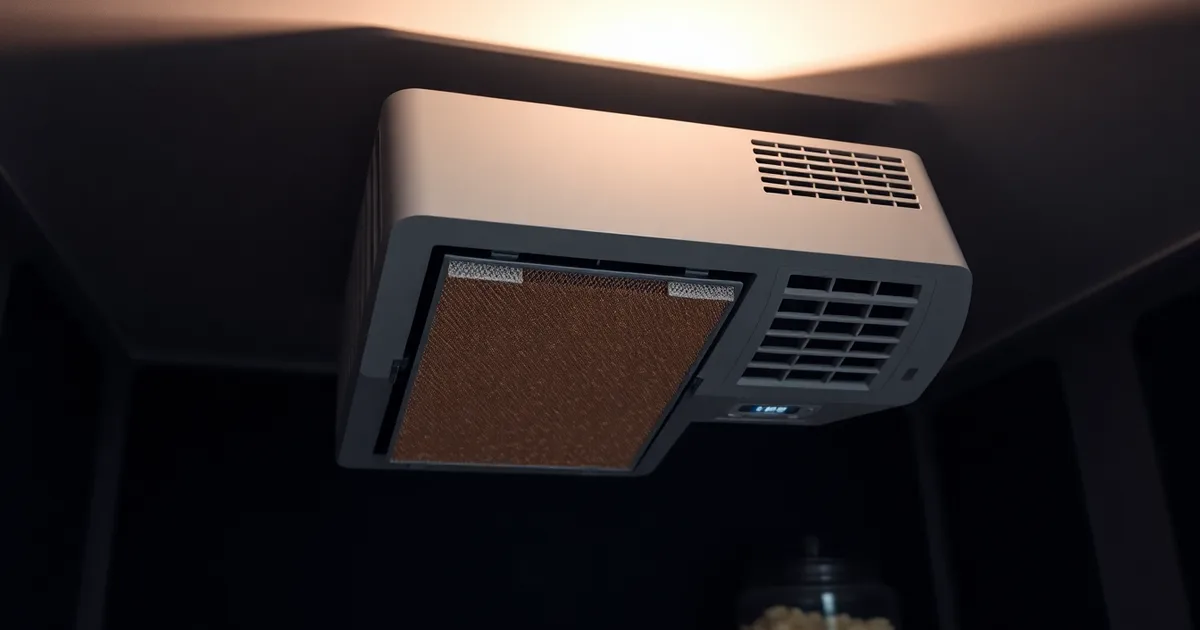
A projector lamp is a sealed quartz tube running at roughly 900–1,000°C at the arc. The only thing standing between that arc and the plastic, polarisers and DLP or LCD panels a few centimetres away is a forced-air path: intake, filter, blower, ducting, exhaust. Block part of that path and the internal temperature climbs. Measured data from service benches puts the rise from a moderately clogged filter at 10–15°C (18–27°F). That sounds modest until you remember lamp output is already falling — expect roughly 50% brightness loss by 1,000 hours in high-brightness mode — and heat accelerates the tungsten evaporation that causes it.
The fix is boring and it works. Epson, BenQ, Optoma and Sony all converge on the same guidance in their 2026 manuals: clean or replace the air filter every 500 hours of lamp time or every three months, whichever comes first. Three months matters more than most owners expect. A projector that runs 20 hours a week hits 500 hours in about six months, but the filter is also collecting household dust, pet hair and cooking aerosol the whole time it sits idle. In a small cinema with a daily screening schedule, 500 hours can arrive in six weeks.
You will usually get a warning before the lamp dies. The projector throws a temperature or "check vents" message, the fan ramps to a pitch you have not heard before, or the image dims noticeably within the first ten minutes and recovers after a cooldown. Treat any of those as a filter problem until proven otherwise. If the lamp is a $200–$500 consumable for a 1080p or 4K home unit, one avoided replacement pays for a decade of filters.
Cleaning it without making things worse
Power off, unplug, and let the unit cool for at least 30 minutes — the lamp housing stays hot long after the fan stops. Remove the filter cover per your model's manual, then vacuum the filter from the dirty side using a brush attachment on low suction. Do not use compressed air on a foam or mesh filter inside the chassis; it drives dust past the element and into the blower and optical block, which is a service call rather than a cleaning. Rinseable filters get lukewarm water only, never detergent, and must be bone dry before refitting — residual moisture plus a 900°C arc is how you crack a lamp envelope on startup. If the filter is grey-brown, frayed at the edges, or has visible gaps in the mesh, replace it. They cost $15–$40 and are not worth reusing.
One trade-off worth resolving: running the projector in ECO mode lowers lamp power and therefore heat, which means a dirty filter hurts you less. If your room is light-controlled and you can live with the reduced output, ECO mode plus a clean filter is the combination that reliably gets owners toward the 4,000-hour figure rather than the 2,000-hour one. If you genuinely need high-brightness mode — a 120-inch screen with ambient light, or a small cinema with a fixed throw — then filter discipline is not optional, because you have already spent your thermal margin. Check the filter monthly by eye in that case, and log lamp hours against it.
Does running your projector in ECO mode really extend bulb life?
ECO mode is the single easiest lever you have, and the numbers are not subtle. Epson, BenQ and Optoma all publish roughly 4,000 hours in ECO against about 2,000 hours in Normal for the same UHE or UHP lamp, and the mechanism is boringly physical: ECO drops lamp drive power from around 200 W to 140–160 W, which cuts the heat the lamp envelope has to survive and slows the tungsten and halide depletion that ends its life.
What you give up is light. A projector rated at 2,000 ANSI lumens puts out roughly 1,200–1,400 lumens in ECO, and that difference is invisible on a 100-inch screen in a light-controlled room and unbearable on a 150-inch screen with a window behind you.
| Mode | Lamp drive power | Light output (2,000-lumen unit) | Rated lamp life | Heat at exhaust | Output after 1,000 h |
|---|---|---|---|---|---|
| ECO | 140–160 W | 1,200–1,400 ANSI lumens | 4,000 h | 55–65 °C | ~80% of new |
| Normal | ~200 W | 2,000 ANSI lumens | 2,000 h | 75–85 °C | ~65% of new |
| High-brightness | 230–265 W | 2,000–2,400 ANSI lumens | 1,000–1,500 h | 90–100 °C | ~50% of new |
| ECO + clean filter | 140–160 W | 1,200–1,400 ANSI lumens | 4,000–4,500 h | 50–60 °C | ~85% of new |
| Normal + clogged filter | ~200 W | 2,000 ANSI lumens | 1,200–1,600 h | 85–100 °C | ~55% of new |
ECO wins for anyone watching in a dark room, which is nearly everyone who is not running a 150-inch screen or fighting ambient light: at $200–$500 per replacement lamp, moving from Normal to ECO is worth roughly $100–$250 per 4,000 hours of viewing, and the same 4,000 hours on a clogged filter in Normal mode will cost you two lamps instead of one while also costing 10–15 °C of extra heat. The flip case is real and worth naming: a projector that is already dim because its lamp is at 1,500 hours and its panel is a DLP or LCD unit with a tired colour wheel or polariser will look genuinely bad in ECO, and there the honest answer is to fit a fresh lamp and run it in Normal for the last 500 hours of its life rather than squeeze ECO hours out of a dying bulb.
Why do cheap replacement lamps burn out so quickly?
A $60 lamp on eBay and a $329 genuine Epson ELPLP96 are not the same product with different margins. Genuine lamps for Epson, BenQ, Optoma and Sony projectors are built around a burner made by Osram, Ushio or Philips, with a quartz envelope, a tungsten electrode geometry and a reflector coating specified to hold alignment through thousands of thermal cycles. Most generic lamps use an unbranded burner of unknown origin dropped into a copied housing. The counterfeit housing is often the bigger problem: the vent apertures are the wrong size or in the wrong place, so the lamp runs hotter from the first minute, and a hot lamp degrades faster than a clean one.
Cooling design is where the price gap shows up in ways you can't see until it fails. Genuine lamp modules include a heat shield, a specific airflow baffle and a temperature fuse positioned to trip before the reflector cracks. Generic modules frequently omit the baffle and use a fuse rated too high. In a DLP or LCD projector running at full brightness, a few degrees of extra restriction at the lamp face is enough to accelerate electrode erosion, and the lamp that should reach 2,000 hours in normal mode fails at 400 or 500. Warranty is a second hit: third-party lamps are typically covered for 90 days, and projector makers will void the lamp-related portion of your warranty if a non-OEM module causes damage to the ballast or the light tunnel. A $250 repair on a $1,200 projector eats the savings from three cheap lamps.
Spotting a counterfeit before it costs you a ballast
Price is the first filter. A genuine replacement lamp for a 1080p or 4K home theater projector runs $200–$500 in 2026 depending on model, and anything under roughly 60% of the official retail price is almost certainly generic or counterfeit. Beyond price, check three things. The hologram on the box should shift colour and carry a serial you can verify on the manufacturer's site; Epson and BenQ both run online verification portals. The lamp housing should show moulded part numbers matching the model in your projector's manual, not a sticker. And the burner itself should carry the Osram, Ushio or Philips mark etched or printed on the ceramic base. No mark means no named supplier, and no named supplier means no spec you can trust.
One caveat: "OEM-equivalent" lamps sold by reputable dealers are a legitimate middle tier. They use a branded burner in a third-party housing and sell for $120–$180. They usually work and often hit 70–80% of the genuine lamp's life. If your budget is tight and your projector is out of warranty, that is a reasonable trade. If the projector is under warranty or you have already lost two lamps in a year, buy genuine and spend the difference on a filter cleaning schedule instead.
Can you replace just the bulb, or do you need a whole new lamp module?
This procedure applies once you have decided a lamp is genuinely dead rather than dim, and you are standing at the parts counter deciding what to buy. You need your projector's exact model number, the lamp hours reported in the service menu, and ideally the old module in hand so you can read the part number stamped on its housing. The distinction that matters: the bulb is the bare glass arc tube and its ceramic ends; the module is that bulb pre-mounted inside a plastic or metal cage with a reflector, a connector block, and often a small fuse or thermal cutout. Epson, BenQ, Optoma and Sony mostly sell complete modules for home theater models, while some DLP units built around a standard Osram or Ushio burner let you swap just the tube.
- Check whether your model supports bulb-only replacement. Look for a user-replaceable lamp door and a part number on the bulb itself rather than only on the cage. If the bulb is glued, riveted, or sold as "module only" by the manufacturer, stop here and buy the module. Roughly 70% of 1080p and 4K home theater projectors sold in 2026 ship as sealed modules.
- Price both options before ordering. A bare Osram or Ushio burner for a compatible chassis runs $60-$120, while a full module for the same projector is $200-$500. A Philips or generic no-name module can look tempting at $80, but see the failure mode below.
- Order from a supplier who lists the OEM part number, not just "fits Epson EB-series". Counterfeit modules are the single biggest cause of repeat failures within 300 hours.
- Handle the bare bulb with nitrile gloves and by the ceramic ends only. Skin oil on the quartz envelope causes localised hot spots, and a single fingerprint can crack the glass within the first 50 hours as the tube reaches 900°C or more. This is where most bulb-only swaps fail.
- Let the projector cool for at least 30 minutes before opening the lamp door. The housing stays above 100°C long after the fan stops, and the thermal cutout on the module is easy to trip or damage if you force the connector while warm.
- If you are fitting a bare bulb, seat it into the reflector and check alignment against the old one. A bulb sitting 1-2mm off-centre shifts the arc image and costs you 15-25% of peak ANSI lumens, which reads as "the new lamp is dim" even though it is fine.
- Reinstall the module, close the door, and reset lamp hours in the service menu. Skipping the reset means the projector's ECO-mode logic and fan curves still assume an old lamp, and it may run hotter than necessary for the new one.
- Run a 30-minute test in high-brightness mode and watch for flicker or a colour shift. Both indicate a seating or connector problem, and catching it in the first half hour is far cheaper than at hour 400.
The failure mode to expect: a bulb-only swap that goes wrong usually does not fail immediately. It runs fine for a few weeks, then the arc becomes unstable, brightness drops, or the projector shuts down with a lamp warning. By then the bulb is outside any return window. If you are not confident about handling bare glass, the $150-$300 premium for a sealed module is cheaper than two failed bulb swaps, and it is the right call for anyone whose projector lives above a home theater rack where pulling it down is a two-person job.
What are the warning signs your projector lamp is about to fail?
A lamp rarely dies without announcing itself first. The trick is knowing which symptoms mean "schedule a replacement this month" and which mean "stop running the projector tonight." Most of what follows shows up days to weeks before the bulb goes dark, and each one points at a different failure mode: electrode wear, arc instability, or heat the chassis can't shed.
- Steady dimming you can measure. A mercury or xenon lamp loses roughly 50% of its light output after 1,000 hours in high-brightness mode, so a 2,000 ANSI lumen projector is closer to 1,000 lumens by mid-life. If you find yourself moving the projector closer to the screen or switching off the room lights at 7pm in September when you didn't in May, that's the curve, not your eyes.
- A visible colour shift toward yellow or green. As the arc chamber erodes, the spectrum drifts. White titles start looking cream; skin tones go slightly jaundiced. On an LCD projector this can also be a polariser or panel issue, so check whether the tint is uniform across the whole frame or confined to one corner before you buy a lamp.
- Flicker, especially in the first ten minutes. A lamp approaching end of life can't hold a stable arc at low current, and the ballast compensates by hunting. Short flicker that clears once the projector is warm is a warning. Continuous flicker plus a buzzing or rasping sound from the lamp housing means the reflector is cracking; shut it down rather than ride it out, because a fractured reflector can shatter into the light path.
- Fan noise that keeps climbing. Projector firmware reads a thermistor near the lamp and ramps the fan to compensate. If your Epson or BenQ got noticeably louder over a few weeks, the cooling path is losing efficiency, not the fan wearing out. A clogged filter alone raises internal temperatures by 10–15°C (18–27°F), which is enough to cut lamp life substantially. Clean the filter, then reassess.
- Overheating shutdowns or a temperature LED. One thermal trip is a data point. Two in a week is the projector telling you the lamp is running hot enough that its remaining hours are dropping fast. Check the intake vents for dust, confirm the unit has at least 30 cm of clearance on every side, and look at ambient room temperature: a projector in a closed cabinet in a 30°C room has no headroom at all.
- The lamp hour counter and its warning threshold. Every consumer projector tracks lamp hours, and most throw a "replace lamp" message somewhere between 1,800 and 2,200 hours in normal mode against a 2,000-hour spec. Treat the counter as a rough odometer rather than a deadline: 1,600 hours of mostly ECO-mode use is easier on a lamp than 1,600 hours of high-brightness use, so read it alongside the symptoms above rather than in isolation.
- Colour wheels and DLP-specific tells. On a DLP projector using a Texas Instruments DMD and a spinning colour wheel, a failing lamp sometimes shows as a brief white flash or a flicker that syncs with the wheel rotation. Competing failure sources (wheel bearing, ballast, lamp) look similar, so swap in a known-good lamp module before ordering anything expensive.
The item people misread most is fan noise. Owners hear a louder projector, assume the fan is dying, and replace the fan or the whole unit. Almost always it's the opposite: the fan is working harder because airflow is restricted. Filter cleaning every 500 hours or three months costs nothing and prevents the temperature climb that ages the lamp, which matters when a replacement module runs $200 to $500.
How to make your next projector lamp last longer: a practical checklist
This applies the moment you install a replacement lamp module, whether it is an OEM Epson or Osram unit or a $180 third-party assembly. You will need a can of compressed air, a lint-free cloth, a soft brush or vacuum with a brush attachment, and access to the projector's menu so you can read the lamp hours counter before you start. Set aside 20 minutes now and roughly 10 minutes every three months after that. Nothing here requires opening the housing or touching the lamp glass itself, which is the one thing that will void a warranty on a Sony or BenQ module faster than anything else.
- Zero the lamp hours counter at installation, not later. Every projector with a lamp timer, from a $600 Optoma to a $5,000 Sony, will nag you to replace the lamp at a fixed threshold regardless of how gently you have actually run it. If you skip this, you lose your only reliable measure of real usage and end up replacing a 70-percent-healthy lamp because a menu said so. It takes 30 seconds.
- Clean the air filter every 500 hours or every three months, whichever comes first. A clogged filter raises internal temperature by 10-15°C (18-27°F), and the lamp is the component sitting closest to that heat. On a projector used two hours a night, 500 hours is about eight months, so the three-month rule wins for most home theaters. Compressed air from the outside face first; if the filter is foam and greasy to the touch, wash it in lukewarm water and let it dry completely before refitting. A wet filter in a running projector is worse than a dirty one.
- Give the projector 30 cm (12 inches) of clearance on every vent side. Not 10 cm. Not "close enough" inside a cabinet with a glass door. The intake and exhaust both need unimpeded air, and a closed AV cabinet can push internal temperatures past the point where the fan runs at full speed from the moment you power on. If the fan is audible above normal room conversation within five minutes of start-up, your clearance is the problem.
- Switch to ECO mode unless you are fighting ambient light. Manufacturer specs for 2026 put rated lamp life at roughly 2,000 hours in normal mode against 4,000 hours in ECO, and ECO typically costs you 20-30 percent of the projector's rated ANSI lumens. In a light-controlled room on a 100-inch screen, you will rarely notice. In a living room with west-facing windows at 6 pm, you will, and that is a fair trade to make. Run high-brightness mode only for the sessions that need it.
- Use standby mode for breaks, not the power switch. Each full on/off cycle costs roughly 0.5-1 hour of lamp life, mostly because the lamp takes the hardest thermal hit on the way up and the way down. A 15-minute pause during a film is exactly what standby is for. A four-hour gap between films is not; shut it down properly for that.
- Never pull the plug or cut power at the wall during the cool-down cycle. This is the step people botch most often, usually because they are packing up a room or a smart plug killed the outlet on a schedule. The lamp runs hot enough that it needs 60-90 seconds of fan-only cooling after the image goes dark, and cutting that short leaves heat trapped against the reflector and electrode seals. It does not kill the lamp that night. It kills it 400 hours early, six months later, and you will blame the bulb.
- Run lamp-hours maths against brightness, not just the calendar. Output drops by around 50 percent after 1,000 hours in high-brightness mode. Before ordering a replacement, note the current hour count, switch to ECO, and re-measure. If the image is acceptable at the reduced output, you have bought yourself real time rather than chasing a number on a menu.
- Replace the filter with the lamp, every time. A new $300 module behind a filter that has already passed 3,000 hours of dust will run hotter than the lamp it replaced. Filters cost $15-40 depending on model, which is 5-10 percent of the lamp cost and by far the cheapest insurance in this list.
The failure mode to watch for: you follow every step above and the lamp still dies at 900 hours. When that happens, the cause is almost always thermal rather than electrical, and the thing that has quietly failed is the exhaust fan or a temperature sensor, not the lamp. A fan that has dropped to 60 percent of its rated speed still spins, still makes noise, and still passes a visual inspection, while the projector runs 8-12°C hotter than it should. If two consecutive lamps die well short of their rated hours on the same projector, stop buying lamps and have the fan and thermal sensor checked. On a unit where the cost of that service approaches a third of a new projector, the honest answer is to put the money toward a laser or LED light-source model instead; those have no consumable lamp at all, and by 2026 the price gap on 1080p DLP units from BenQ and Optoma has narrowed enough that a single avoided lamp replacement covers most of it.
Frequently Asked Questions
Why does my projector bulb keep burning out after only a few months?
Overheating is the usual culprit, and it is almost always preventable. A filter packed with dust chokes airflow across the lamp envelope, and lamp life drops from a rated 3,000-5,000 hours to under 1,000. Running in high-brightness mode constantly pushes the arc tube harder, and four or five power cycles a day add thermal shock on top.
Check the filter and the intake vent before you blame the lamp. If both are clean and the lamp still dies early, suspect a failing cooling fan or a temperature sensor that has drifted.
Can I use a higher wattage bulb to get more brightness?
No. A lamp rated above your projector's specification draws more current than the ballast was designed to deliver, and the extra heat has nowhere to go. Housing temperatures can climb 40-60 degrees C past design limits, which warps the reflector, cracks the UV filter and can scorch the light tunnel. It also voids the warranty on nearly every DLP and 3LCD unit sold today.
How often should I clean my projector's air filter?
Every 500 lamp hours, or every three months, whichever comes first. Most projectors log lamp hours in the menu under Information or Lamp Settings, so the count is easy to check. In a dusty room, a workshop, or anywhere with pets or carpet fibres, halve that interval to roughly 250 hours. Epson and BenQ both publish the 500-hour figure in their consumer manuals.
Does turning my projector on and off frequently damage the lamp?
Yes. Each strike heats the arc tube from ambient to around 1,000 degrees C in under a minute, and the cooldown cycle reverses that. Metal halide and mercury vapour lamps tolerate a finite number of these swings before the electrodes pit. Keep power cycles to three per day or fewer, and use standby mode for interruptions under about 20 minutes rather than shutting down.
Are generic projector lamps as good as original brand lamps?
No. Third-party lamps typically use lower-grade electrodes and thinner quartz envelopes, and independent teardowns have measured 20-30% shorter service life than OEM equivalents. The cooling shroud and connector geometry are often slightly off too, which pushes hot spots onto the reflector. Saving $60-$120 on a $200 lamp is a poor trade if it costs you a $900 projector.
What should I do if my projector lamp explodes?
Cut power at the wall and unplug the unit, then leave it alone for at least 20 minutes. Mercury vapour lamps run at several atmospheres of pressure, and the glass fragments scatter through the housing. Once cool, remove the lamp module and use tape or a damp cloth to lift every shard; a vacuum just spreads mercury-bearing dust. Fit a complete new lamp module rather than reusing the old housing.