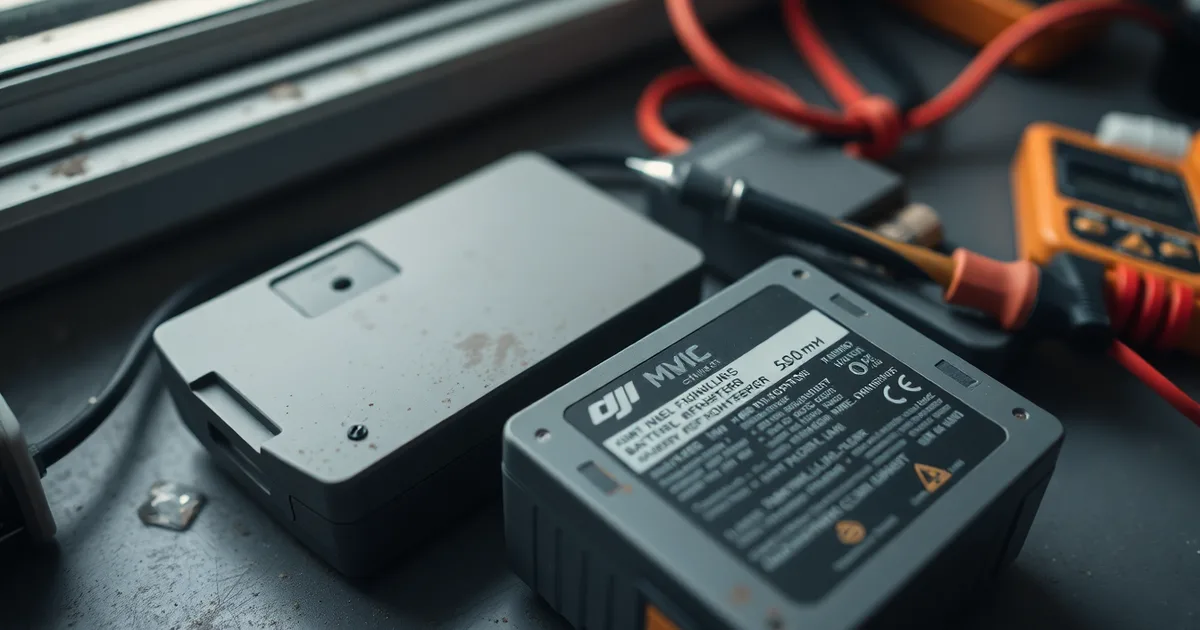
A DJI intelligent flight battery stuck in storage mode won't charge because its battery management system has deliberately locked the charging circuit, usually after 3–6 months of inactivity. Discharge it to 0% using a USB adapter or by leaving the drone powered on, then recharge with the original DJI charger to reset the BMS.
Storage mode is not a warning light. It is the BMS doing exactly what DJI programmed it to do: at 10 days of inactivity the pack self-discharges to roughly 60% state of charge, which is the least damaging voltage to sit at for months at a time. The confusion starts when a pilot pulls a Mavic Air or Mini battery out after a winter indoors, plugs in the mains charger, and gets a single blinking LED or nothing at all. That behaviour is the lockout, not a dead cell.
What kills these packs is time spent empty rather than time spent full. A battery left at 0% for more than three months can drift below 2.5V per cell, and lithium-ion chemistry does not come back from that in any reliable way. The DJI Fly app will show you the evidence directly under the battery info panel: healthy cells read somewhere between 3.7V and 4.2V, and a cell sitting under 2.5V is finished regardless of what the warranty paperwork says.
Do not try to force it. Jump-starting a DJI pack from a car battery or a bench power supply bypasses the BMS entirely, which means nothing is watching cell temperature or balance, and the usual outcome is a swollen pack, a fire, or both.
- Storage mode is intentional: DJI intelligent flight batteries enter it after 10 days of inactivity and self-discharge to about 60% SoC to protect the cells.
- Reset by full discharge: Drain the pack to 0% via a USB adapter or by leaving the drone on until it shuts down, then charge with the original DJI charger.
- 3-month threshold: A battery stored at 0% for over 3 months may fall below 2.5V per cell, at which point the damage is permanent.
- Never jump-start: Using a car battery or bench supply bypasses the BMS and can cause a fire; it also rarely revives the pack.
- Warranty excludes it: DJI covers batteries for 6 months or 200 cycles, whichever comes first, but over-discharge damage is not covered.
What does 'storage mode' actually mean on a DJI battery?
Storage mode is not a warning light or an error code. It is a firmware behaviour built into every DJI Intelligent Flight Battery, and it does exactly what the name says: it parks the pack at roughly 60% state of charge, the level DJI's own manuals recommend for long-term storage because a LiPo cell held at 100% for months loses capacity faster than one held at 60%. On a Mavic 3, whose pack holds 77Wh and flies for up to 46 minutes when full, that means storage mode deliberately gives away about 40% of your usable flight time in exchange for keeping the cells alive through winter. After 10 days of inactivity the battery triggers this state on its own; the self-discharge down to 60% SoC then takes another 2–3 days, which is why a pack that was full when you put it away in June might read around 58–62% when you pull it out in September.
The part that confuses people is the lockout. Once the Battery Management System decides the pack has been idle too long, it stops accepting charge through the normal path and reports "storage mode" in the DJI Fly app. That is not the BMS failing — it is the BMS refusing to let you top up a battery it has not seen communicate in months, because pushing current into an unattended pack with drifting cell voltages is how cells get driven below the 2.5V-per-cell floor that the LiPo industry treats as permanent damage. The BMS wants a handshake first: valid cell voltage readings, a temperature inside its normal window, and confirmation that the pack is actually being managed, not just fed voltage from a wall.
So when a pilot plugs a dormant Air 3 or Mini 4 Pro battery into a USB power adapter and gets a stubborn LED pattern instead of a charging blink, nothing is broken yet. The pack is sitting in a self-preservation state that DJI ships on purpose, and the first thing to check is not the charger but the cell voltages shown in the app. Those numbers decide whether you have a battery that needs waking or one that is already gone.
Why won't my battery charge after months in storage?
Put the battery on the charger and nothing happens because the Battery Management System has cut the charge FET. That is not sulking, it is the one job the BMS exists to do. A DJI Intelligent Flight Battery left alone long enough self-discharges below roughly 2.5V per cell, and lithium-polymer cells pushed under that line grow internal copper shunts that turn a normal 0.5C charge into a fire risk. The BMS reads cell voltage, sees a number it cannot safely charge into, and locks the port instead. No firmware update changes that reading, and no amount of wiggling the USB power adapter will, either.
What the timeline actually looks like
Storage mode on a DJI pack kicks in after 10 days of inactivity, then bleeds the battery down to around 60% state of charge over the following 2–3 days. Leave it there and discharge continues on its own, slowly. A Mavic 3 pack rated at 77Wh loses a few percent a month at room temperature, faster in a hot car or a cold garage. Cross three to six months and you are near the threshold; cross it and the pack is done. The damage is chemical, not electronic, so the cell voltage stays pinned low no matter how long you leave it on the charger.
A battery parked at 0% is the worst case. DJI's own guidance is 60% for long-term storage, and there is a reason: at true empty, the cell sits at the edge of the copper-dissolution window, and weeks at that level is usually enough. If your pack has been flat for two or three months, the odds are poor. User reports put the discharge-reset method at roughly 70% success for batteries stored 3–6 months, and near zero beyond that.
The discharge-reset sequence handles the recoverable cases. Discharge the pack fully, let it rest, then recharge on a standard charger and watch the first few cells come back above 3.0V in the DJI Fly app. If the app still reports a fault after the pack has warmed to room temperature, the BMS has made its decision. A replacement Mavic 3 battery runs about $209 USD from the DJI Store, and DJI Care Refresh covers the aircraft, not a pack you killed by leaving it in a drawer.
The discharge-and-recharge reset method that actually works
This procedure is for an Intelligent Flight Battery that lights up when you press the button but refuses to accept charge, or that shows storage mode in the DJI Fly app and then sits at one LED for hours. It works because storage mode is a firmware state, not a hardware failure — the Battery Management System has deliberately let the cells drift down to roughly 60% state of charge and then locked out the charge FETs. The reset forces the BMS through a full undervoltage-to-full-charge cycle so it re-arms.
You need three things: a working DJI charger for your model (Mavic 3, Air 3 and Mini 4 Pro all use different wattages, so borrow nothing), a USB power adapter you don't mind sacrificing, and about six hours.
- Do not plug the battery into a low-power USB charger to "wake it up." A 5V/2A phone brick cannot deliver the handshake current the BMS expects, and on some Mavic 3 packs it pushes the cells deeper into undervoltage. This is the step people botch, and it is why so many batteries arrive at repair shops already dead.
- Discharge the pack to zero. Two routes. The clean one is a USB adapter: DJI sells a battery-to-USB-A adapter for roughly $19 USD that lets the pack drain into a phone or power bank. The crude one is to seat the battery in the drone, power the aircraft on, and leave it sitting with the motors idle until it shuts itself down. Expect 90 minutes to three hours depending on starting SoC — a full Mavic 3 pack holds 77Wh, and idle drain on the aircraft is slow.
- Confirm the pack is genuinely flat. All four LEDs dark, no response to the button. If LED one still blinks, repeat step 2.
- Wait 30 minutes. This is not optional. The BMS monitors cell temperature and will refuse a charge cycle above roughly 45°C, and the discharge you just ran has warmed the cells. The half hour also gives the firmware time to clear the storage-mode flag and re-enable the charge path.
- Charge with the original DJI charger, not a third-party one. Use the wall adapter that shipped with your drone or the DJI 65W/100W Portable Charger. A Mavic 3 pack takes about 90 minutes to reach full from empty; an Air 3 pack takes around 80 minutes; a Mini 4 Pro pack about 70 minutes.
- Watch the LED sequence. The first LED should blink, then hold steady, then the second begins blinking. If the pack sits on a single blinking LED for more than 20 minutes with no progression, stop and go to the failure mode below.
- Charge to 100%, then fly the battery down to about 30% within the next few days. If you are putting the drone away again, charge back to 60% — DJI's own manual specifies 60% for long-term storage, and that is the SoC the BMS is quietly trying to hold your pack at when it enters storage mode.
The failure mode is over-discharge. If any cell has fallen below 2.5V — the industry threshold for LiPo permanent damage — the pack will not recover no matter how many cycles you run, and the discharge-reset method has a success rate of roughly 70% for batteries stored three to six months, dropping sharply past that. A pack stored a year or more in a hot garage is usually gone. There is no field repair: the cells are potted and the BMS is not user-serviceable. A replacement Mavic 3 battery runs about $209 USD from the DJI Store, and DJI's warranty covers batteries for six months or 200 cycles, whichever comes first, so a battery you bought eighteen months ago is on your dime. Check your DJI Care Refresh terms before you assume otherwise — it covers the aircraft, not a battery that has been sitting idle.
How to discharge a DJI battery safely (and how not to)
The point of a controlled discharge is to pull the pack down past the point where the Battery Management System has parked it, without pulling any single cell below roughly 3.0V. That window is narrow. A Mavic 3 pack is 77Wh across four cells, so there is real energy in there even at "empty" — and the BMS will cut the output the moment one cell drifts out of balance with the others.
Pick one of these, in order of how much I trust it:
- Use the drone itself as the load. Power the aircraft on with no props and let it sit with the camera running or the motors idling on a bench. It draws a controlled, balanced load through the BMS, which is exactly what the BMS expects. On a Mavic 3 this drains a topped-up pack in roughly 40 to 50 minutes.
- A LiPo discharge device rated for 4S or 6S. Hobby chargers like the ISDT or SkyRC lines have a "storage" and "discharge" mode with a configurable cutoff in volts per cell. Set the cutoff to 3.2V per cell, not to 0%. The 4-pin or 6-pin balance lead on the pack is what makes this safe — if your battery has no accessible balance lead, this option is off the table.
- The DJI USB power adapter with a phone or tablet plugged in. Awkward and slow, but genuine: the battery acts as a power bank and discharges through its own output stage rather than through the charge port. Expect a few hundred milliamps, so a full 77Wh pack takes the better part of a day.
- A dedicated LiPo discharger such as the ToolkitRC or Hobbymate units, which dump energy into a resistive load and display live cell voltages. These are the only consumer devices I would leave running on a slow discharge, and even then only with the alarm enabled.
- A fireproof LiPo bag or a bare concrete floor, never carpet, never a wooden workbench, never a car interior. A pouch cell that has been sitting at 2.6V is the one most likely to vent when current finally flows. Put it somewhere that surviving the event matters less than not setting the building on fire.
- Stay in the room. Plug the charger, kettle, laptop — whatever — into the same room and check the pack every 15 minutes. The failure mode is a cell going into thermal runaway in under 30 seconds, and the only effective response is moving the pack outside, which requires you to be standing there.
- If in doubt, discharge outside, on a paved surface, away from anything combustible, with a bucket of sand within arm's reach. That sounds dramatic until you have watched one go.
What people most often get wrong is the cutoff. Everyone wants to take the pack all the way down so it looks properly empty, and 2.5V per cell is the accepted floor for LiPo damage — below it, the copper anode current collector starts dissolving into the electrolyte and the cell is gone. Stop the discharge at 3.0V per cell and let the BMS rest for an hour before you put it back on the charger. If the cells rebound to 3.3V or higher on their own, you have a shot at waking it. If they sag straight back below 3.0V, the pack is finished, and no amount of 77Wh of stored energy will bring it back.
When is the battery permanently dead? (voltage table)
Storage mode is recoverable. Chemical damage is not, and the line between them is drawn in millivolts per cell. You need a way to read individual cell voltages: the DJI Fly app shows a pack total and a per-cell breakdown under the battery's device page for Mavic 3, Air 3 and Mini 4 Pro packs, and a $30–$60 hobby balance checker with a JST-XH probe will give you the same numbers if the pack is too flat for the aircraft to power up.
Read the cells cold, at room temperature, before charging and again 10 minutes after a failed charge attempt. A pack that sags hard under a 1A load is worse than its resting number suggests.
| Cell voltage (per cell) | What you observe | Verdict |
|---|---|---|
| 3.80–3.90V | Normal storage charge; LEDs light on button press | Healthy, just idle |
| 3.00–3.70V | Charger wakes after 5–20 minutes; LEDs blink in sequence | Recoverable, expect 70% success for 3–6 months of storage |
| 2.50–3.00V | No LEDs, no charger response, no DJI Fly reading | Marginal; one reset attempt, then stop |
| Below 2.50V | Dead on the meter even after a 12-hour charge attempt | Permanently damaged, replace |
| 0.00V on all cells | BMS has latched off; pack reads open circuit | Bricked, replace |
| Any voltage, pack swollen or hissing | Case bulges past the seam; smells sweet or solvent-like | Retire immediately, do not charge |
The 2.50V row is the one that matters. Above it, a Mavic 3 pack is worth the 24 hours it takes to run the discharge-and-recharge cycle, because the alternative is $209 USD for a replacement. Below it, no charger, no reset, and no amount of patience brings lithium polymer back; the copper current collector has already dissolved into the electrolyte, and cells that suffered that will self-heat during any subsequent charge. If a single cell sits at 2.3V while its neighbours hold 3.4V, treat the pack as dead too even though the average looks fine, because the BMS balances at milliamps and will never catch a 1.1V spread. The case where "it depends" actually flips: a pack reading 2.60V across all four cells evenly after 14 months of storage is often salvageable, while a pack reading 3.10V with one cell at 2.40V is not. Evenness beats absolute voltage.
Preventing storage mode lockout: best practices for long-term storage
Storage mode is easy to trigger and annoying to escape, so the practical goal is to never let a pack sit long enough for its Battery Management System to lock you out. The rules below are drawn from DJI's own manual and from what actually happens to cells over time. None of them require special equipment beyond a charger and a thermometer.
- Bring the pack to roughly 60% before any storage period longer than 10 days. DJI's default is to enter storage mode after 10 days of inactivity, and once triggered the pack self-discharges down to about 60% state of charge over 2–3 days. Doing it yourself first means the BMS has less work to do and less chance of overshooting. Check the level in the DJI Fly app before you put the drone away, not after.
- Top up to 60% every three months. A pack left at 60% in March will not be at 60% in September; the BMS draws a small standby current and the cells self-discharge on top of that. A three-month interval keeps you well clear of the 2.5V-per-cell threshold where LiPo cells are considered permanently damaged. Put a recurring calendar entry on the same day you pay your rent and stop thinking about it.
- Store at 15–25°C (59–77°F) in a dry place. Heat accelerates capacity loss; cold slows it but can push cell voltage down faster once the pack is already low. A cupboard inside the house beats a garage, a car boot, or a shed that hits 40°C in July. Keep packs away from concrete floors, which wick moisture and corrode the contacts.
- Leave each battery at about 30–50% if you will not fly for a year or more. That sits below the 60% figure DJI quotes but above the danger zone, and it leaves headroom for the slow drift that happens over 12 months. This is the one case where deliberately going lower than the manual is the right call.
- Never store a pack fully charged, and never store one fully flat. A Mavic 3 pack holds 77Wh and gives up to 46 minutes of flight when full, and holding it at 100% for weeks stresses the cathode. Holding it at 0% is worse. If you have just flown and the pack reads 15%, charge it to 60% that evening rather than leaving it for the morning.
- Do not rely on one battery to carry the whole fleet through winter. Rotate through your packs so each one gets exercised and checked. A pack that has not been touched in eight months is the one that will greet you with storage mode and a red LED.
- If you are flying commercially and your batteries sit for extended periods, budget replacements on a cycle count, not a calendar. DJI's warranty covers batteries for 6 months or 200 cycles, whichever comes first, so a pack that has been idle for a year is almost certainly out of coverage by the time you notice a problem.
The one people get wrong most often is the three-month recharge. It feels unnecessary because the pack reads 58% when you check it, so you skip the top-up and put it back in the case. Six months later the same pack reads storage mode and does not respond to a USB power adapter. The self-discharge curve is not linear, and the last few percent before the BMS cuts off happen faster than the first twenty. Set the reminder, plug the pack in for twenty minutes, and put it back.
What to do if the reset fails: warranty, replacement, and disposal
If the discharge-and-recharge sequence has run its course and the cells still sit below 2.5V each, the battery is not coming back. That threshold is not a DJI invention; it is the point in lithium-polymer chemistry where copper dissolution and internal shorting become likely, and no charger on the consumer market resolves it safely. Take the reading as final, write the pack off, and stop cycling it through your USB power adapter in the hope that the tenth attempt behaves differently.
Before you buy anything, check the date. DJI warranties Intelligent Flight Batteries for 6 months or 200 charge cycles, whichever comes first, counted from the invoice date rather than the manufacture date printed on the shell. A Mavic 3 pack bought in March is still inside that window in September; one bought the previous autumn is not. Open DJI Fly, go to Profile then Device Management, and the cycle count for each battery is listed alongside its serial number. If you are within both limits, contact DJI support with the flight log and the serial, because a pack that reached over-discharge under normal use and short storage is a legitimate claim rather than user error. DJI Care Refresh does not cover battery degradation or storage damage, so do not expect the plan to pick this up.
Buying the replacement, and getting rid of the old one
Replacements come from DJI or from authorised dealers, and the price is not the place to economise. A Mavic 3 battery runs about $209 USD from the DJI Store in 2026, a figure that looks steep until you compare it with a $60 marketplace listing carrying a forged serial and no cell-matching. Counterfeit packs regularly miss the BMS handshake entirely, which produces exactly the storage-mode symptom you just spent a week trying to clear, and they have a habit of swelling on the third or fourth charge in warm weather. Buy from the DJI Store, an authorised regional distributor, or a retailer that will honour a return.
The old battery needs to leave your house properly. A swollen pack is a fire risk sitting in a drawer, and a fully flat one is still 77Wh of reactive material. Do not bin it, and do not post it: IATA rules forbid shipping damaged lithium cells by air, and most carriers refuse them by ground too. Find a certified LiPo recycling point, which in practice means a household hazardous waste facility, a battery retailer running a take-back scheme, or a municipal collection event. Tape the terminals with electrical tape, bag the pack, and store it outdoors, away from anything combustible, until you can drop it off. In the US, Call2Recycle's locator covers most counties, and FAA guidance on carrying spares applies only to healthy batteries, not to the one you are retiring.
Can a third-party charger or firmware update fix a storage mode battery?
Neither will help, and one of them can hurt you. A DJI Intelligent Flight Battery is not a dumb LiPo pack with two wires; the BMS sits between the cells and the connector and decides whether current is allowed in. The stock charger and the drone itself do a handshake over the data pins before the BMS closes its charge FET. Most third-party USB power adapters only supply 5V on the power pins and never speak that protocol, so the pack stays asleep and the LED does nothing. You can leave a generic 65W GaN brick connected to a Mavic 3 pack overnight and wake up to the same unlit LEDs you started with — the charger was working fine, it just had nothing to say.
Firmware is the other myth. Updating via the DJI Fly app changes flight controller behaviour, gimbal tuning, geofencing databases and transmission parameters — it does not touch battery protection logic. The BMS firmware is sealed, and there is no consumer-facing path to reflash it. DJI has never shipped a public BMS reset utility, and the service centres that can force a wake use bench equipment you cannot buy. Anyone selling you a "battery unlock tool" or a modified charge cable is selling a way to push current into a pack whose protection circuit has deliberately refused it. That is how you turn a recoverable pack into a swollen one.
There is a second failure mode worth naming, because it explains why cheap chargers sometimes appear to work and then stop. A pack that has drifted below roughly 2.5V per cell has crossed the threshold where the BMS treats the cells as damaged, and it will refuse charging permanently regardless of what you connect. The discharge-reset sequence that wakes a healthy stored pack has a success rate of about 70% on batteries left 3 to 6 months; past that window, or on a pack that has been sitting at 0% for a year, the odds collapse.
If the reset has already failed, stop buying chargers and firmware hacks. Price the replacement against the risk. A new Mavic 3 pack runs about $209 USD and carries DJI's 6-month or 200-cycle warranty, which will not cover a battery you cooked with an off-brand adapter. A $30 knock-off charger that "might" wake a $209 battery is not a bet worth taking, and an Air 3 or Mini 4 Pro pack is cheaper to replace than the drone it could damage if a bypassed protection circuit lets a bad cell vent in your bag.
Frequently Asked Questions
Why does my DJI battery say storage mode and won't charge?
Because the battery management system has locked the charging circuit to prevent over-discharge damage. When a DJI Intelligent Flight Battery sits idle without a top-up for too long, its cells drift down toward the low-voltage cutoff, so the BMS trips into a protective state and refuses current until the pack sees a controlled discharge-reset sequence. It is a hardware safety lock, not a firmware bug, and it applies across the Mavic, Air and Mini lines.
How long does it take to reset a DJI battery from storage mode?
Budget four to six hours total. The discharge phase, where the battery is driven down through its cells to clear the fault state, typically runs two to four hours depending on pack capacity. The full recharge that follows takes one to two hours on a standard DJI 100W or 65W charger. If you are on a slower USB-C adapter, add time and expect closer to eight.
Can I jump-start a DJI drone battery with a car battery?
No. A 12V car battery puts out far more current than a drone pack's BMS expects, and forcing current past the protection circuit on a lithium-polymer cell at low voltage can trigger thermal runaway, fire or explosion. DJI explicitly warns against it in its battery safety guidelines. The BMS is what keeps you safe here, so never bypass it to force a charge.
What voltage is considered dead for a DJI battery?
Below 2.5V per cell is permanently damaged and the pack should not be charged or flown. A healthy DJI cell reads 3.7V nominal and 4.2V at full charge, with the low-voltage cutoff triggering around 3.0-3.2V under load. If a cell measured with a multimeter sits under 2.5V, the chemistry has degraded and recovery is not safely possible.
Does DJI warranty cover batteries stuck in storage mode?
Only if the battery is within six months of purchase or under 200 charge cycles, and the fault is not the result of over-discharge. DJI's warranty policy treats over-discharge damage as user-caused, so a pack left flat for a year falls outside coverage regardless of age. Check your cycle count in the DJI Fly app before filing a claim, since that figure is what DJI checks first.
How often should I charge my drone battery to prevent storage mode?
Top up or discharge every three months. DJI Intelligent Flight Batteries self-discharge for safety, and if you leave a pack unplugged for longer than that, it can drop to a level the BMS will not accept. For long-term storage, keep it at roughly 60% charge, which is the self-discharge target DJI's own firmware moves the pack toward after about 10 days of disuse.